MBL Foundations
The company, the six delivery models, the calendar, and the one rule everything else depends on.
1.1 What we build, and the two ways we work
General contractor on our own jobs, specialty sub on everybody else's
- MBL works two ways. We run projects as the general contractor, and we come in as a specialty sub on other builders' jobs.
- When we sub in, whose rules apply can change. Whose forms, whose safety plan, whose submittal standards. Always confirm which set governs before you start.
- The scope is the same either way. Directional boring, concrete, drilling, electrical, civil, module mounting, steel erection, and everything that goes with it.
- We work across the State of California and beyond. Redding down to Chula Vista, plus special projects out of state in Florida, New Jersey and the Carolinas.
- The customer base is wide, and no single account defines us. Healthcare like Kaiser, Depaul and St. Louise. Higher education like the Claremont Colleges and Stanford. School districts from Sacramento City USD to Valley Christian.
- Cities and public agencies of every size. Countless municipalities, from large metros like San Jose to small ones like the City of Lincoln. Airports and prisons too, including Sonoma County Airport and Valley State Prison.
- Commercial, financial and logistics. The Wells Fargo portfolio, Prologis, Amazon and PFG.
- Between the family of companies we can build almost anything. If a job needs a resource we do not have on hand, someone in the family has it, and everyone pitches in to get it done. MBL sits on top as the GC tying it together.
You do not need to track every customer we work for. What matters is the range. Eight out of ten carports you see in California were built by MBL. We built the TID wide span across the canals. We work for anybody, on just about anything.
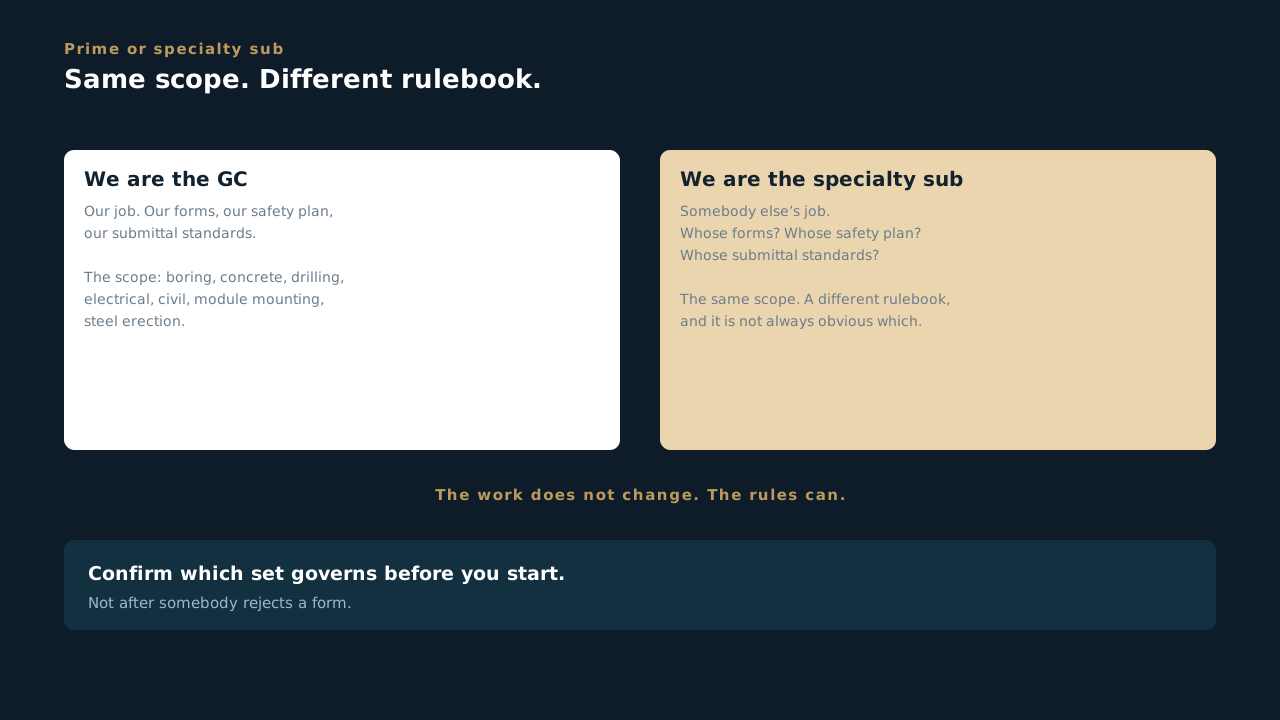
Can you answer this? You are on a job where MBL is the specialty sub rather than the GC. What has to be confirmed before you start?
1.2 The six delivery models
How the work gets delivered, not where you sit
- MBL Energy runs six delivery models. A delivery model is how the work gets delivered, not where you sit. The same crew can run under two different ones in the same day.
- EPC. Tip to tail. We design it, buy the material, build it, and commission it. Most of the time we run the O and M on it too.
- Millwright. Food processing plants. Maintaining pipe systems and custom welding for farm equipment.
- Specialty. We come in for one trade only. Either just the electrical or just the structural. Our piece, nobody else's.
- Turnkey. We deliver the whole project finished and running. The customer takes the keys to a system that is ready to go.
- Asset Management. Long term care of systems we manage for owners under contract. Keeping them healthy and producing.
- Service. Repair and service calls, including from customers who never signed a maintenance contract with us. New delivery model, stood up in 2026, and where we are putting our push this year.
Every job has a number. Put your time to the right one, every day. With as many customers and divisions as we run, that number is how your work gets tracked and billed. Get it right in the field and everything downstream stays clean.
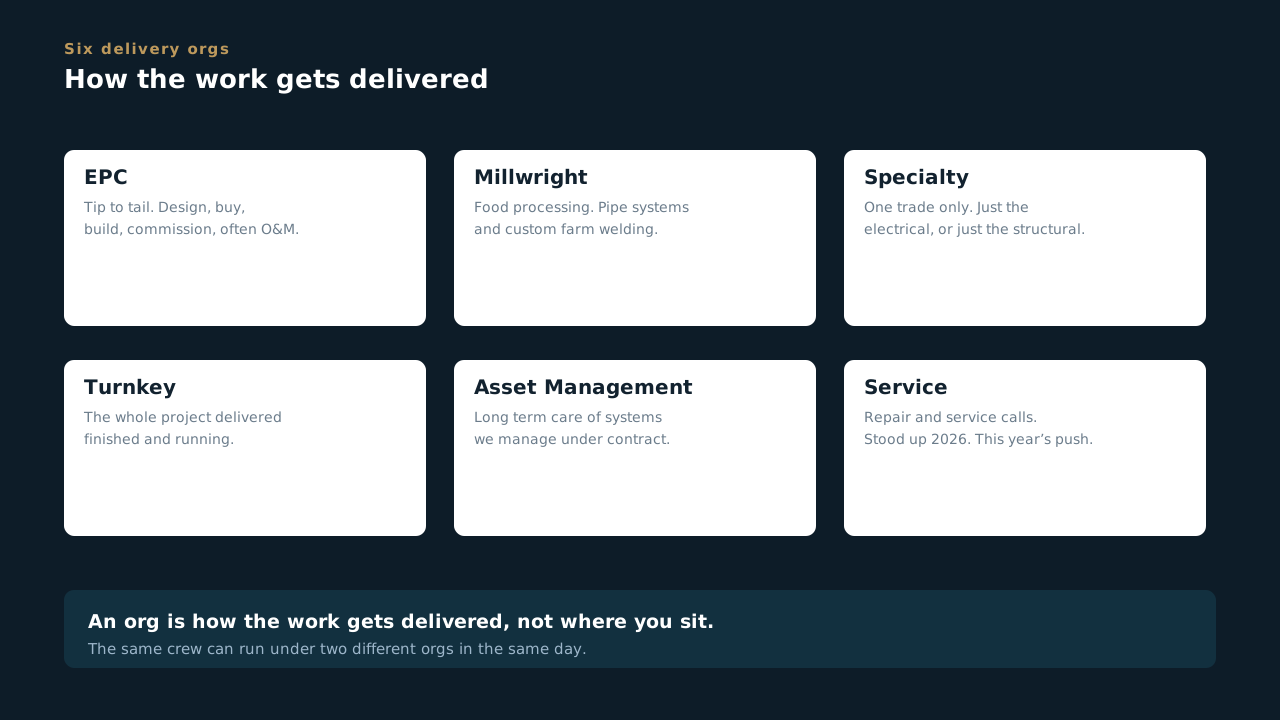
Can you answer this? Somebody says they "work in Specialty". What is wrong with that sentence?
1.3 The fiscal year, and who supplies the crews
Quarters run three months off, and MBL carries no field labor of its own
- MBL's fiscal year ends March 31, so our quarters run three months off the calendar. All revenue and Scoop reporting runs on the fiscal year, not the calendar year.
- Internally, Q1 is April, May, June. Q2 is July, August, September. Q3 is October, November, December. Q4 is January, February, March. So Q4 of FY2026 is January through March of 2027. Read that twice.
- Externally, most customers are on the calendar year. When they say Q2 they usually mean April through June. When we say Q2 we mean July through September. Two people can say the same words and mean a three month gap.
- The one thing to lock in: when an exec here says end of Q2, they mean September 30. Not June. The fix is easy and it never fails: say the months out loud. Nobody has ever been confused by "we will be done by September 30."
- MBL Energy is the general contractor and sits over everything. MBL itself does not carry field labor. It brings the crews in through the companies below and picks the right one for the job.
- Genesis One Group. Our union labor force. Signatory to the Laborers, Iron Workers, and Operators.
- Anchor Enterprise. Our nonunion shop. Houses the millwright team, the fabrication team in Fresno, and the nonunion electrical and construction crews. Also runs O and M, logistics, and trucking.
- Endeavor Enterprise. Signatory to the IBEW. Handles all IBEW electrical work.
Depending on the job, you might be working under any one of these, with MBL over the top tying it together. Watch the overlap: Millwright is one of the six delivery models, and the millwright team also lives inside Anchor. The six delivery models are how the work gets delivered. These three are who supplies the crews. Same company, two different lenses.
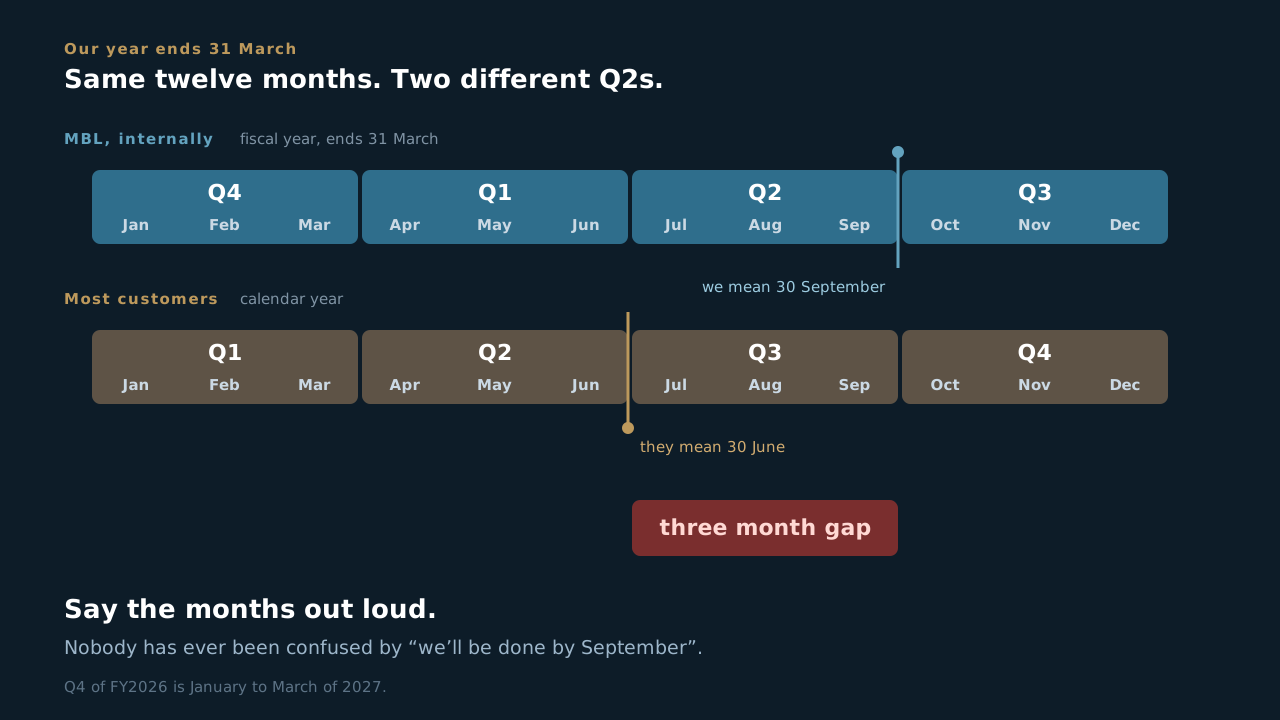
Can you answer this? An exec tells you a job will be done by the end of Q2. What date is that?
1.4 Documentation is the deliverable
If it isn't in Scoop, it didn't happen
- Scoop is MBL's central operations hub and the system of record for field work, inspections, commissioning and service.
- Photos, signatures and timestamps are the record. Not your memory, not the group text, not the note in somebody's truck.
- "If it isn't in Scoop, it didn't happen" is not a figure of speech. It's the standard we get held to when a customer asks for proof.
- This is why Scoop is worth the effort. It builds a repository of the work you are already doing, and gives that time back to you later. It is not a second job stacked on top of the first one.
- It is also how we cover ourselves. Our customers are more engaged and more particular than they used to be. Paperwork and tracking are our friend. They are proof that we did what we said we would do, and that we did it correctly.
- The most expensive habit at MBL is doing the work correctly and documenting it badly. Every bounced submittal, every late invoice, every argument with a customer traces back to a form somebody rushed.
- And all of it lands as money. Time is money here in three shapes: overhead burning while somebody chases paper, change orders we cannot bill because the change was never written down, and rework in the field. Documented well, the same job books the change order, invoices on time, and closes out clean.
A PM's leverage is here. You will spend more of your career defending documentation than defending workmanship.
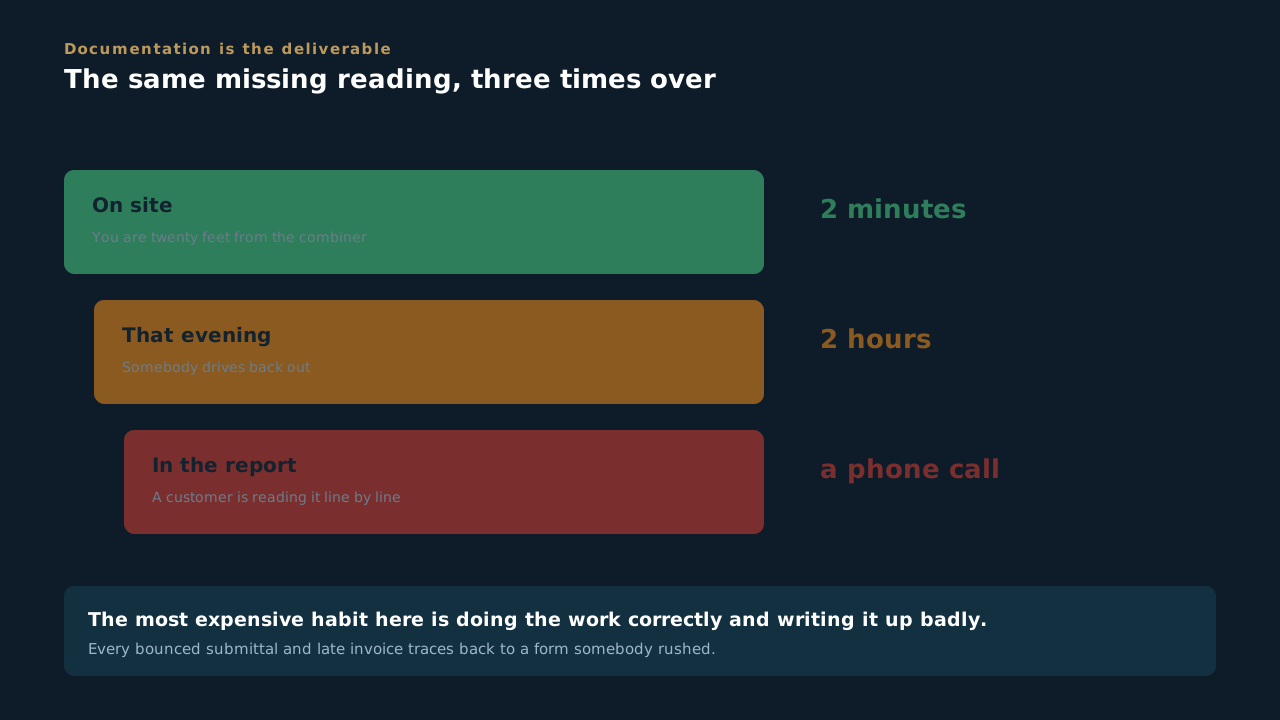
Can you answer this? A crew does the work correctly and writes it up badly. What does that cost?
1.5 Honesty, integrity, loyalty
The three that everything else in here hangs off
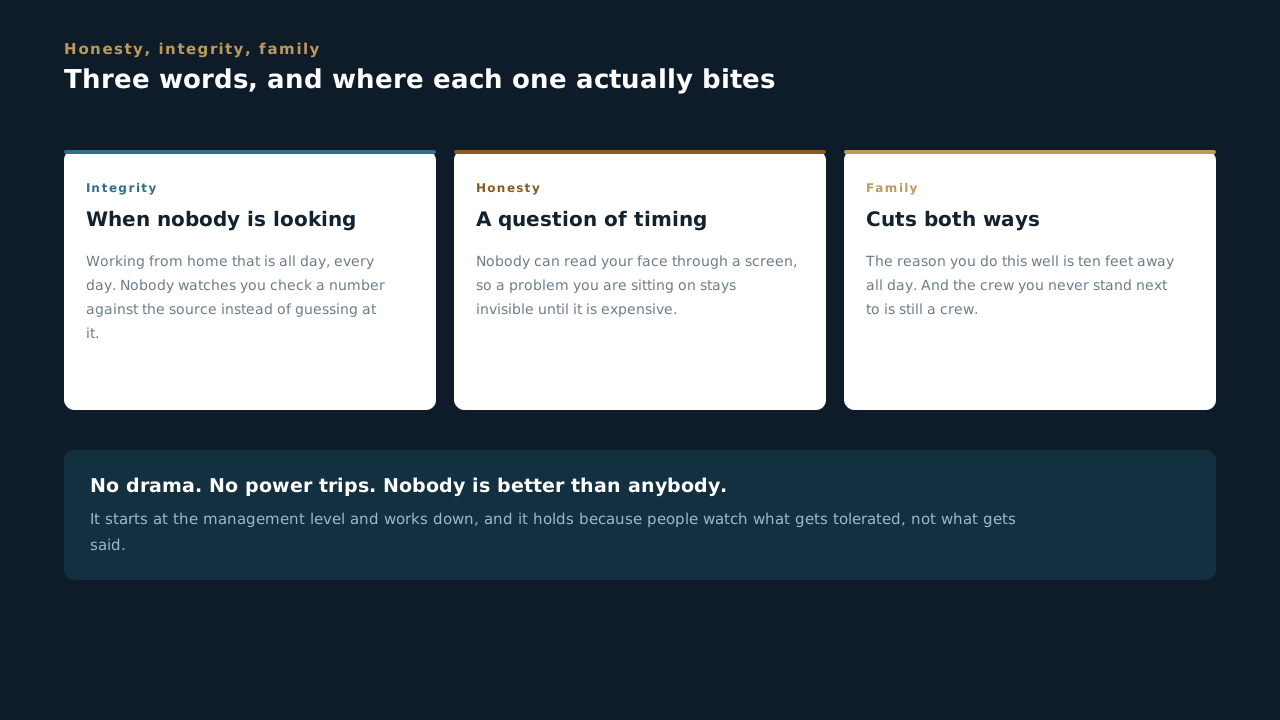
- Integrity is what you do when nobody is looking. Working from home, that is all day, every day. Nobody watches you check a number against the source instead of copying last month's forward. The person who finds out you did not is a PM eight months from now, in front of a client, holding a document with your name on it.
- Honesty is a question of timing, and remote makes it harder. Nobody can read your face through a screen, so a problem you are sitting on stays invisible until it is expensive. A date that slips, flagged Monday, is a schedule change. The same date flagged the Friday it was due is somebody's weekend. Nobody at MBL has ever been in trouble for bringing bad news early.
- Loyalty cuts both ways. It is not about staying somewhere a long time. It is showing up for the people you work with when it costs you something, and the company doing the same back. Nobody here is owed it and everybody here has seen it.
- The crew you never stand next to is still a crew. The field gets this for free, because they are shoulder to shoulder in a yard at six in the morning. We do not. Turning the camera on, ringing somebody instead of sending a fourth message, knowing something about the person you are handing a job to: on this side that is deliberate or it does not happen.
- Which is why the conduct rules are short. No drama. No power trips. Nobody is better than anybody. It starts at the management level and works down, and it holds whoever signs your cheque. Written down it means one more thing: assume the other person meant it well, because text carries no tone and you will guess wrong about half the time.
- Different personalities, same goal. Get the job done, do it well, and do it to the best of our ability. You do not have to be alike to work well together. You do have to be straight with each other.
These are not a poster in a break room none of us sit in. Nearly every rule in this course traces back to one of them: write what you actually saw, say it early, and leave a record somebody who has never met you can follow. Take the three away and what is left is just paperwork.
Can you answer this? A date on your job is going to slip. When is the honest moment to say so?
Safety at MBL
Why we are hard on it, where the real standard lives, how we treat each other, and what happens when something goes wrong.
2.1 Why we are hard on safety
The work is dangerous, and at the end of it this is just a job
- The work we do is dangerous. Directional boring, steel erection, high voltage electrical, heavy equipment. Anything can happen on any day.
- At the end of it, this is just a job. No install is worth somebody not going home.
- That is why safety is the highest priority we carry, and why we are hard on it. Not to slow the job down. Because we want every person on our sites, our crews and our subcontractors, to leave the way they showed up.
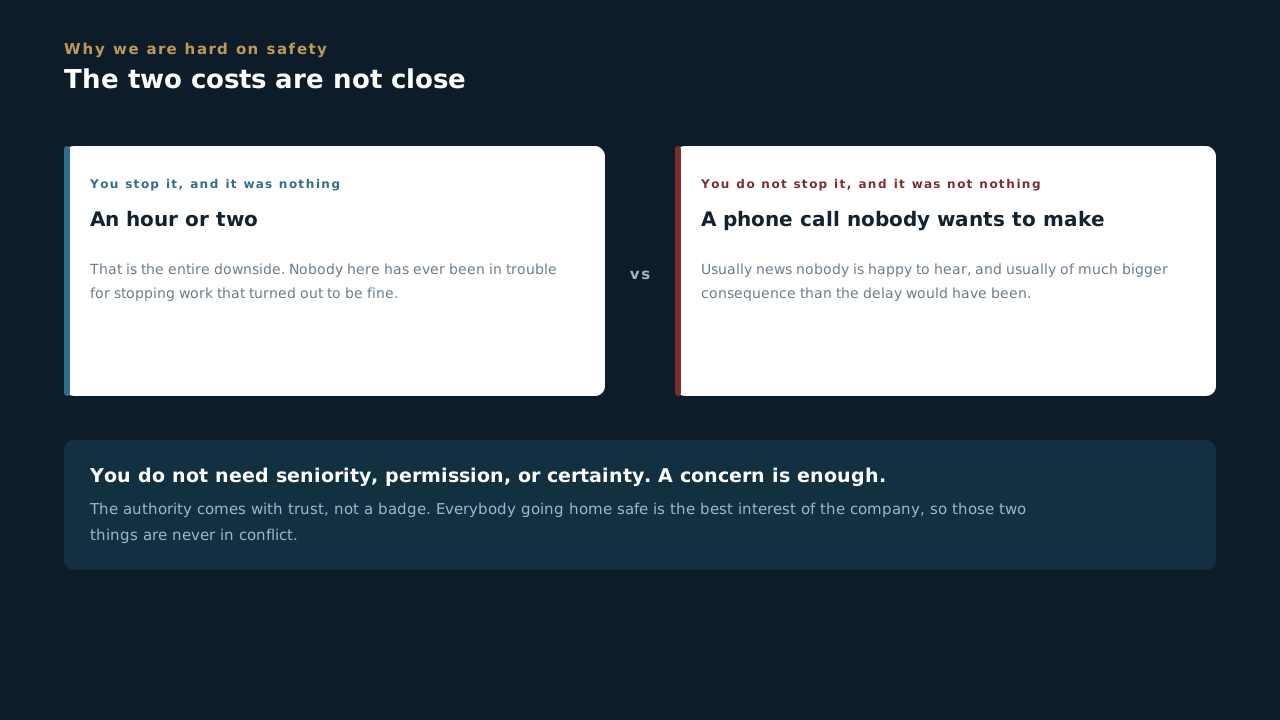
- You are constantly on the lookout, and you have the authority to stop work the moment conditions look unsafe. Use it. Nobody needs seniority, permission or certainty. A concern is enough.
- That is what MBL policy calls a competent person, and by policy everybody here is one. It is not seniority and it is not a badge somebody hands you. You are looking out for two things at once: the people around you and the best interest of the company. Those are not in conflict. Everybody going home safe is the best interest of the company.
The cost of stopping work that turns out to be a non-issue is an hour or two. The cost of not stopping work is usually news nobody is happy to hear, and it is usually of much bigger consequence.
Can you answer this? You are new, you are not certain, and something on site looks wrong. What is your authority?
2.2 , JHAs, and how we treat each other
Where the real standard lives, and the conduct that goes with it
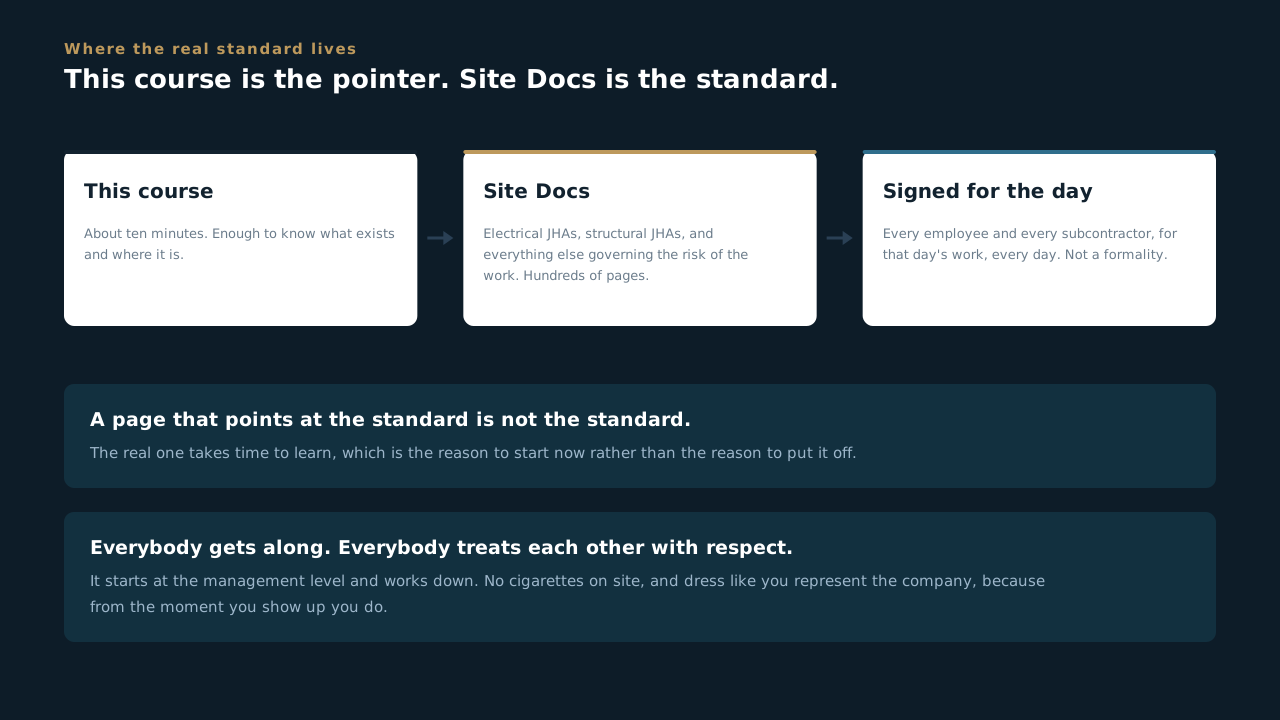
- All of our safety documents live in . That includes our electrical JHAs, our structural JHAs, and everything else that governs the risk of the work we do.
- This page is not our safety standard. It is a pointer to it. The real standard is hundreds of pages deep and takes time to learn, so start now.
- Every subcontractor and every employee signs their JHAs through and understands the risks of their job that day, every day. That is not optional and it is not a formality. Forms signed, JHAs understood, JHAs followed to a T.
- You met the three in Foundations. This is what they look like standing on a site. No high school drama. Everybody gets along and everybody treats each other with respect, and it starts at the management level and works down.
- Under no circumstances is there ever a power trip at MBL. Nobody is better than anybody. We are all different personalities, here with the same goal: get the job done, do it well, and do it to the best of our ability.
- Image matters. No cigarettes on site. Dress professionally when you are on site or meeting with clients. You represent the company the moment you show up.
Everybody gets along, everybody cares about each other. That is the culture, and it is protected from the top down.
Can you answer this? Everything you need to know about safety at MBL is on this page. True?
2.3 When something happens
Injuries, near misses, and the clock
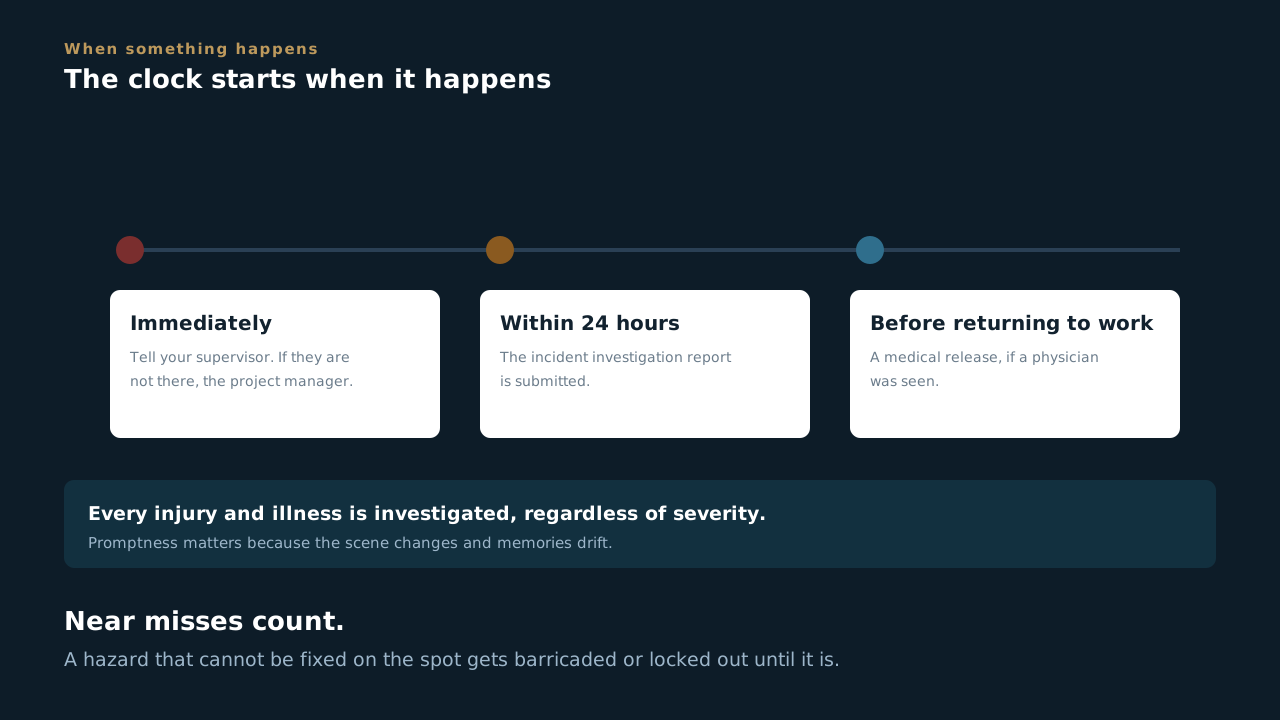
- Report any injury, suspected injury, job-related illness, spill or property damage immediately to your foreman. If your foreman is not available, go to the construction manager, and if neither is available, notify the project manager. Immediately, not at the end of the shift.
- Every injury and illness gets investigated, regardless of severity. Promptness matters because the scene changes and memories drift.
- Incident investigation reports are submitted within 24 hours of the supervisor first being notified.
- Your supervisor and the Safety Manager complete the Employer's Report of Occupational Injury or Illness and the Workers' Compensation Claim Form.
- If you saw a physician, a medical release is required before you return to work. The provider may restrict tasks or conditions before you go back to full duties.
- Near misses count. Hazards that can't be fixed on the spot get assigned to a competent person to barricade, lock out, or otherwise control until they're corrected.
If a hazard is imminent and can't be safely abated, everyone leaves the area except the qualified people correcting it, and those people get the safeguards first.
Can you answer this? Somebody trips, gets up, says they are fine, and carries on. What happens next?
2.4 How safety runs on site
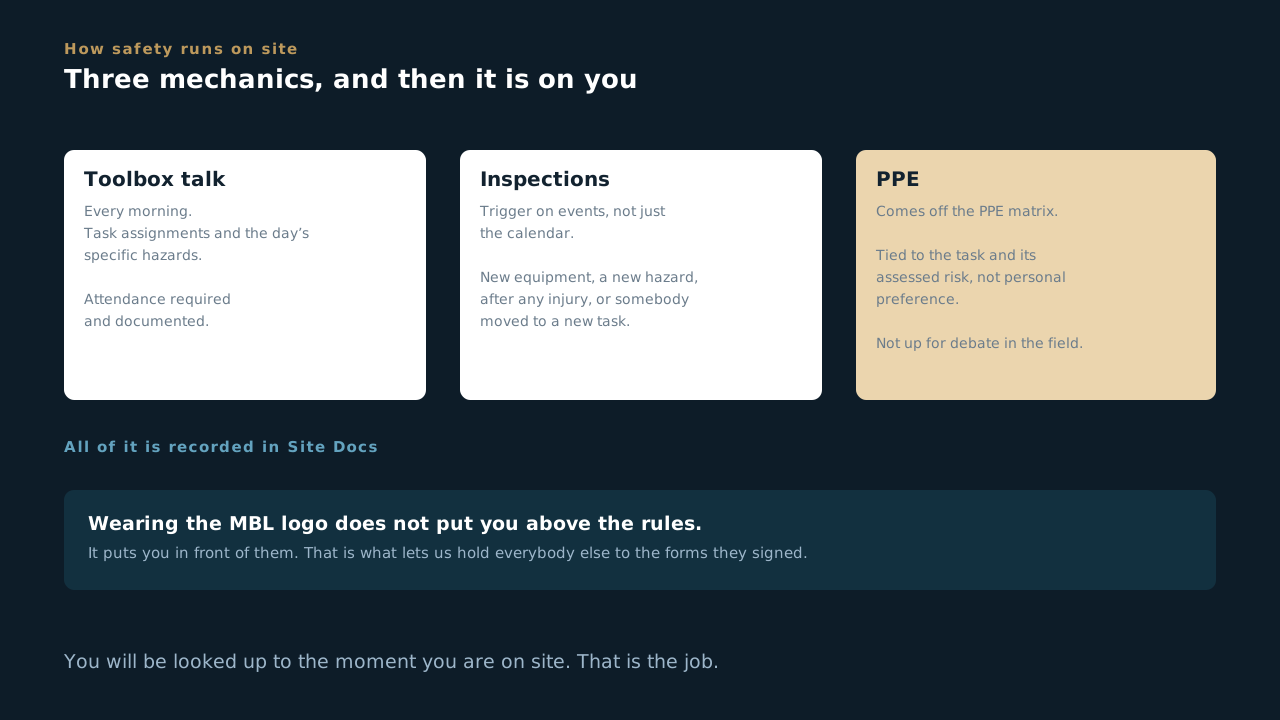
Three mechanics, and then it is on you
- Three mechanics run safety on every MBL site, and they run whether you are there for a week or for twenty minutes. The morning toolbox talk, inspections that trigger on events, and PPE off the PPE Matrix.
- The toolbox talk happens every morning and attendance is documented. If you arrive while one is running, you are in it. That is where the day's specific hazards get named, and you do not get to skip the part where somebody tells you what is dangerous today.
- Inspections trigger on events, not just the calendar. New equipment or process, a newly spotted hazard, after any injury, or when somebody is moved to a task that was not assessed for them.
- PPE comes off the PPE Matrix, tied to the task and its assessed risk, never to personal preference or to how long you are planning to be there. Visiting is not an exemption. The matrix does not have a column for job title.
- Do not handle or tamper with electrical equipment, machinery, or air and water lines outside your scope without instruction from the foreman and the customer or facilities team on site. This one catches office and BD visitors more than it catches crews, because a crew knows what they are not allowed to touch.
- All of it gets recorded in . That is where the paper trail lives, and the paper trail is what a customer or an attorney reads later.
- And you are being watched from the moment you arrive. Whoever you are, whatever you came to do. If the person in the logo cuts a corner, everybody who saw it now knows where the real line is.
Wearing the MBL logo does not put you above the rules. It puts you in front of them. That is true of a foreman on day ninety and of somebody from the office who came out for an hour.
Can you answer this? You are on site for twenty minutes to look at one thing. What PPE applies?
Scoop Basics
What a scoop is, how a job is put together, why stages stop you, and why fields move. The vocabulary everything else assumes.
3.1 Getting in
The invite, the deadline on it, and the one rule about passwords
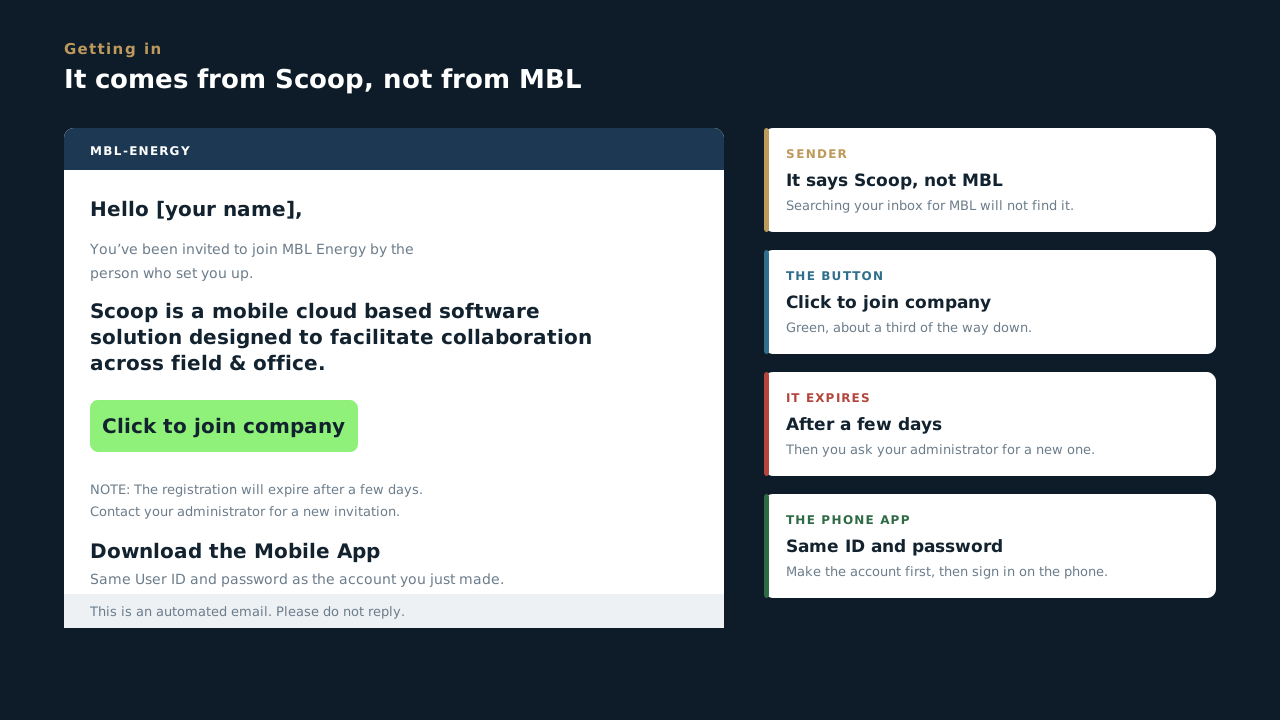
- The email comes from Scoop, not from MBL. Subject line: You have been invited to join MBL Energy. If you go hunting your inbox for something from MBL you will not find it, so search for Scoop, and check junk before you ask anybody.
- It expires after a few days. The email says so itself. If yours has gone stale the link simply will not work and there is nothing wrong with you or the app: ask whoever set you up for a fresh invitation. This is the single most common reason somebody cannot get in.
- The button says Click to join company. Green, about a third of the way down. That is the step that actually creates your account, and you set your own password on the other side of it.
- Nobody here ever sees that password. Not your foreman, not the office, not IT, not the person who invited you. Anybody who asks you for it is either confused or not who they say they are, and the answer is the same either way.
- The phone app uses the same User ID and password. Make the account from the email first, then sign in on the phone with the same details. There is no second signup, and that initial sign-in is the one thing you cannot do without service. Getting the app itself is the next lesson.
- Do not reply to the invite. It is an automated address and nothing comes back. Questions go to the person who invited you, whose name is in the first line of the email.
- Your account is yours and it is named. Everything you do in Scoop carries your name for as long as the record exists, which is why nobody shares a login here and why a shared one would be worthless as evidence.
The account is the signature. Every form you fill, every stage you move and every comment you leave is attributed to you and stays attributed to you, so it is worth ninety seconds to get in properly rather than borrowing somebody’s screen.
Can you answer this? A new hire says the invite link does not work. What is the most likely reason?
3.2 The nine things on the left
The whole app, in one rail
- Overview is your dashboard. What is assigned to you, what is overdue, what changed since you last looked.
- Scoops is the work itself, one row per piece of work. This is where most people spend most of their day.
- Client Sites is the customer side: every site we work at, who owns it, and which portfolio it sits under.
- Projects is the contract above the work. A scoop is a day. A project is the year.
- Comments and Tasks are the same page. Same list, filtered differently. Comments is what people said, Tasks is what people owe. If you go looking for one and land on the other, that is why, and it is worth knowing before it confuses you.
- Calendar is what is scheduled and when, which is the answer to who is going where on Thursday without asking three people.
- Looxy Analytics is reporting, and Configure is where the forms themselves get built. Both depend on your access rather than on you being new.
- Your rail may be shorter than the one in the video, and that is not a problem. This was recorded on an admin account, which sees all nine. Analytics is for management, and Configure is for the few people who build the forms. Everything you actually work in is in the first seven either way, so do not raise a ticket over a short rail.
Nine on an admin's rail, fewer on most, and everything else in Scoop is inside one of them. If you cannot find something, you are in the wrong one of the nine rather than looking at a system that has lost your work.
Can you answer this? You go to Comments looking for a task somebody assigned you, and the list looks wrong. What is going on?
3.3 Getting the app on your phone
What to search for, what to sign in with, and why this is not just a field thing
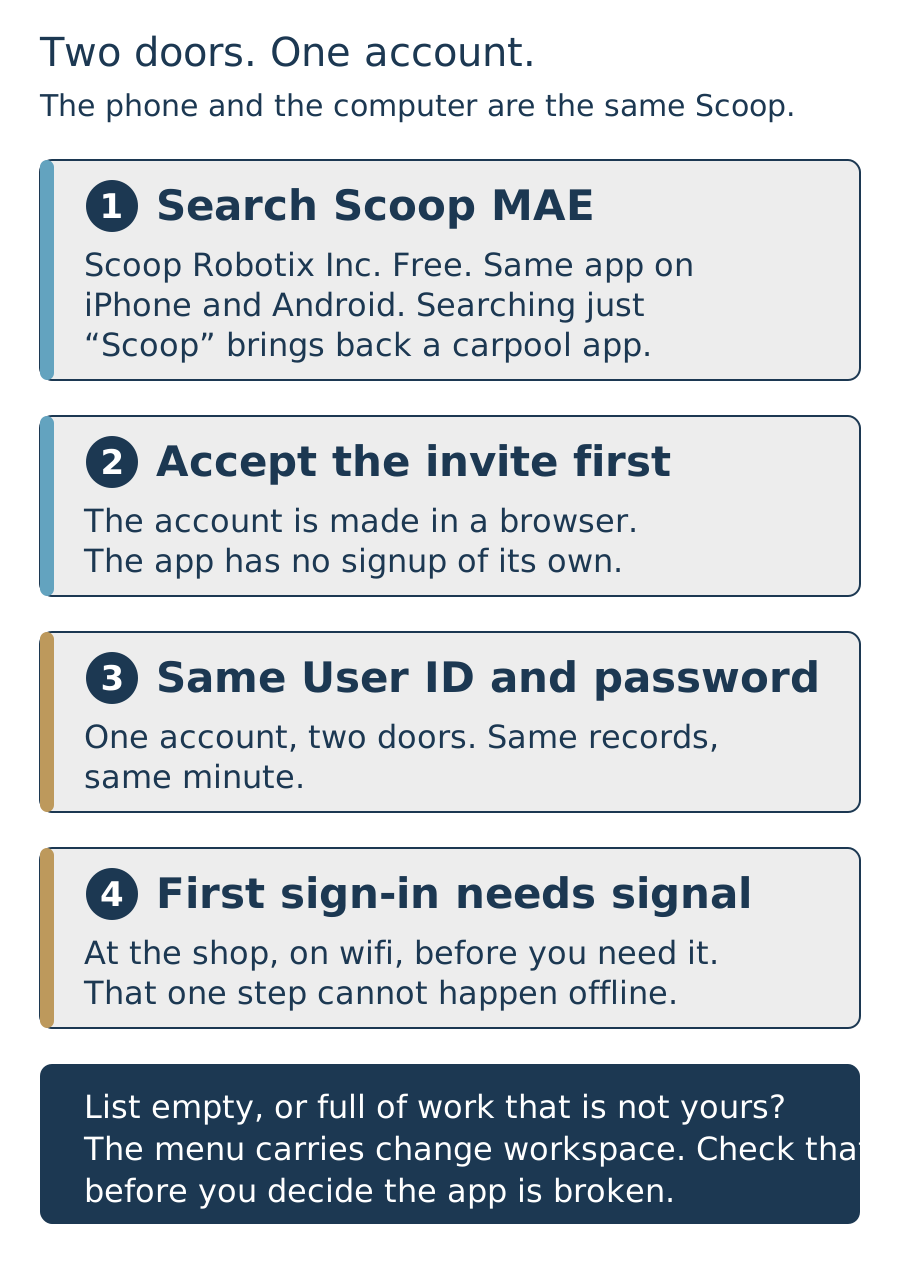
- Search for Scoop MAE, not Scoop. The app is Scoop MAE, published by Scoop Robotix Inc. It is free, and it is the same app on an iPhone and on Android. Searching for Scoop on its own brings back a carpool app and a dozen others, which is where most people give up and decide we never gave them access.
- There is no signup inside the app. Accept the invite email in a browser first and set your password there, as the last lesson covered. The app is a door, not a sign-up sheet. Open it before the account exists and nothing you type will work, and it will not tell you why.
- The same User ID and password get you in both places. One account, two doors. The phone and the computer are the same Scoop looking at the same records, so a photo you upload standing on a roof is on the record the office is reading a minute later. They are not two systems that somebody reconciles afterwards.
- Do the first sign-in where there is signal. At the shop, on wifi, the day you are set up. That first sign-in is the one thing the app cannot do offline, and a gravel lot at seven in the morning with no bars is a bad place to find out the invite expired.
- If the list looks wrong, check the workspace before you decide the app is broken. The menu carries change workspace. A list that is empty when it should not be, or full of work that is not yours, is usually that and not access.
- This is not just a field thing. A site walk, a customer meeting, a roof you are standing on with a PM hat on: the app is how you look at a job when you are not at a desk. And the photographs you take on that walk sit under exactly the same rule as a crew’s, which is the last lesson in this block.
Ten minutes at a desk beats ten minutes in a parking lot. Install it, sign in once, and open it while you still have wifi and somebody to ask. The day you actually need the app is never the day to find out you cannot get into it.
Can you answer this? You have the app installed, you type your email and password, and it will not let you in. What is the most likely reason?
3.4 What Scoop is, and what it is not
One place the job actually lives
- Scoop is where MBL records the work. Field reports, inspections, commissioning, service. If a customer asks what happened on a site, the answer comes out of Scoop.
- It is not a filing cabinet you tidy up later. The record is made while the work happens. A record built from memory on Friday is worth a fraction of one built on Tuesday at the panel.
- It is not email and it is not a group text. Those disappear. A comment on a scoop is attached to that job forever, and the next person to touch it can see it.
- A record is one filled-out form. You open a form, answer its questions, save it. That saved thing is a record. Scoop calls a record a scoop, so you will hear both words for the same thing.
- Everyone at MBL is in it. The office reviews and approves in a browser. The field captures on a phone. Same records, different jobs.
The rule the whole company runs on: if it is not in Scoop, it did not happen. Not as a threat. As a description of what we can actually prove.
Can you answer this? A foreman finishes a job and puts the details in a group text so the office sees it that night. What is wrong with that?
3.5 A scoop is one piece of work
The unit everything else hangs off
- A scoop is a single piece of work with a form attached. A hot commissioning at one site. An interconnection tie-in. A service visit. It has a stage, and it has somebody who owns it.
- A project is the whole job. One site, one job number, running from sold through design, procurement, install, commissioning and into service.
- A phase is a chunk of that project. Design, install, commissioning. Phases are how a long job stays legible.
- An app is the form set for a kind of work. Service has its own app. Commissioning has its own. They look different because the work is different.
- So the shape is: project, then phase, then scoops inside it. When somebody says "which scoop", they mean which specific piece of work, not which job.
Get this vocabulary and the rest of the system stops feeling random. Nearly every confusion about Scoop is someone using one of these four words to mean a different one.
Can you answer this? One site, four visits over three months. How many scoops is that?
3.6 Stages, and why one will stop you
A gate is not bureaucracy
- Every scoop moves through stages. The stage is the honest answer to "where is this at", and it is the same answer for everybody looking.
- Some stages will not let you move on while a required field is empty. That is deliberate. It is the last thing standing between an incomplete package and a customer.
- A gate is protecting the person downstream. Somebody has to bill this, or hand it to an inspector, or defend it two years from now. The gate is them, in advance.
- Moving a scoop into a stage can set things off on its own. A crew gets assigned, an email goes out, a task appears, a PDF gets built. Nobody clicks anything. It fires because the record moved.
- Which means the stage is not just a label. Dragging something into the wrong stage is not a tidy-up, it is an action with consequences somewhere else.
If a stage will not let you through, read what it is asking for rather than looking for a way around it. The way around is almost always someone else's problem later.
Can you answer this? A stage will not let you move forward. What is the most useful first move?
3.7 Blocks, and why they repeat
One entry per real thing, and the reason that matters
- Any repeatable group on a form is called a Block, and it comes with an Add button. One Work Log entry per visit. One Block per piece of equipment. One entry per finding. If you can add another, it is a Block.
- The rule is one entry per real thing, and it is the whole lesson. Three problems found on one roof are three entries, not one entry describing three problems. Four inverters are four Blocks, not one Block listing four serials.
- The reason is that each entry gets handled on its own. It is routed to somebody, given a status, and closed separately. Jam three problems into one entry and the system sees one problem, so two of them close the day the first one is fixed.
- And you cannot count what is stuck together. "How many cracked modules did we find on this portfolio this quarter" is a question anybody can answer in ten seconds if each one was its own entry, and a question nobody can answer at all if they were written into paragraphs.
- Give each entry enough to be found again. What it is and where it is. Somebody who was not standing next to you has to go to that exact spot six days from now with only what you typed.
- When you are not sure whether it is one thing or two, it is two. Splitting an entry later is somebody re-reading your description and guessing. Adding a Block now costs you nine seconds.
Almost every reporting problem MBL has ever had traces back to somebody putting two things in one Block. It reads fine. It looks complete. And then a year later nobody can tell how often the thing happened, because the record says it happened once.
Can you answer this? You walk a roof and find three separate problems. You write all three into one Block entry, clearly, with photos. What happens?
3.8 Fields that appear and disappear
The other thing that looks like a bug and is not
- Answer a question one way and a section opens. Answer it the other way and it goes away. That is a display rule doing its job, and it is deliberate.
- So a form is not the same length twice. What you see depends on what you have already answered, which is why two people on the same form can be looking at different things and both be right.
- Nothing is being hidden from you. The rule exists so nobody has to scroll past forty fields that do not apply to the job in front of them. On a phone in the sun that is the difference between a form that gets filled in and one that gets abandoned.
- A field you cannot see is not a field you skipped. If the rule decided it does not apply, it is not missing and it will not hold up your completion bar.
- If a section vanishes, look at what you just answered. That is what moved it. Do not go hunting through the form and do not report it as broken.
The two ideas together are most of what makes a Scoop form feel strange at first. Things repeat because you add them, and things disappear because you answered something. Once both of those land, the rest of the form is just typing.
Can you answer this? A section of the form you saw yesterday is not there today. What happened?
3.9 Tasks, notes, and who owes what
Three fields, and the one that makes it reach a person
- A task has three fields and only three. A description, an owner, and a due date. No priority, no category, no project picker. That is deliberate: a task that takes five minutes to log does not get logged.
- The owner defaults to you, and you change it. Type the @ sign in the description, pick a person, and Scoop notifies them. That notification is the difference between a task and a note, and it is the step people skip.
- A task nobody was told about is a note. It will sit there being technically true and doing nothing, which is worse than not writing it, because now somebody thinks it is handled.
- Save stays switched off until there is something to save. If the button is grey, the form is empty, and that is the form telling you rather than the form being broken.
- Tasks attach to a scoop, so they show up on the job rather than in a private list. That is what makes one findable in six weeks by somebody who was not in the conversation.
- And write it the way this course keeps saying: name the thing, name the person, name the day. “Confirm the gate code, Jason, by Wednesday” is a task. “Follow up on access” is a feeling.
Comments are what people said. Tasks are what people owe. Both live on the same page and both attach to the job, which means neither one disappears when somebody cleans out their inbox.
Can you answer this? You log a task, set a due date, and nobody does it. What was most likely missing?
3.10 What good looks like in a record
The habits that separate a clean job from an expensive one
- Fill it in where the work is, not afterwards. Wrong serial numbers and missing torque values almost always come from a form filled out in a truck.
- Write what you saw, not what you concluded. A specific observation is useful forever. A judgement is useless by next week and indefensible in a year.
- If a field does not fit this job, say so in a comment rather than putting in something plausible. A wrong number is worse than a flagged blank, because nobody knows to question it.
- Photos are evidence, not decoration. Shoot what the form asks for, and check they actually uploaded before you leave.
- Every field on that form exists because somebody needs it. Billing, a commissioning package, or a customer asking for proof two years from now.
The most expensive habit at MBL is doing the work correctly and documenting it badly. That is the whole reason this block is required before anything else.
Can you answer this? A record is marked one hundred percent complete. What does that actually prove?
3.11 Unsynced means it is only on your phone
The one way work actually gets lost, and the four words the app uses
- A photo, a video or a document lives only on your phone until it finishes uploading. Not on the record, not in the office, not anywhere anybody else can reach. Until it syncs, your phone is the only copy of it.
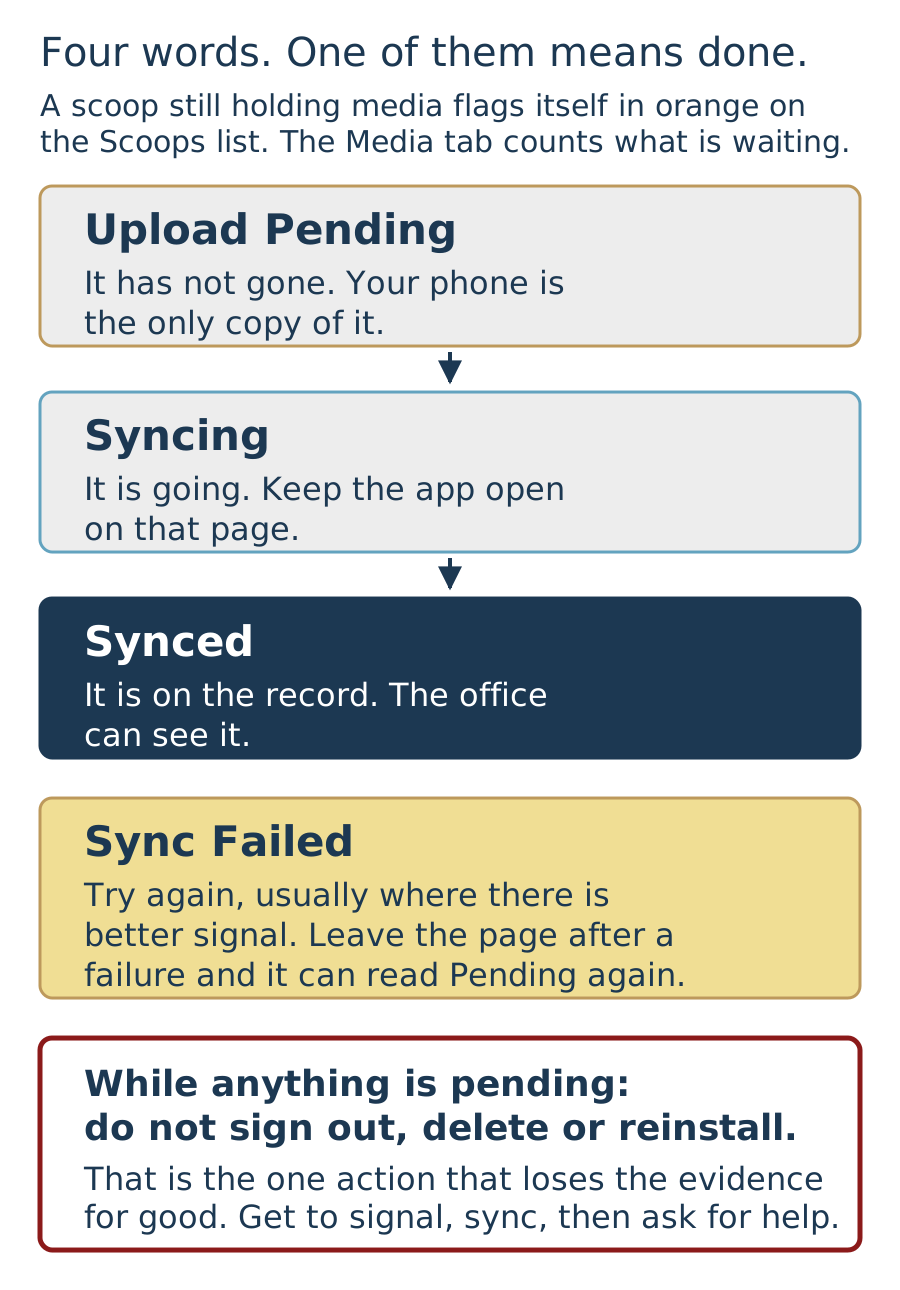
- The list tells you before you leave. A scoop still holding media flags itself in orange on the Scoops page. Open it, go to the Media tab, and the top of that page says how many items are still waiting.
- Sync all, or one at a time. Sync all pushes everything pending. The sync icon beside a single item pushes just that one, which is what you want when a long video is holding up eight photos. Keep the app open and on that page while it runs.
- Four words, and only one of them means done. Upload Pending means it has not gone yet. Syncing means it is going. Synced means it is on the record. Sync Failed means try again, usually somewhere with better signal. Leave the page after a failure and the item can go back to reading Pending.
- Never sign out, delete or reinstall the app while anything is pending. That is the one action that loses evidence for good, and nobody can get it back for you. If the app is misbehaving and you have media waiting, get to signal, sync, then ask for help.
- Where this actually bites is a return trip. A crew drives off believing the job is documented, the office cannot see the photos, and nobody finds out until somebody is chasing an inspection or an invoice weeks later.
Ninety seconds on the Media tab before you drive away. Nothing orange on the list, nothing pending on the page. That is the difference between a job that is documented and a job that is nearly documented.
Can you answer this? You finish the work, take your photos, and the app warns that media has not synced. Which of these must you not do?
Business Development
The scale of the work we already touch, why MBL wins, and when to walk. Then the record itself, because a deal is where a job is born and the record you open is the one a crew works out of two years later.
4.1 The room you are already in
The scale of the work this company already touches
- Start with the volume, because it is the part people underestimate. MBL has built for school districts, cities, counties, colleges, hospitals, airports and prisons. Public work is the bulk of this company, and it is the hardest kind to win.
- Schools and public agencies, by name. Sacramento City Unified down to Valley Christian. San Jose down to the City of Lincoln. Sonoma County Airport. Valley State Prison. Every one of those was won on references and completed work, because that is the only thing a public buyer is allowed to trust.
- Carports are the work this company is known for. Drive past a school canopy anywhere in this state and the odds are good MBL had a part in building it. Not bid on. Built.
- Higher education and healthcare sit right alongside it. The Claremont Colleges, Stanford, Kaiser, Depaul, St. Louise. Institutions that do not take chances with their roofs and do not buy from a brochure.
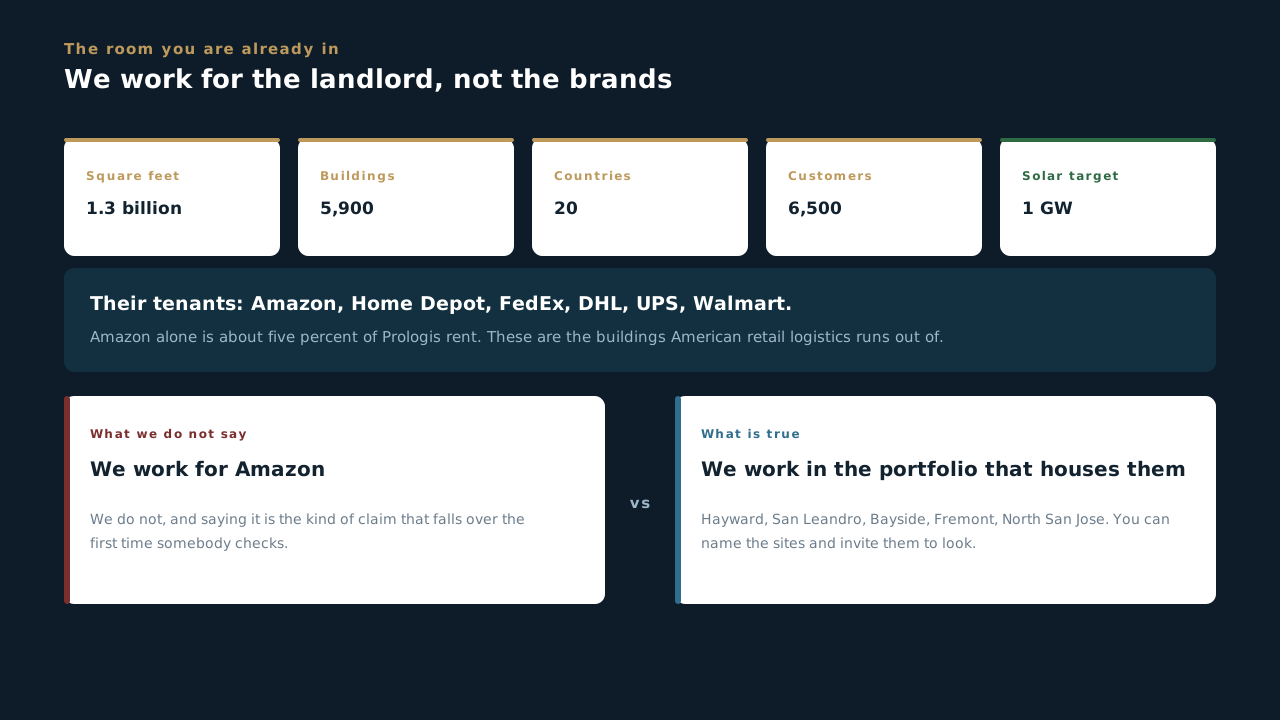
- Portfolio work is the shape of this company, and we already have it. Wells Fargo, Amazon, PFG, Prologis. A portfolio is not one job. Win it once and there is a run of sites behind it, on one relationship, one set of standards, one point of contact.
- That is the level we already operate at. Companies like Amazon are on the books, national footprints and all. Walmart, Target and the rest of that tier are the same shape of work at the same scale, and they are where this is going next. Nothing about that league is above us.
- We build the things nobody else will quote. The wide span at TID Project Nexus is a canopy over open water on the Ceres Main Canal. Redding down to Chula Vista, and Florida, New Jersey and the Carolinas when a customer takes us out of state.
- Which changes what you are doing in a first meeting. You are not asking somebody to take a chance on a company that hopes to do this work. You are describing a company already doing it, at that scale, and you can name the sites.
- So go and get them. Every account on that list started with somebody here deciding to make the call. The steel is up, the references will take the phone, and the next portfolio is not going to win itself. There is nothing to wait for and nobody better placed to ask.
Walk in like the company you work for. School canopies and carports all over this state. Companies like Amazon on the books. Districts, cities and counties who will pick up the phone and say we did right by them. You are not asking anybody for a chance, you are handing them a track record and an invitation to check it. Keep straight which names are signed and which are in front of us, then go and get the next one.
Can you answer this? A customer asks whether MBL works with the big national retailers. What is the right answer?
4.2 Why we win, and when we walk
What is actually different about MBL, in a room with a customer
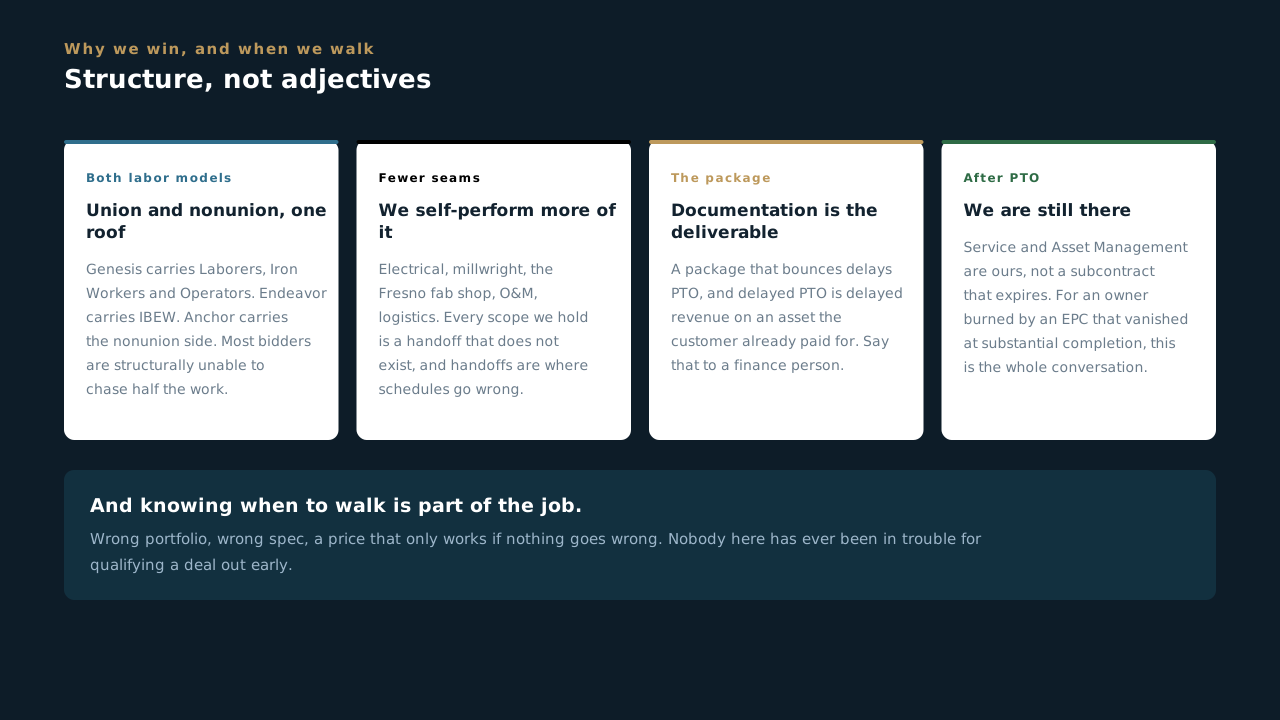
- Our structure lets us meet almost any project requirement, from a PLA union job to a merit shop build. Genesis carries Laborers, Iron Workers and Operators. Endeavor carries IBEW electrical. Anchor carries the nonunion side, millwright, fab, O&M and trucking. Most people we bid against are one or the other, which means they are structurally unable to chase half the work. We can price a PLA job and a cost-sensitive private job with the same company behind both.
- Fewer seams, because we self-perform more of it. Electrical, millwright, the Fresno fab shop, O&M, logistics. Every scope we hold is a handoff that does not exist, and handoffs are where schedules actually go wrong. That is a schedule argument, not a bragging one, and schedule is what customers are buying.
- The closeout package is the differentiator nobody else leads with. A package that bounces delays PTO, and delayed PTO is delayed revenue on an asset the customer has already paid for. We treat documentation as the deliverable, and that sentence is worth money to the right person in the room. Say it to a finance person, not to a facilities manager.
- Prime or specialty sub, whichever the deal wants. We come in as the EPC, or we come onto somebody else's job to do the part they cannot self-perform. Competitors who only do one shape have to talk the customer into their shape.
- We are still there after PTO. Service and Asset Management are ours, not a subcontract that expires. For an owner who has been burned by an EPC that vanished at substantial completion, this is the whole conversation.
- Knowing when to walk is part of the job. A job in the wrong portfolio, on the wrong spec, at a price that only works if nothing goes wrong, costs more than the one we did not bid. Nobody at MBL has ever been in trouble for qualifying a deal out early. Bringing one in that should have been walked is a different story.
Everything above is structural, which is why it holds up under questioning. You are not claiming we care more or try harder, because everyone claims that and nobody can prove it. You are describing how the company is built, and the customer can check every word of it.
Can you answer this? A customer asks why MBL rather than the outfit that came in cheaper. Which answer holds up under questioning?
4.3 Working a pipeline
The part of the job that happens between conversations
- A pipeline is a forecast, and people act on it. It is read to decide what we can staff, what we can bid, and whether we are chasing enough work. A pipeline padded with deals that are not real does not flatter you, it causes somebody to make a hiring decision against work that was never coming.
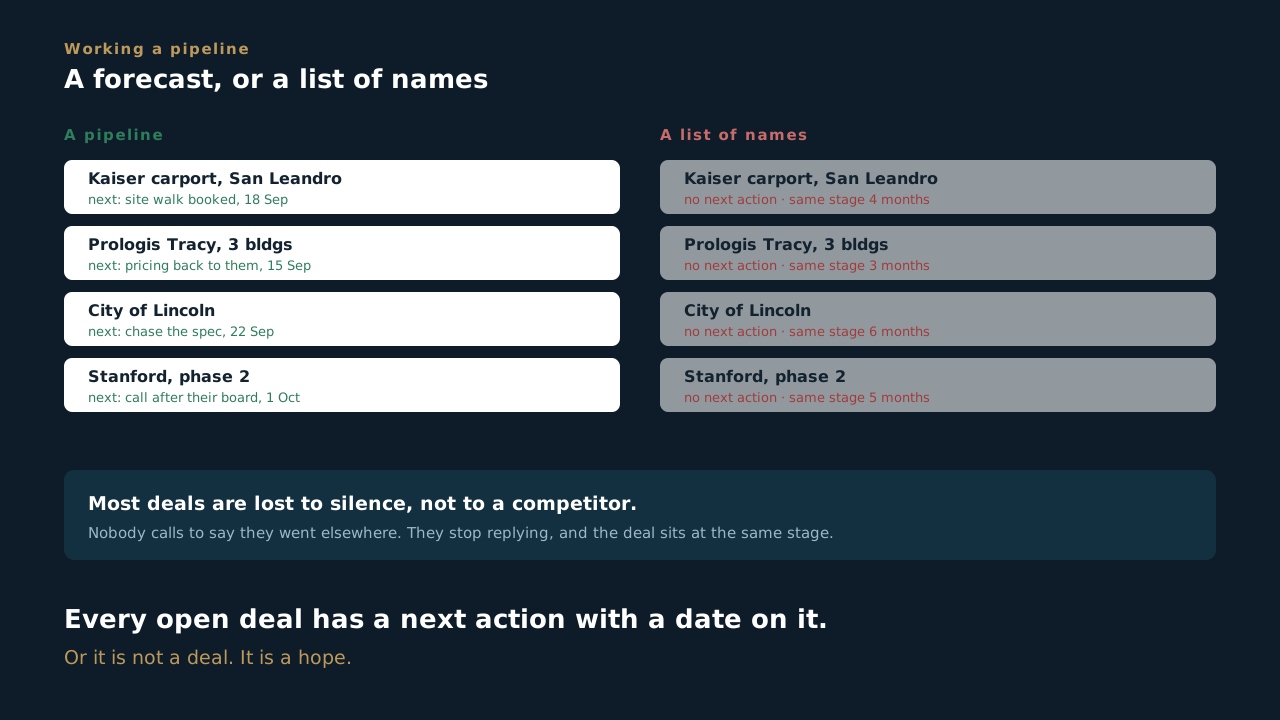
- Every open deal has a next action with a date on it, or it is not a deal. It is a hope. The single question that separates a working pipeline from a list of names is: what happens next, and when.
- Most deals are lost to silence, not to a competitor. Nobody calls to tell you they went elsewhere. They stop replying, and the deal sits at the same stage for five weeks looking alive. Stale is information. Treat a stage that has not moved as a thing to act on.
- Log the conversation the day you have it, not the day you need it. What they said about timing, budget, who else is bidding, what they are actually worried about. A week later you will remember that it went well and none of the detail that made it useful.
- Record a loss honestly, with the real reason. Price, timing, relationship, scope, or we were never a fit and should have walked. A loss reason nobody writes down is a lesson the company pays for twice, and the second time it is somebody else paying it.
The pipeline is not paperwork about selling. It is the selling. The conversations are the part you enjoy. What decides the number at the end of the year is what happens in the three weeks between them.
Can you answer this? What separates a working pipeline from a list of names?
4.4 The deal lives in Scoop now
One record, instead of six places and somebody's memory
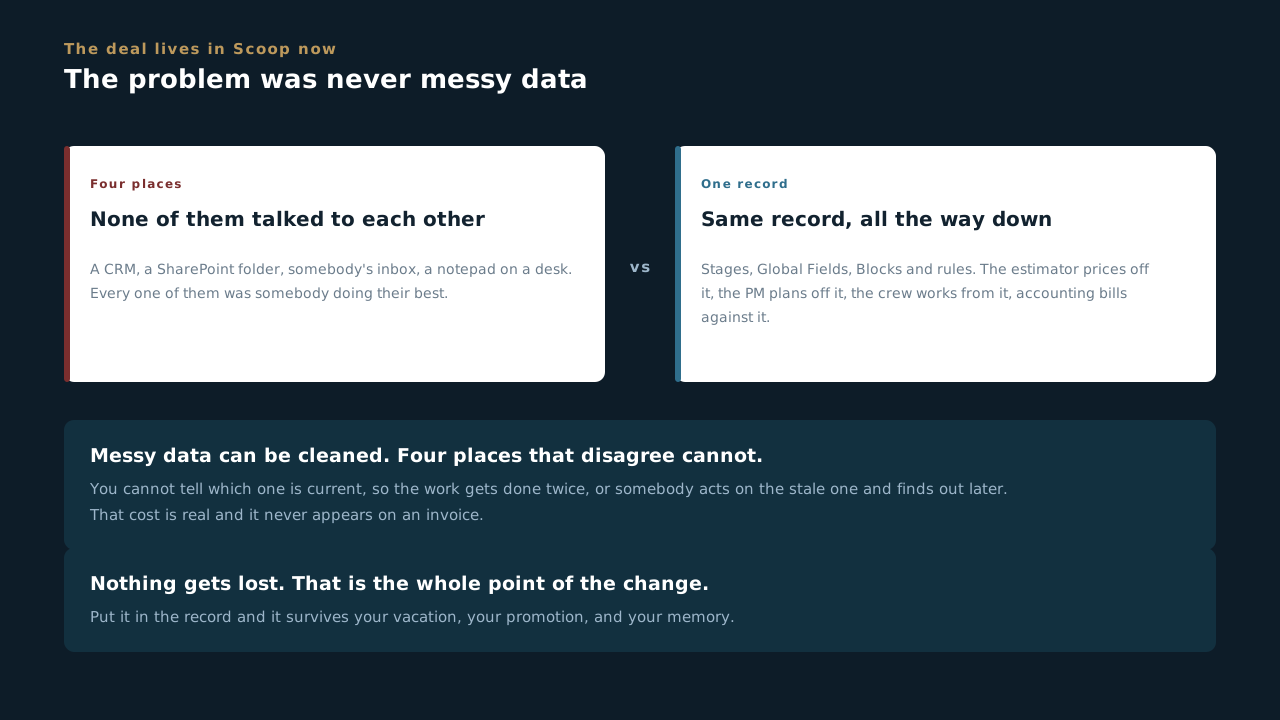
- The problem was never that the old data was messy. It was that there was no one place for it. A deal lived partly in a CRM, partly in a SharePoint folder, partly in somebody's inbox, and partly on a notepad on a desk. Every one of those was somebody doing their best. None of them talked to each other.
- Information sitting in four places is information nobody can trust. When two of them disagree you cannot tell which one is current, so the work gets done twice, or somebody acts on the stale one and finds out later.
- The cost of that is real and it never appears on an invoice. Hunting for something a colleague already knew, rebuilding a number somebody already worked out, asking a question the answer to which is in a folder you were never told about. That is the expense we are actually cutting.
- A deal is now a Scoop record, with the same parts you already learned: stages, Global Fields, Blocks, display rules and automations. Business development is not a different program. It is the same program pointed at an earlier part of the job.
- Which is what finally lets us watch our own work. Where the pipeline actually sits, what stalled and for how long, what closed and what it took to close it. That is a report now, rather than four phone calls and somebody's recollection.
- The part that changes is who is watching. A record you open during a sales conversation is the record an estimator prices, a PM plans, a crew works from, and an accountant bills against. Same record. No copy of it anywhere.
Nothing gets lost. That is the whole point of the change. What used to live on your desk, or in a folder only you knew the name of, now sits where the next person can find it without knowing to ask you. Put it in the record and it survives your vacation, your promotion, and your memory.
Can you answer this? What was actually wrong with the old way of keeping deal information?
4.5 You already do this in Planner
Same cards, same dragging, one difference that matters
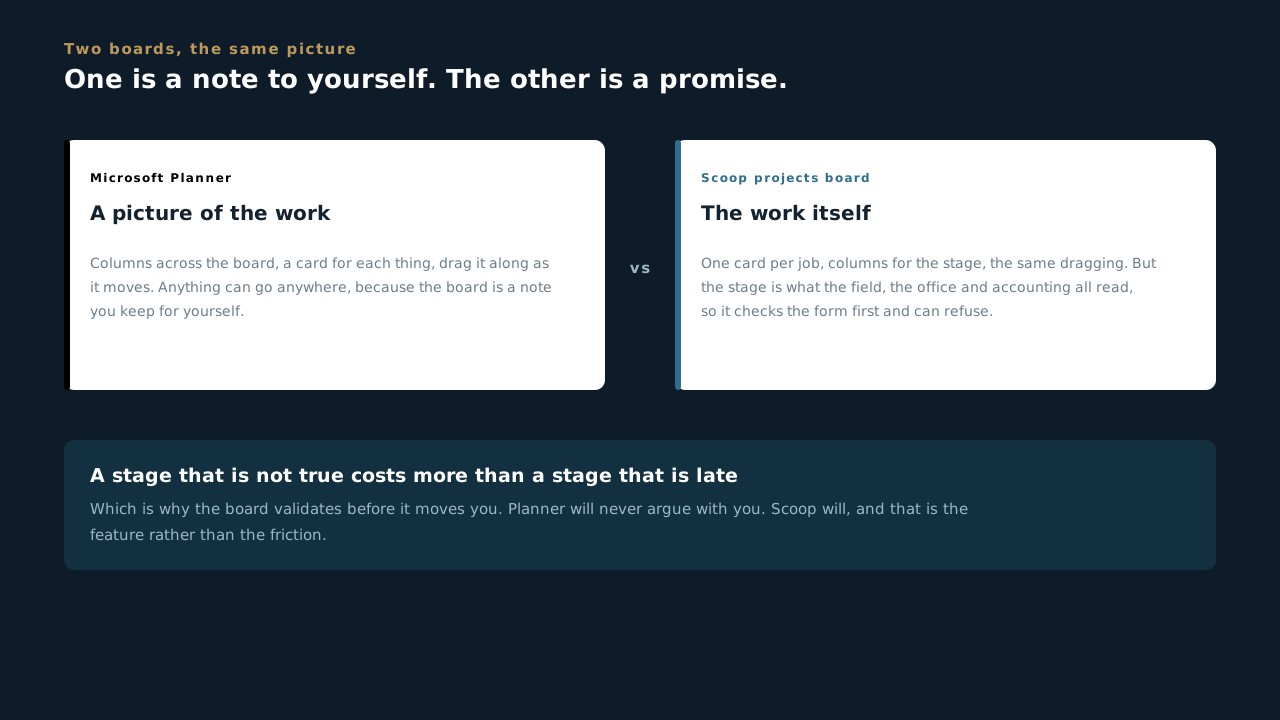
- If you work a pipeline in Microsoft Planner, you already know the shape. Columns down the board, a card for each thing, and you drag the card from one column to the next as it moves along.
- The Scoop projects board is the same picture. One card per job, columns for the stage it is in, and you move the card when the job moves. Nobody needs to learn a new way of looking at work.
- Here is the one difference, and it is the whole lesson. In Planner, dragging a card is a note to yourself. On the Scoop board, moving a card is a promise. The stage is what the rest of the company reads to decide what they do next.
- Which is why the board can refuse you. Planner will let you drag anything anywhere. Scoop checks the form first, and if something required is missing it will not move, because a stage that is not true is worse than a stage that is late.
- So use it the same way, and trust it more. Same glance across the board to see where everything is. The difference is that what you are looking at is the real position of the job rather than somebody's best recollection of it.
Planner is a picture of the work. The Scoop board is the work. That is why moving a card there tells the field, the office and accounting something at the same time, and why it sometimes says no.
Can you answer this? What is the real difference between dragging a card in Planner and moving one on the Scoop board?
4.6 The name and the number
The birth certificate for everything that follows
- A job gets its name and its number here, at deal stage. Nowhere else. Scoop does not invent them later and neither does anybody downstream.
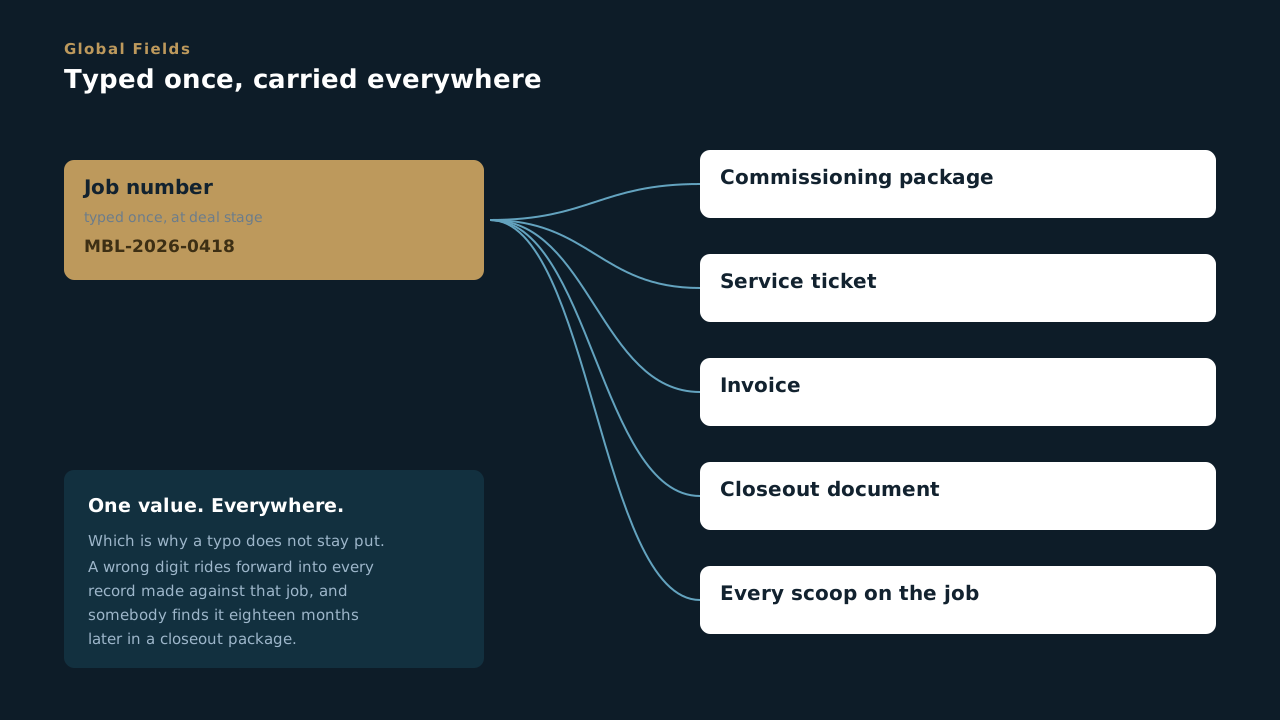
- They go in as Global Fields, which means one value carried across every record on that job. Type it once, and it appears on the commissioning package, the service ticket and the invoice without anybody typing it again.
- Which is exactly why a typo does not stay put. A wrong digit in a job number rides forward into every record made against that job, and somebody finds it eighteen months later on a document a customer is holding.
- Global Fields hold one value only. PO numbers are the classic mistake. There are several per job, so they do not belong in a one-per-job field.
- No number means the job is not ready to start. If a crew is waiting, the answer is to get the number created properly, never to invent one to unblock the day. A made-up number makes a record nobody can find and nobody can bill against.
Think of the deal record as a birth certificate. Everything MBL knows about that job for the next decade inherits from what gets typed here.
Can you answer this? A crew is waiting and the job has no number yet. What is the right move?
4.7 You get one pass at this
After signoff you are on the next deal, and nobody is coming back to ask you
- The handshake is the last time you think about this job, and that is correct. You should be on the next one. But it means the record you leave behind is the only version of this deal that survives. The person with a question in March will not come and find you, and if they do, you will not remember.
- There is no round two. Nothing gets sent back to you to finish. It goes forward exactly as you left it, and whatever is missing gets filled in by somebody guessing, or by a foreman calling from a parking lot at six in the morning.
- The site address has to be exact. A crew drives to it before it is light. Close enough is not an address, and a wrong one costs a morning of four men before anybody has picked up a tool.
- The signer and the scope boundary are the two only you can get. You are the only person from MBL who will ever be in that room. What is in, what is out, and whose name goes on a change order. Everything else in the record can be looked up later. These two cannot.
- Two fields you will never think about again: portfolio and delivery method. They decide which rulebook the job runs under and which delivery model it lands in. You do not have to care what happens with them downstream. You do have to get them right once, because unwinding them later is somebody's whole week.
- Write down what they were nervous about. Access, noise, a tenant, a date they did not quite say out loud but clearly meant. That is the most valuable thing you walk out of the room knowing, and the least likely to be captured, because there is no field demanding it.
Treat it as a statement you are signing, not a form you are filling in. Everything MBL does on this job for the next decade inherits from what is in it, and you will not be there to correct it.
Can you answer this? Which two things can only come from you, and from nobody downstream?
4.8 Stages are a promise, not a mood
What moving a deal forward actually tells people
- Move a deal forward when the information is actually there, not when the conversation went well. Optimism is not a stage.
- Somebody downstream reads that stage as a statement that the record is complete enough to act on, and then they act on it. Ordering material against a stage that was moved early is how a job starts underwater.
- Stages fire automations here the same as anywhere else in Scoop. Dragging a deal into the next stage can assign somebody, send an email, or build a document. It is an action, not a tidy-up.
- Watch for duplicate organizations. The same customer entered twice splits their history in half, and then nobody can see what the relationship actually looks like.
A stage is the honest answer to "where is this at", and it is the same answer for everybody looking. Which is only true if people move them honestly.
Can you answer this? The conversation went well but two fields are still blank. Do you move the deal to the next stage?
4.9 The gate will not let you move it
New sheriff in town, and the sheriff is a required field
- Some stages simply will not let you move on. Scoop stops the record where it stands until what the next stage needs is actually in it. There is no override button, there is no asking nicely, and that is on purpose.
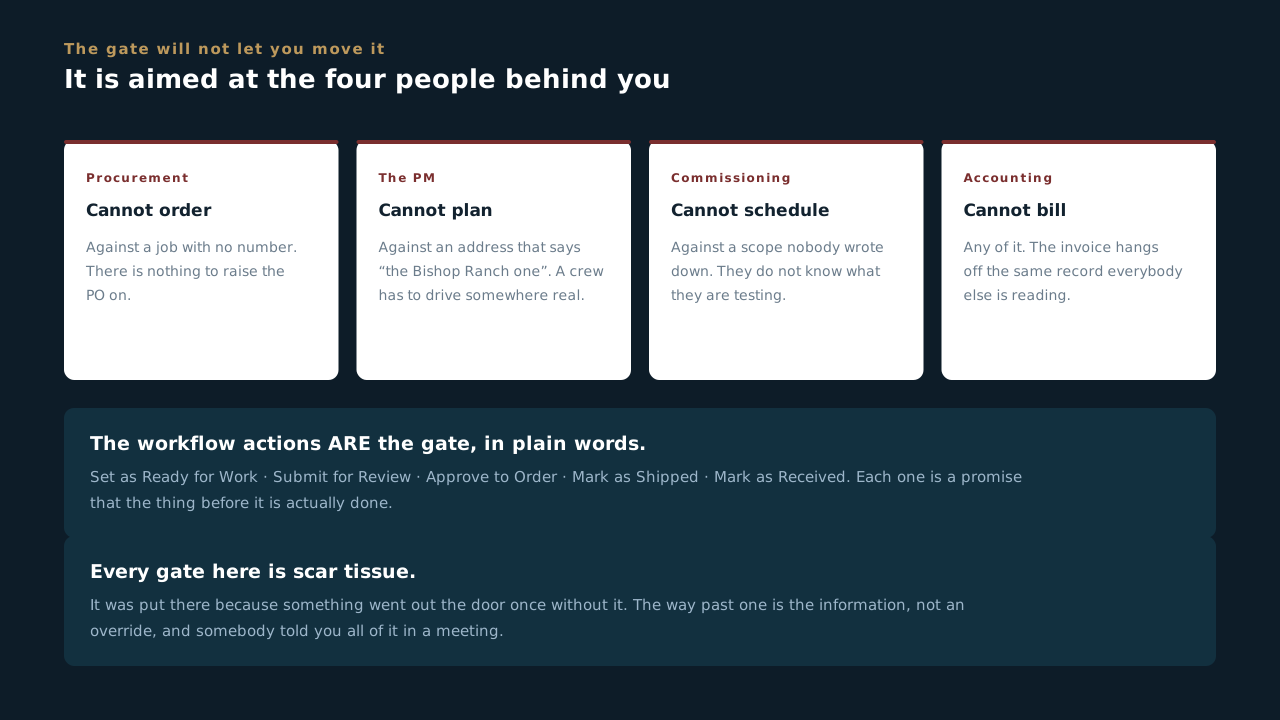
- It is not the software being difficult. Every gate in here was put there because something went out the door once without it, and somebody downstream paid for that. The gate is the scar tissue.
- Look at who is waiting on the other side of yours. Procurement cannot order against a job with no number. The PM cannot plan a crew against an address that says "the Bishop Ranch one". Commissioning cannot schedule against a scope nobody wrote down. Accounting cannot bill any of it.
- The workflow actions are the gate, in plain words. Set as Ready for Work, Submit for Review, Approve to Order, Mark as Shipped, Mark as Received. Each one is a promise that the thing before it is done.
- So the fastest way through a gate is not a workaround. It is getting the information while you are still in the room with the person who has it. Everything the gate wants, somebody told you in a meeting and you did not write down.
A gate feels like it is aimed at you. It is aimed at the four people behind you. Nobody has ever been slowed down by a gate as much as they have been slowed down by a job that got waved through and had to be unpicked in March.
Can you answer this? A stage gate will not let you move a deal forward. What is the useful first question?
4.10 Handing a job to the PM
What has to be true before you walk away from it
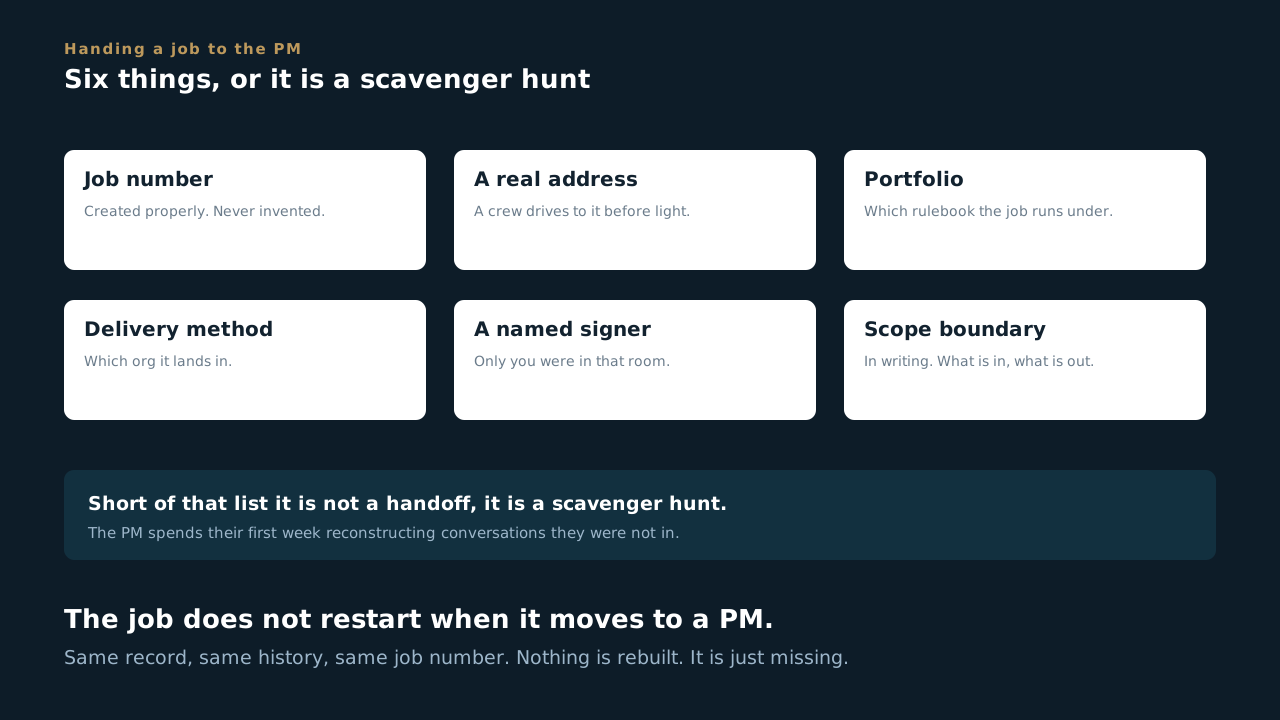
- A handoff has a checklist, and it is short. The job has a number, a real address, a portfolio, a delivery method, a named signer, and a written scope boundary.
- Short of that it is not a handoff, it is a scavenger hunt, and the PM spends their first week reconstructing conversations they were not in.
- Anything you know and did not write down is lost at this point. What the customer is nervous about, what they said about access, who actually approves things. Put it in a comment on the record. Comments outlive people changing jobs.
- The job does not restart when it moves to a PM. Same record, same history, same job number. The PM is picking up something already running, not opening something new.
A deal entered sloppily costs somebody a day. Not once. Every time anyone touches that job, for as long as MBL owns the relationship.
Can you answer this? What makes it a handoff rather than a scavenger hunt?
Project Management & Admin
Running a job so a crew can work: what has to be in the record before anyone drives out, what the gates protect, how to read what comes back, and where jobs get lost in the seams.
5.1 The header you inherit
Fields that were set before you and are not yours to break
- A job's name and number were decided at deal stage, in the same Scoop record you are now working in. They arrive as Global Fields and they are not yours to change.
- A Global Field is one value for the whole job. Entered once, carried everywhere. Good for job name and job number.
- Global Fields are not for multi-value data. PO numbers are the classic mistake: there are several per job, so they don't belong in a one-value field.
- Never invent a job number. If one doesn't exist yet, the job isn't ready to start. A made-up number creates a record nobody downstream can find and nobody can bill against.
- Everything before you is still there. The deal conversation, the scope boundary, the comments. Read them before you ask somebody a question the record already answers.
You are not opening a new job, you are picking up one that has been running since the first phone call. If something in the header is wrong, fix it at the source rather than working around it locally, because everybody else is reading the same field.
Can you answer this? The job number in the header is wrong. What do you do?
5.2 Making a scoop
Six steps, and the one that decides whether anybody can find it
- Scoops, then New, opens a six-step wizard. Type, client site, project, details and schedule, crew, done. On a job the PM makes the scoops, so this is your screen.
- The type is the app. Every scoop is built from a template, and the template decides the form the crew fills in, the stages it moves through and the report it produces. Pick the app for the work you are doing, not the one that looks close.
- The client site is required. The project is only optional on paper. Skipping it is right for a standalone work item like a service call. A phase of a job goes on its job, or it will not show on the Related tab, the project board or anybody's search six weeks from now.
- Read the “Has this type of scoop?” column before you pick. Yes means that project already has one of these. Open that one before you build a second copy of the same work.
- The title writes itself from the app name and the time you started, and once a project is linked the schedule comes in from the project. Check both. A description can wait. A date the crew is working to cannot be wrong.
- Nothing exists until you press Save & Complete. It reads Save & Exit when no project is linked. Until then Scoop holds everything on your screen, so Cancel really does cancel and walking away halfway leaves nothing half-made behind.
A scoop on the wrong project is harder to fix than a scoop that was never made. The missing one gets noticed. The misfiled one sits in the wrong place looking finished.
Can you answer this? You are adding Cold Commissioning to a job, and the project row says Yes under Has this type of scoop?. What does that tell you?
5.3 Putting a crew on it
You are the lead until you say otherwise
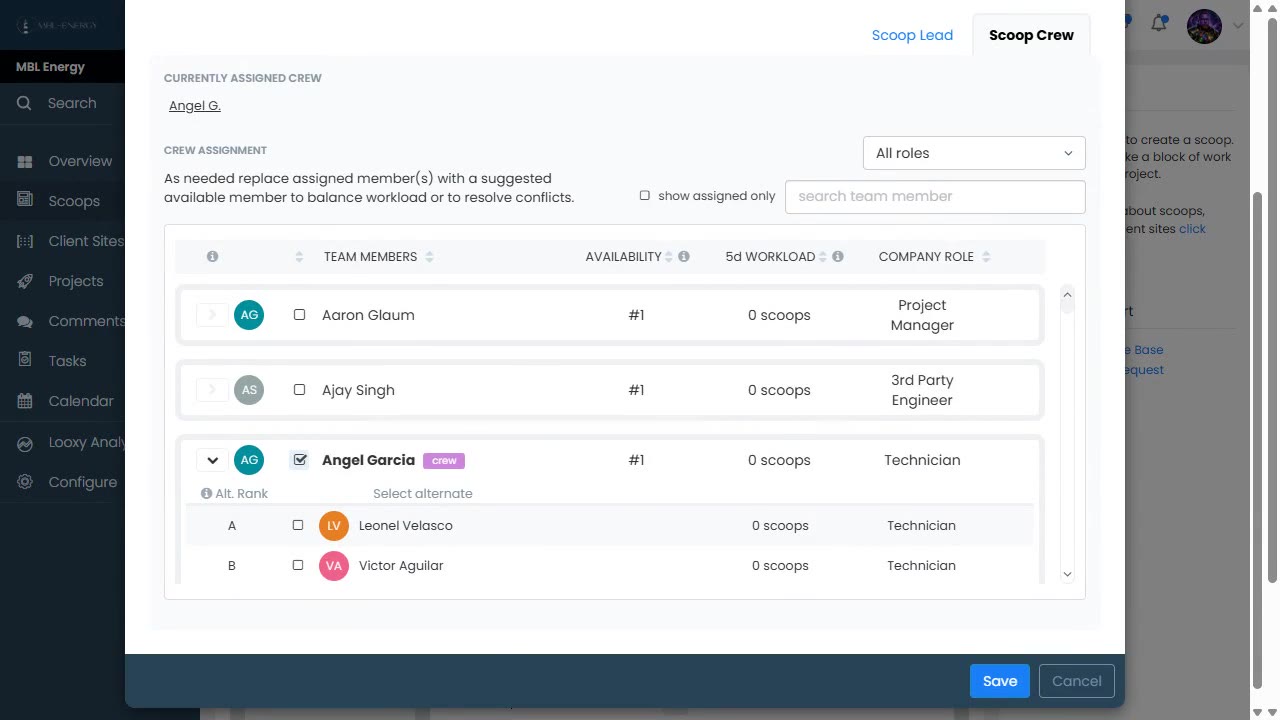
- Whoever makes the scoop is its lead. Step five shows you already on the crew, marked creator and lead. On most jobs that is right, because the PM owns it. When it is not, hand it off: right click the person in the crew list and make them the lead.
- The crew list grows over the life of the scoop. The field crew goes on when the work is scheduled, not the day the scoop is made. PMs, coordinators, legal and anybody else the job needs get added as it goes. Nobody expects the list to be complete on day one. It has to be right on the day the truck leaves.
- Add or Edit Crew opens the crew and the schedule in one window. Set them together. A crew picked for dates that then move is a crew that turns up on the wrong day.
- Read the columns, they are doing half the job for you. Availability ranks who is free, 5d workload shows how many scoops each person already has in the next five days, and company role tells you what they are. Filter by role first, then pick.
- Scoop offers alternates. Tick a person and their row opens with ranked substitutes. If your first pick is out, the backup is already there, so use it instead of phoning around.
- Tick show assigned only before you save and look at the list you are actually sending. That is the crew, and nobody else will see this job in their app.
- Service has one more rule. A tech can only be dispatched at or above the ticket's Required Tech Level, and a Level 1 calls Derek before buying anything.
A scoop with nobody on it is a scoop nobody is doing. The crew list is how the work reaches a phone. If a name is not on it, that person cannot see the job, however many emails you sent.
Can you answer this? You build a Hot Commissioning scoop for Jereme to run, save it and move on. Who is the lead?
5.4 What the crew needs before anyone drives out
The office job, in one lesson
- A crew that arrives without the scope reads the job off the drawings and their own judgement. Sometimes that lands. The times it does not, you find out at the walkthrough, and the fix is a return trip nobody bid.
- Site access burns whole mornings. Gate codes, who holds the key, whether the tenant knows we are coming, whether the roof hatch is locked. Four men standing in a parking lot at seven is the most expensive thing described anywhere in this course.
- Put the site contact in the record, not in your phone. The person a foreman needs at six in the morning is not reachable through you, because you are asleep. A name and a number in the record is the difference between a decision and a delay.
- Equipment on site is a fact, not a plan. If the gear has not landed, the visit is a site walk with extra steps. Confirm the delivery before you confirm the date.
- If it is not in the record, it does not exist to the crew. An email you sent, a call you had, a thing you meant to mention on Monday: none of it travels. The record is the only thing that arrives on site.
Every question a crew has to phone in is a question the record should have answered. Count them. If the same one comes up twice, that is not a communication problem, it is a missing field.
Can you answer this? A foreman phones you at six in the morning for a gate code. What does that call actually tell you?
5.5 Stage gates and what they protect
A gate is not bureaucracy
- Work moves through stages, and some stages simply will not let you move on while the form is missing something.
- A gate is the thing standing between an incomplete package and a customer. Every gate exists because something got out once.
- Example from Service: eleven stages, with Derek's review as the single gate between field work and billing. He can bounce it back to the tech, route it to owner approval, or release it to Trent.
- A billable service ticket does not close before it has been paid. There is no route to Complete & Closed that quietly skips the money, and that was built in deliberately so nobody has to remember to check.
Tickets that carry no charge are the exception, and they are normal. Warranty work and no-charge visits still have to be closed out, so payment is not what releases them. Know which kind you are holding before you go looking for a gate that was never meant to stop you.
When a gate blocks you, it usually isn't broken. Before asking for it to be loosened, find out what got out the day it was added.
Can you answer this? A gate is blocking a record you need to move. What is the first thing worth finding out?
5.6 Reading what comes back
Complete and good are not the same thing
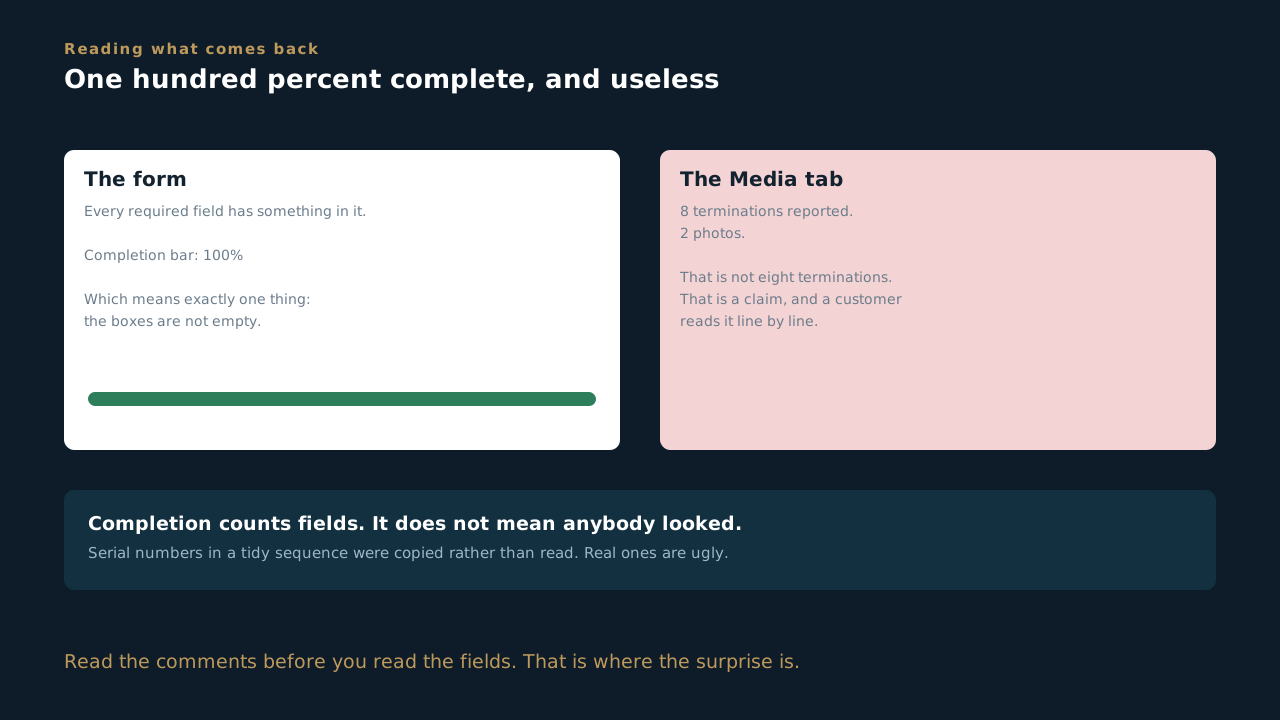
- Completion means every required field has something in it. It does not mean anybody looked. A record can be one hundred percent complete and still be worthless as proof.
- Photos are the fastest tell. Open the Media tab and count. If a crew reported eight terminations and there are two photos, you do not have eight terminations, you have a claim.
- Serial numbers nobody read. A serial identical to the one above it, or four that run in a tidy sequence, were copied rather than read. Real serials are ugly and they do not line up.
- Read the comments before you read the fields. Crews put the thing that actually happened in a comment, because the form had no box for it. That is where the surprise usually is.
- You are the last person who sees it before the customer does. These get read line by line on the other end, and by the time a package bounces it is not the crew's problem any more. It is ours.
Sending a record back the same day costs somebody an hour. Sending it back in three weeks costs a site visit. Check it while the crew is still on the job and the answer is still in somebody's head.
Can you answer this? A record comes back marked one hundred percent complete. What have you actually been told?
5.7 Editing a live template
There is no sandbox, and publishing has a cost
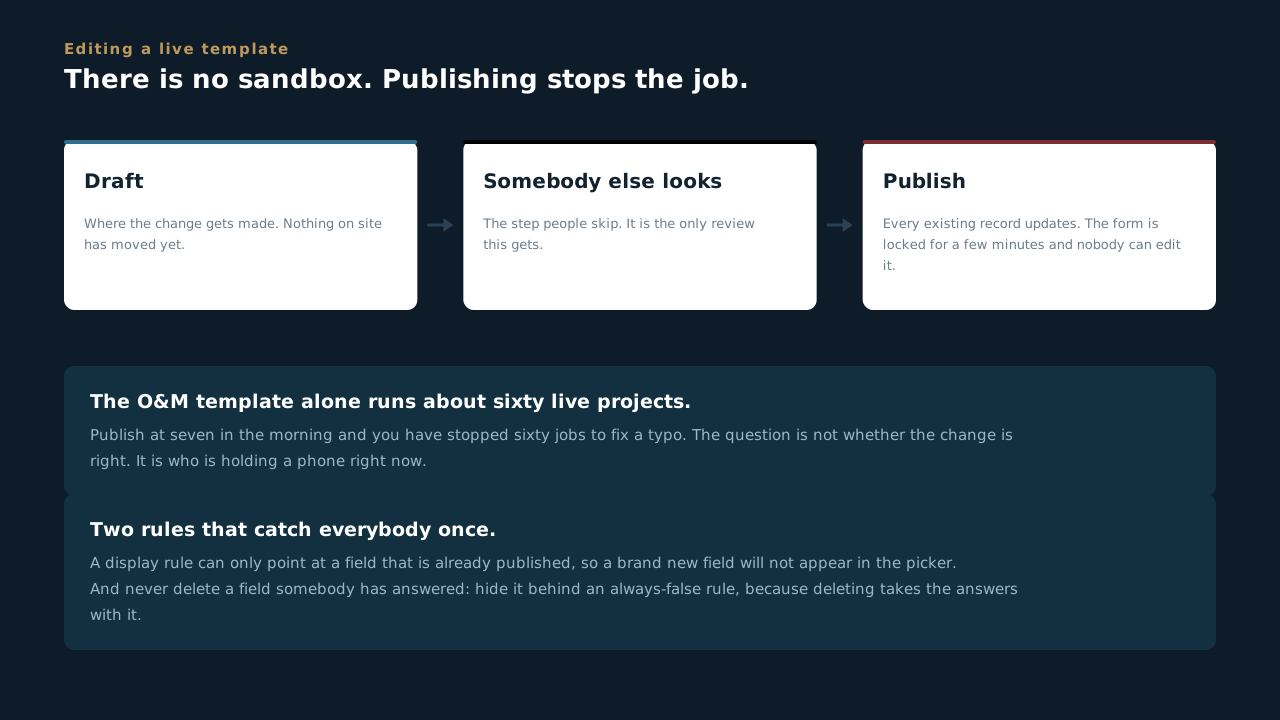
- Templates are live, not a practice copy. What you change is what a crew opens on site the same afternoon. Edit in draft, have somebody else look at it, then publish.
- Building a display rule has an order, and it catches everybody once. A rule can only point at a field that is already published. Add a brand new field and it will not even show up in the rule picker, which looks broken and is not. Build the field, publish the form, then go back and wire the rule.
- Publishing locks the app for a few minutes. Every existing record has to update to the new version, and nobody can edit that form while it runs.
- The O&M template alone runs about sixty live projects. Publish at seven in the morning and you have stopped sixty jobs to fix a typo. Publish when crews are not mid-shift.
- Never delete a field somebody has already answered. Hide it behind a rule that is always false instead. Deleting it takes the answers with it, including the ones on records a customer has already been sent.
The question to ask before publishing is not whether the change is right. It is who is holding a phone right now.
Can you answer this? You need to fix a typo on the O&M template, which runs about sixty live projects. When do you publish?
5.8 Automations fire on stage entry
What happens without anyone clicking
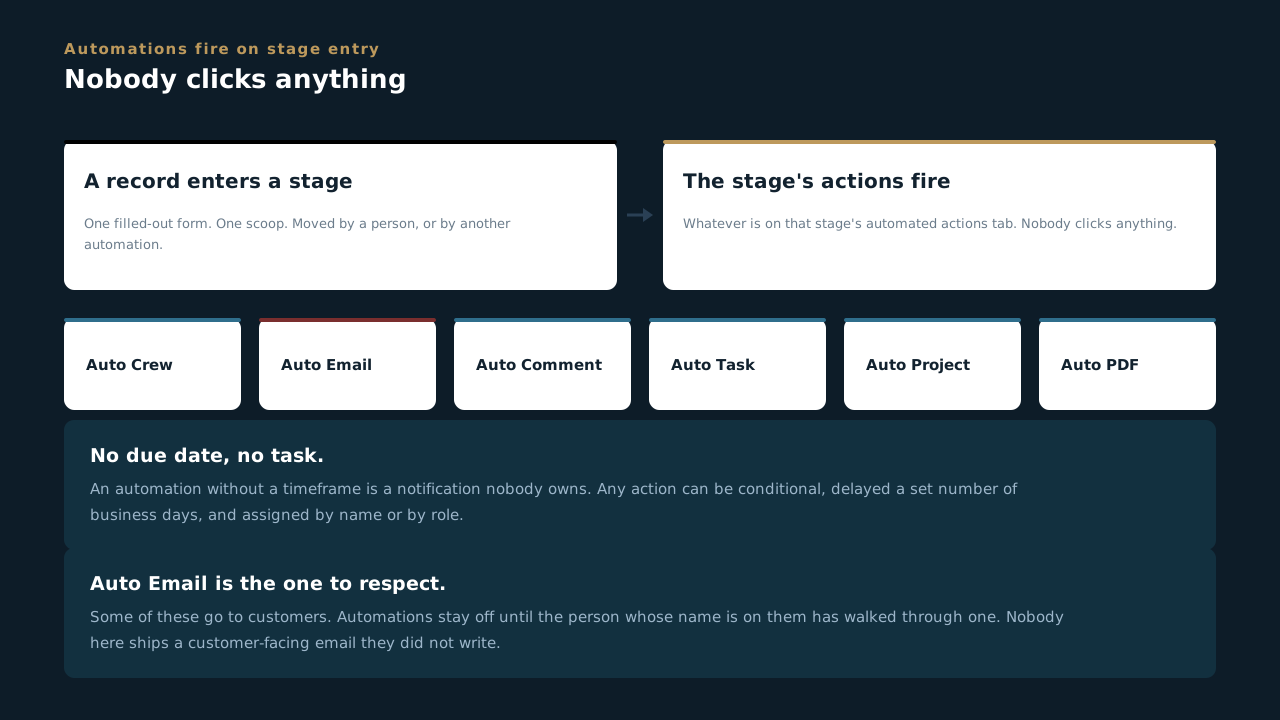
- Every stage has an automated actions tab. Actions fire when a record (one filled-out form, one scoop) moves into that stage. Nobody clicks anything.
- Six action types: Auto Crew, Auto Email, Auto Comment, Auto Task, Auto Project and Auto PDF.
- Any action can be conditional (only when RMA = Yes, say), delayed a set number of business days, and assigned to a specific person or by role with a due date.
- No due date, no task. An automation without a timeframe is just a notification nobody owns. The timeframes get decided before the automation is worth building.
- Auto Email is the one to respect. Some of these go to customers. Know what fires when so you're never surprised by an email you didn't send.
Automations stay off until the person whose name is on them has walked through one. Nobody at MBL ships a customer-facing email they didn't write themselves.
Can you answer this? You are building an automation and have not decided when it should be done by. What does the lesson say about that?
5.9 Handoffs are where jobs get lost
The seams between phases
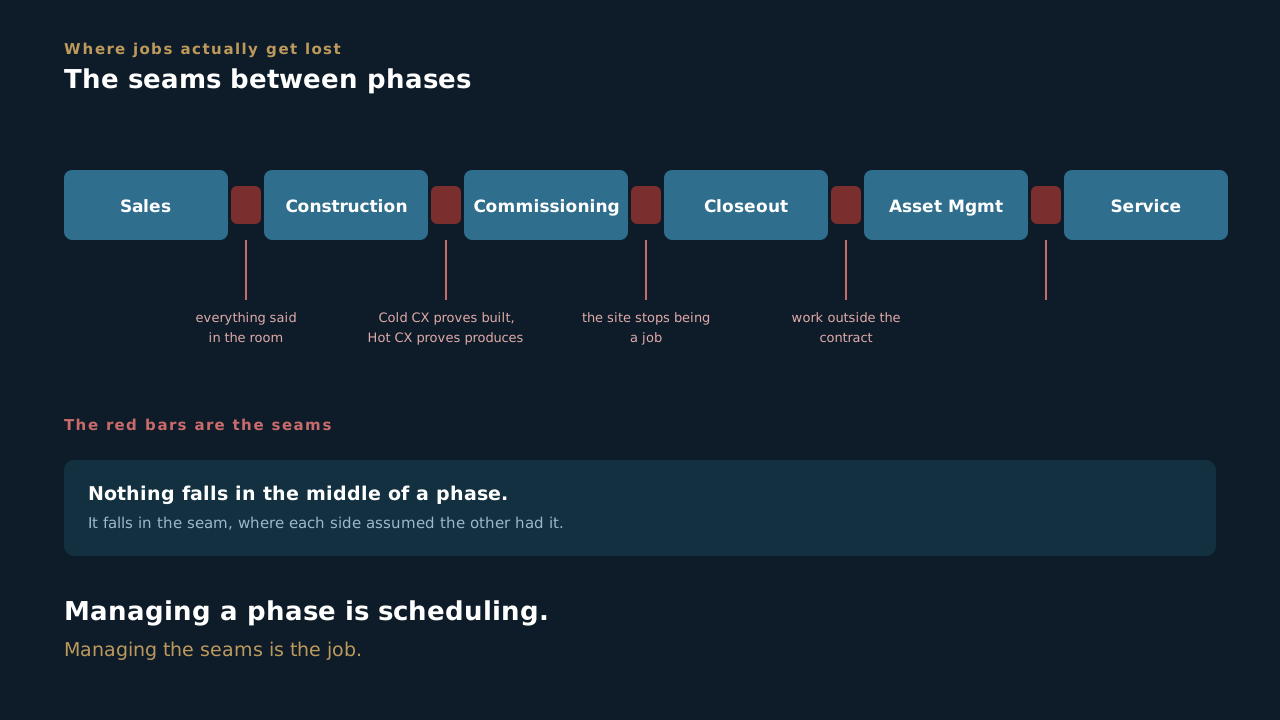
- Sales hands to construction. The first seam and the one most likely to leak, because the two sides have never met over this job. Everything the customer said in the room, what they are nervous about, what was promised on timing, exists only in the deal record by then. If it was not written down, the PM starts a job the customer already has expectations about and does not know what they are.
Everything from here on inherits from that handoff. - Construction hands to commissioning. Cold CX proves it's built right, Hot CX proves it produces. Those packages go to the customer and get read line by line.
- Closeout hands to Asset Management. The site stops being a job and becomes something we maintain, usually under a contract.
- O&M hands to Service. When a crew finds work that is outside the maintenance contract, they open a Service ticket from inside the O&M project. It is tracked separately so routine maintenance and billable extra work never get mixed up, but it stays attached to the parent job.
- Nothing falls in the middle of a phase. It falls in the seam between two, where each side assumed the other had it.
This is the actual job. Managing a phase is scheduling. Managing the seams is project management.
Can you answer this? Where do jobs actually get lost?
Field Operations
Running the job from your phone: finding your work, filling the form, and making sure the photos actually landed.
6.1 Your phone is the paperwork
The app is not a nice-to-have
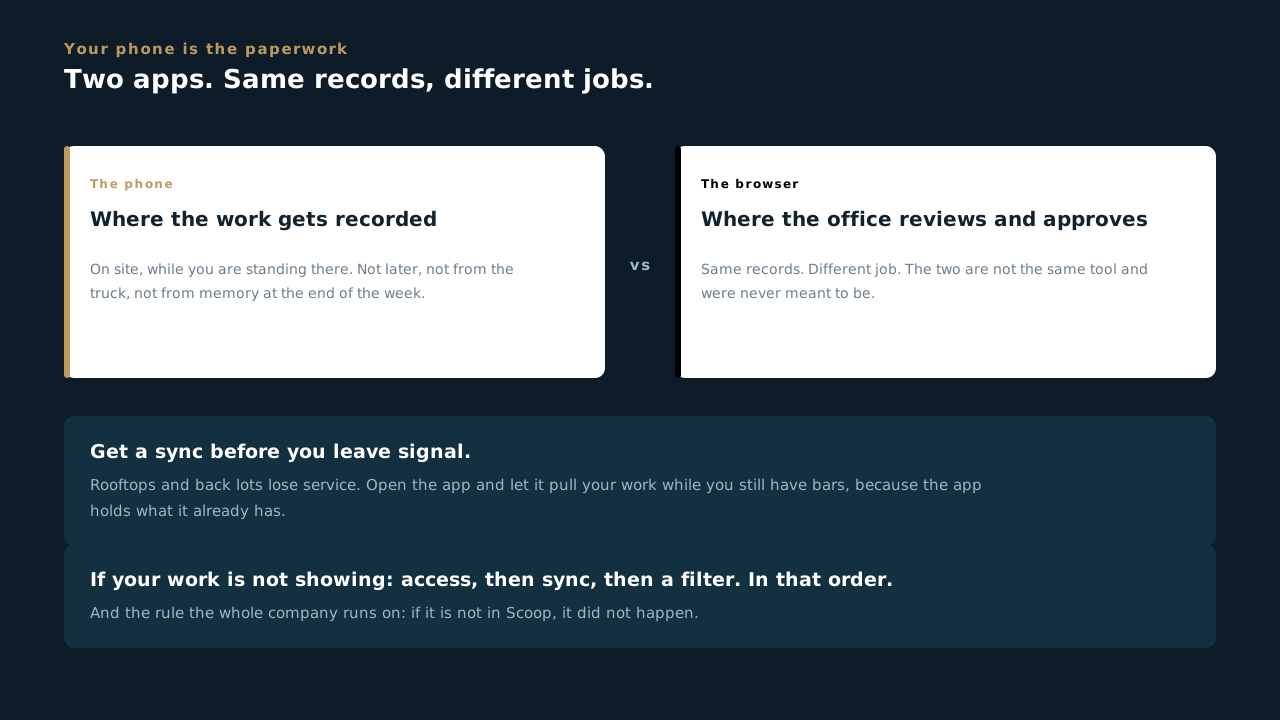
- The Scoop mobile app is where the job gets recorded, on site, while you are standing there. Not later, not from the truck, not from memory at the end of the week.
- The web app and the phone app are not the same tool. The office reviews and approves in a browser. You capture the work on a phone. Same records, different jobs.
- Log in with the email MBL set you up with. If your work is not showing, that is almost always access, sync or a filter, in that order. There is a lesson on that.
- Get a sync before you leave signal. Rooftops and back lots lose service. Open the app and let it pull your work while you still have bars.
The rule the whole company runs on: if it is not in Scoop, it did not happen. On your side of the business, that means if it is not on the phone before you drive away, it is going to cost somebody a return trip.
Can you answer this? You are heading up to a roof with no service. What do you do before you lose signal?
6.2 How you ended up on this scoop
Somebody put you on the crew
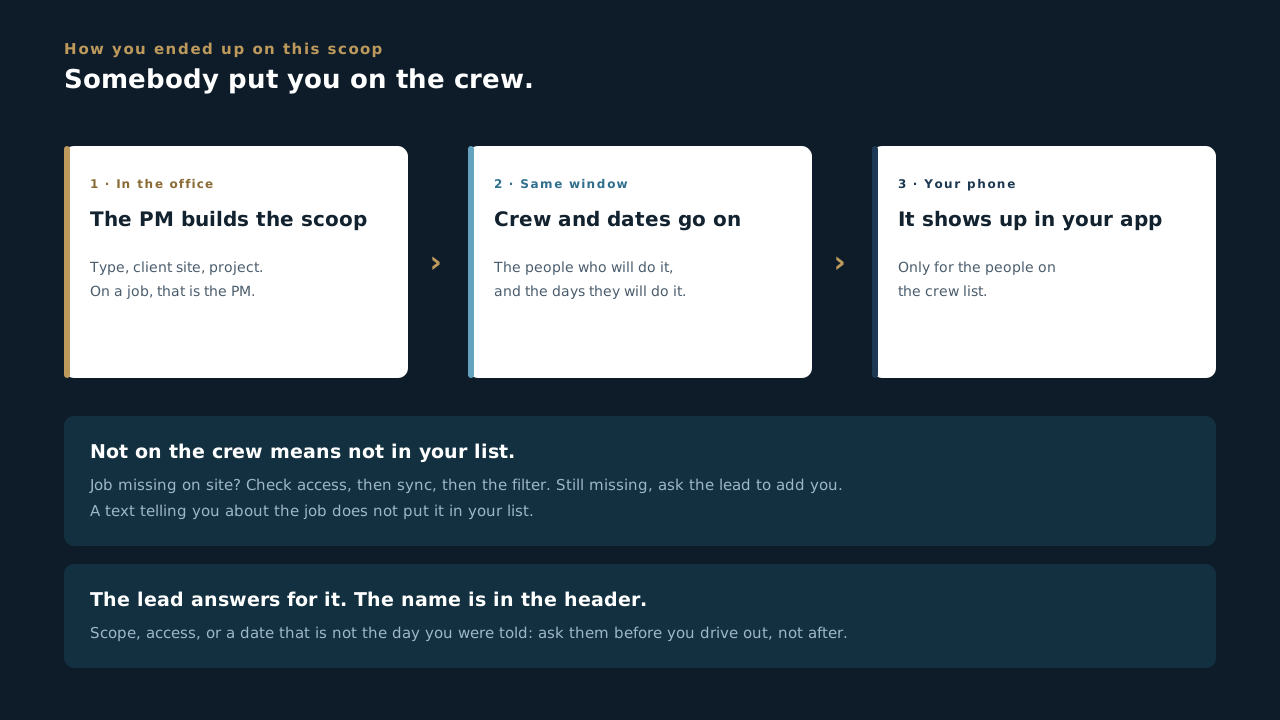
- A scoop shows up in your app because somebody put you on its crew. For the field that happens when the work is scheduled, usually by the PM, who picks the crew in the same window as the dates.
- The lead is the person who answers for it. The name is in the header. Questions about scope, access or a date that looks wrong go to them, not to whoever happens to be nearest.
- Not on the crew means not in your list. If you are standing on site and cannot find the job, check access, then sync, then the filter. If it is still missing, ask the lead to add you.
- The dates came from somewhere. They get set with the crew. If the day on the scoop is not the day you were told, say so before you drive out, not after.
The crew list is how the office hands you the job. If you are doing the work and your name is not on it, the record does not know you were there.
Can you answer this? You are on site and today's scoop is not in your app. Access, sync and the filter are all fine. What is most likely?
6.3 Finding your work
Scoops, filters, and the calendar
- A scoop is one piece of work. A hot commissioning at Hayward 11, an interconnection tie-in at SFO 24. It has a form, a stage and a person who owns it.
- Your assigned work shows on the Scoops page. If the list looks wrong, check the filter before you assume the work is missing.
- The Calendar shows what is scheduled and when. Use it to see the day rather than asking somebody.
- Comments are attached to the record, not to a text thread. When Jereme writes "stab lock connections, no torque value" on a scoop, that comment stays with the job forever. A text message does not.
If you cannot find a scoop, the order to check is: is it assigned to me, is a filter hiding it, has the app synced. Ask after that, not before.
Can you answer this? A scoop you expected is not in your list. What order do you check things in?
6.4 The four pages, and the last sync
Scoops, Comments, Tasks, Calendar, and the one number worth checking
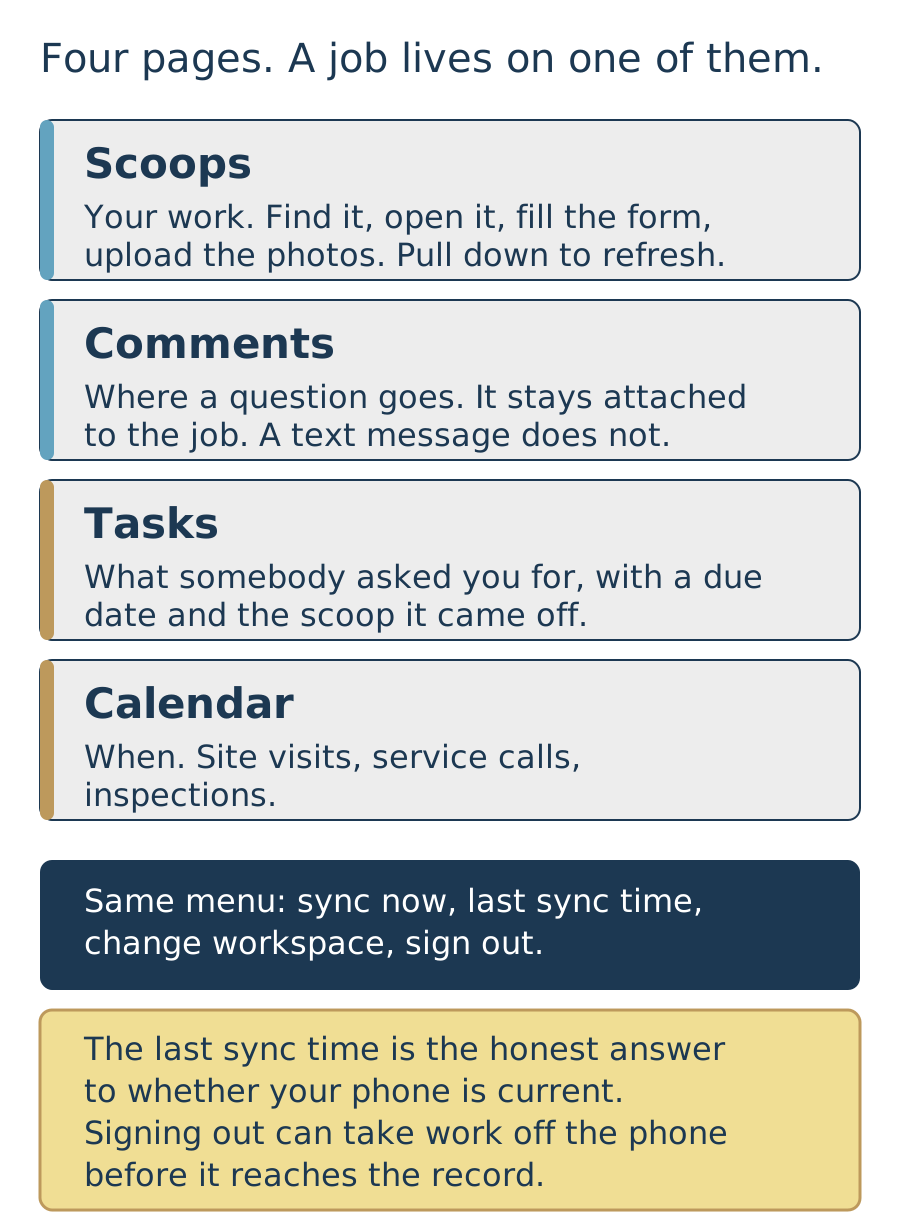
- The menu has four pages and you will live in one of them. Scoops is your work. Comments is the talking. Tasks is what somebody has asked you for. Calendar is when. Everything you need on a job is on one of those four.
- Comments is where a question goes. If the scope on the ground does not match the form, or a field is asking for something that is not there, put it in a comment on the scoop instead of a text message. A comment stays with the record. A text does not.
- Tasks is somebody asking you for something by a date. It shows what is assigned to you, when it is due, and which scoop or project it came off. If you think you are waiting on somebody, look there before you chase them.
- Calendar is the schedule the office built. Site visits, service calls, inspections. If the day on the calendar is not the day you were told, say so before you drive out, not after.
- The same menu syncs the app and tells you the last time it did. That time is the honest answer to whether your phone is current. Pull down on the Scoops list to refresh, and check the time if you are not sure the office has your work yet.
The same menu also signs you out, and that is the one thing to be careful with. Signing out can take work off your phone before it reaches the record. If the app is behaving badly, sync it first and ask second. There is a whole lesson on why.
Can you answer this? Something on the ground does not match what the form is asking for. Where does that go?
6.5 Filters, and the list you actually want
Cut it down to today, and leave the new scoop button alone
- The Scoops list shows everything you have access to, which is more than you want. Filters cut it down. Start with whatever filter is already selected, pull down to refresh, then narrow from there.
- You can build your own filter. The app will let you filter on scoop type, stage, lead or crew, client site, and a date range. One filter for your site this week covers most days without you thinking about it again.
- A job you cannot find is usually a filter. Clear it, pull down to refresh, and look again. Then check whether you are on the crew, then whether your access covers that site. In that order, because the first one is free.
- The app will also let you create a scoop, and at MBL that is not your job. A PM builds the scoop, picks the crew and sets the dates, because a scoop created off the cuff lands on the wrong job with the wrong form on it. If work needs a scoop that does not exist, tell the lead so it gets built once, in the right place.
- Two people can open the same list and see different work. Different crews, different access, different filters, different last sync. That is the app working, not the app broken.
Filter first, phone somebody second. Nine times out of ten the job you cannot find is behind a filter you set last week and forgot about.
Can you answer this? You are standing on site and today's job is not in your list. What is the first thing to try?
6.6 Filling out the form
Blocks, required fields, and fields that move
- "Block" means you can add more. Any repeatable group is named with the word Block and comes with an Add button. One Work Log entry per visit, one Block per piece of equipment.
- Fields appear and disappear on purpose. Answer "was there an RMA" with Yes and the RMA section opens up. Answer No and it goes away. That is a rule doing its job, not a glitch.
- Some stages will not let you move on while a required field is empty. That is deliberate. It is the last thing standing between an incomplete package and a customer.
- Fill it in on site, not afterwards. A form filled from memory in the truck is where wrong serial numbers and missing torque values come from.
- If a field does not make sense for this job, say so in a comment rather than putting in something that looks plausible. A wrong number is worse than a flagged blank.
Every field on that form exists because somebody downstream needs it. Billing, the commissioning package, or a customer asking for proof two years from now.
Can you answer this? A field asks for a torque value that does not exist on this equipment. What goes in the box?
6.7 Photos, and whether they actually landed
The most common way work gets lost
- Photos are evidence, not decoration. They are what a customer is handed when they ask whether the work was done right.
- A photo that did not sync did not happen. It is sitting on your phone, not on the record, and nobody downstream can see it.
- Check your uploads before you leave site. The app tracks media uploads and will tell you what is still pending. Look at it while you can still take the shot again.
- Poor signal is the usual culprit. The work saves locally and uploads when it can, so give it a minute somewhere with service before you call the day done.
- Shoot what the form asks for, for your division and your task. Receipts, lockout tagout, a data logger showing devices communicating, a torqued connection, a weld, a poured footing, a bore path, a completed structural connection. The form is the source of truth, not a default electrical checklist.
- One missing photo can hold up a whole ticket or a whole closeout. That is what makes people actually do it.
The single highest-value habit in this job is spending ninety seconds confirming your photos uploaded. It saves more return trips than anything else on this list.
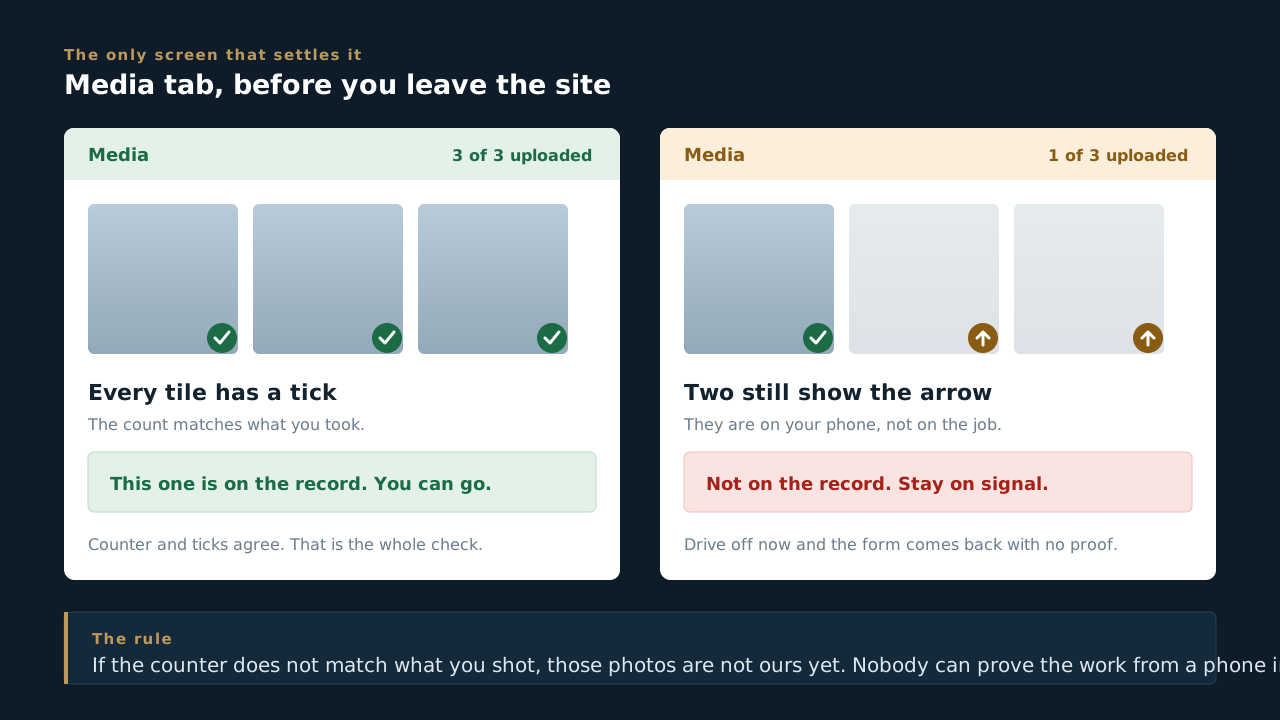
Can you answer this? You take the photos, the form saves, and you drive off. What could still have gone wrong?
6.8 When work falls outside scope
Protect the contract, ticket the extras
- You already know you can stop work and report an injury. That is the safety block, and we will not repeat it here beyond this: if it is unsafe, stop and tell your supervisor. If someone is hurt, report it immediately.
- This lesson is about the other thing that happens on a site every day. Someone asks you to do work that is not in our contract. A customer, a GC, or another trade will ask you to handle something while you are already on site. Sometimes it is a favor. Sometimes they know exactly what they are doing.
- Out of scope work becomes a Service ticket. It does not get done quietly for free. Either way, the second it is outside our scope, it gets documented so we can ticket it and charge it. That is not us being difficult. That is how the work you did actually gets paid for.
- What you write down decides who pays. Document the ask, the condition, and what was done. If it is not written, it did not happen, and MBL eats the cost.
- Write what you saw, not what you concluded. "Stab lock connections, no torque value available" is useful forever. "Looked fine" is useless by next week. Same goes for out of scope work: describe exactly what was asked and what you found.
Not sure whether it is in scope? Ask before you touch it. A question costs a minute. A guess on a live site costs a change order, or worse, free work we never recover. Nobody at MBL has ever been in trouble for asking. Plenty of margin has been lost to people quietly helping out and never writing it down.
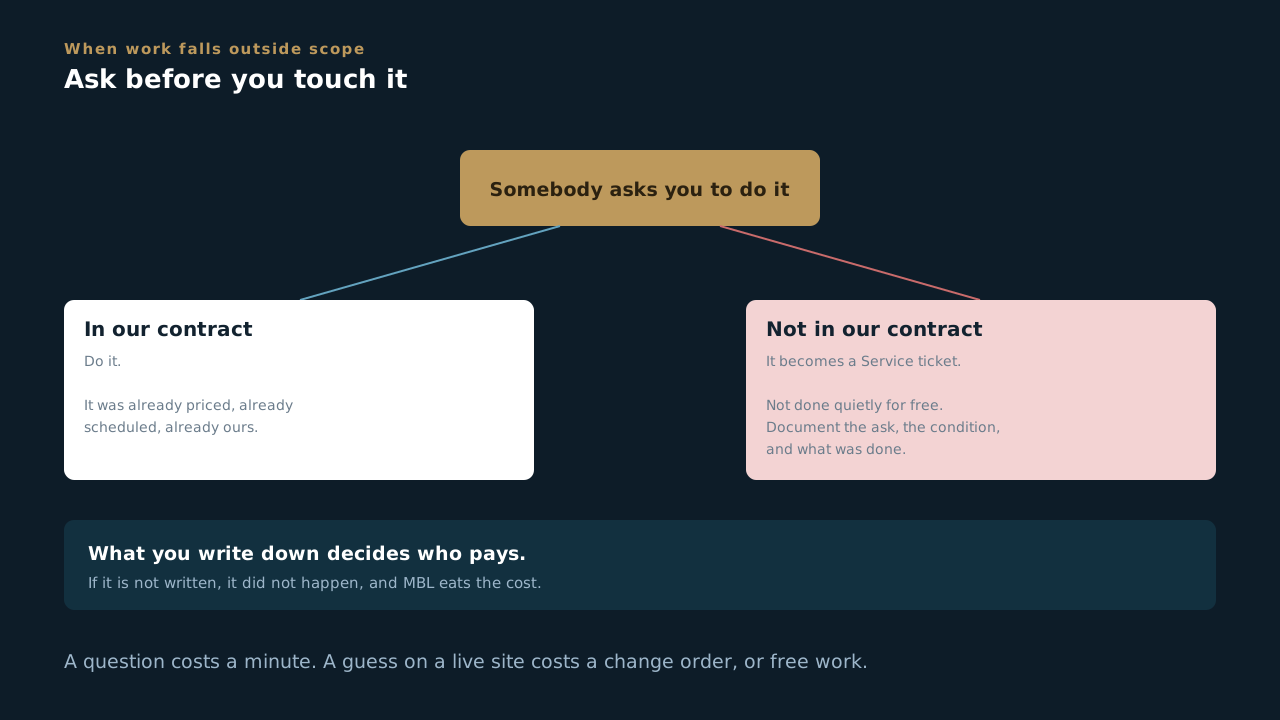
Can you answer this? A GC on site asks you to do something that is not in our contract. What decides who pays for it?
Genesis Third-Party Inspection
Four visits, four records, four signed PDFs. Assigned by name, and only by name.
7.1 One job, four visits
The shape that everything else follows from
- A Genesis inspection is one job with four visits. Three regular, plus one that is not announced.
- One project. One scoop per visit. Not three projects, and not one record you keep reopening. The Genesis scoop travels through the project and each visit gets its own.
- Each visit produces its own signed PDF. Four visits, four documents. That is the deliverable, and it is what somebody outside MBL eventually reads.
- This is different from commissioning, and the difference matters. Cold and hot commissioning go out once per job. Safety inspections go out four times. Everything odd about this form comes from that one fact.
If you only remember one thing: a visit is a record. Four visits means four records, and the fourth one is the surprise.
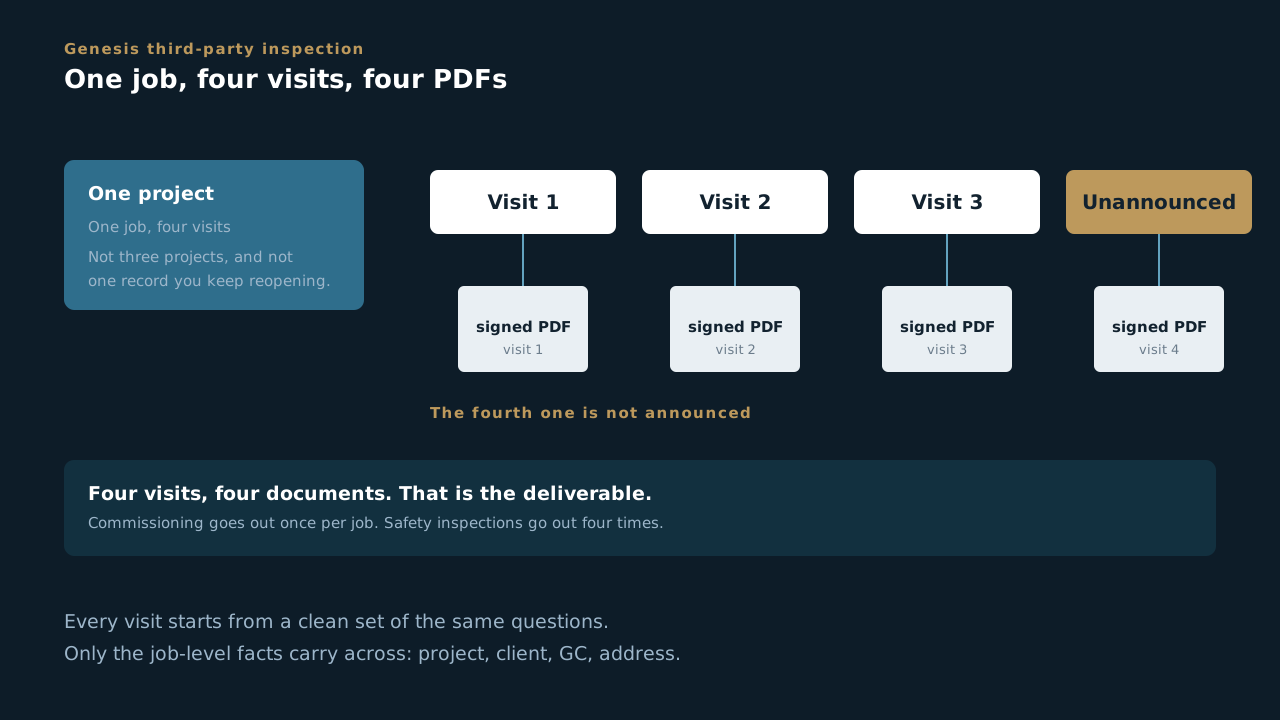
Can you answer this? A Genesis inspection is one job with four visits. How many records and how many PDFs?
7.2 Why every visit starts clean
What carries across, and what deliberately does not
- Every safety visit starts from a clean set of the same questions. What you saw in June has no business pre-filling what you see in September.
- Only job-level information carries across. Project name, client, GC, site address. The things that cannot change between visits.
- Everything else is answered fresh, every time. Conditions, findings, photos, signatures. If an answer appears already filled in, that is worth stopping over.
- This was rebuilt in August 2026 for exactly this reason. All four visits used to share one set of answers, which meant a later visit could quietly overwrite an earlier one. Each visit now stores its own.
An inspection that inherits last quarter's answers is not an inspection. It is a copy of one, with a new date on it.
Can you answer this? You open the September visit and some answers are already filled in. What does that mean?
7.3 The form you are on
Rev 1.0, and why some questions disappeared
- The form was trimmed to Rev 1.0 and went live on 26 August 2026. Chase Laubach wrote the trim spec. Shorter form, same standard.
- Cut questions were hidden, not deleted. Answers on past inspections survive intact, and anything cut can be brought back without rebuilding the form.
- Which is why an old inspection can show fields you never see. That is history rendering correctly, not a fault.
- If a question you expect is missing, do not work around it. Raise it. A rule can be changed in an afternoon; a quarter of inspections missing a field cannot be recovered.
Hide rather than delete is the standing rule on MBL forms. It keeps the past readable and keeps every change reversible.
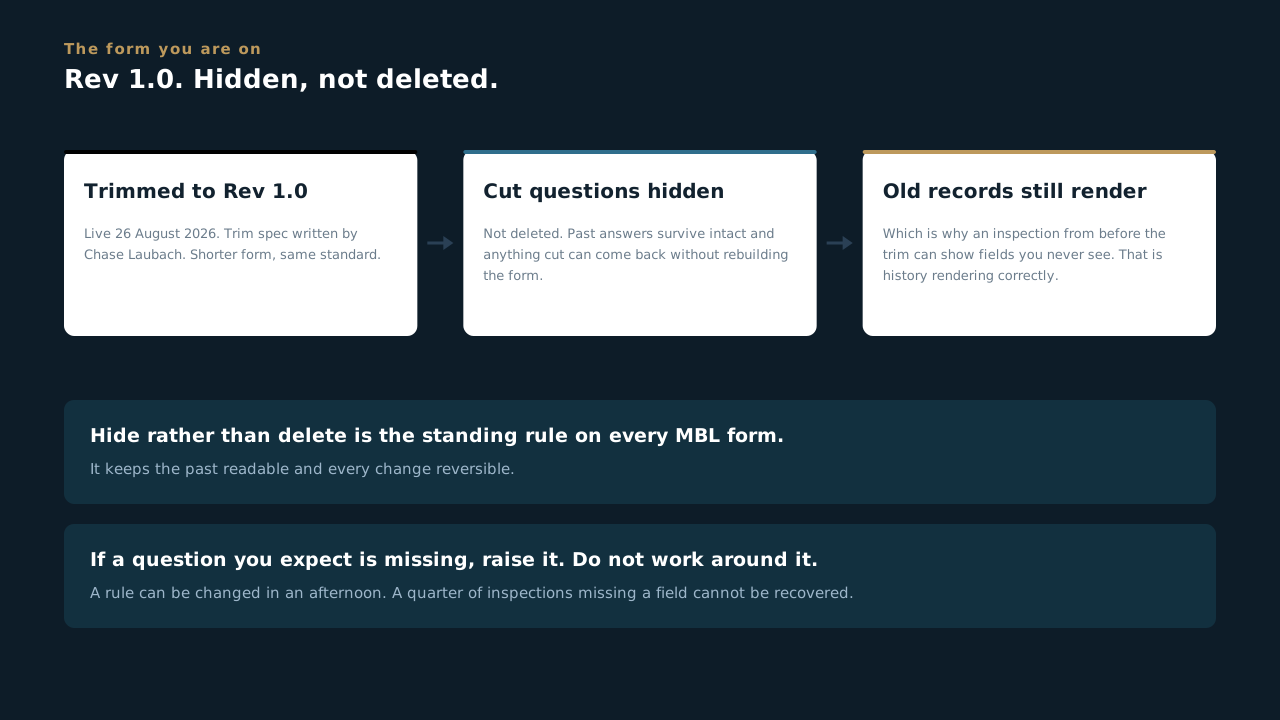
Can you answer this? An old inspection shows fields that are not on the form you use today. What is going on?
7.4 Who can sign this
Two names, and no way around them
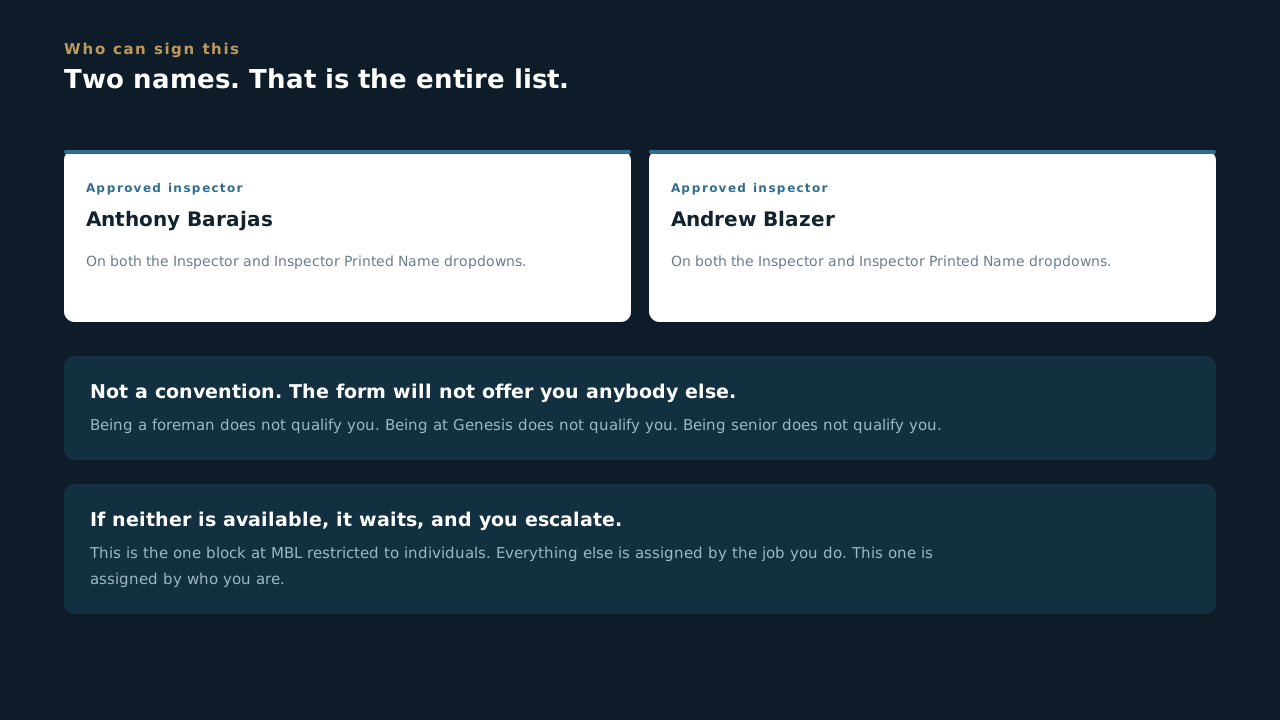
- Genesis One Group has two approved inspectors: Anthony Barajas and Andrew Blazer. That is the entire list.
- Both the Inspector and the Inspector Printed Name dropdowns are limited to those two. Not a convention. The form will not offer you anybody else.
- This is assigned by name, never by role, company or level. Being a foreman does not qualify you. Working at Genesis One Group does not qualify you. Being senior does not qualify you.
- If the work needs doing and neither of them is available, it waits. The right answer is to escalate, not to find a workaround that puts the wrong name on a signed document.
This is the one block at MBL that is restricted to individuals. Everything else is assigned by the job you do. This one is assigned by who you are.
Can you answer this? Neither approved inspector is available and the visit is due. What happens?
7.5 Doing the visit
Where the record gets made
- Open the scoop for this visit before you start walking, not after. A form filled from memory in the truck is where wrong answers come from, and this one gets signed.
- Write what you saw, not what you concluded. A specific observation holds up in a year. A judgement does not hold up next week.
- Photos are the evidence. Shoot what the form asks for and confirm they uploaded before you leave the site. On a roof with no signal the app holds them and sends them when it gets service, but only if you let it finish.
- Sign it on site. The signature and the timestamp are what make the PDF worth anything to the person reading it later.
- The surprise visit is a real inspection, not a formality. It exists precisely because the announced ones are announced.
Somebody outside this company reads these. Four times a year, with your name on them.
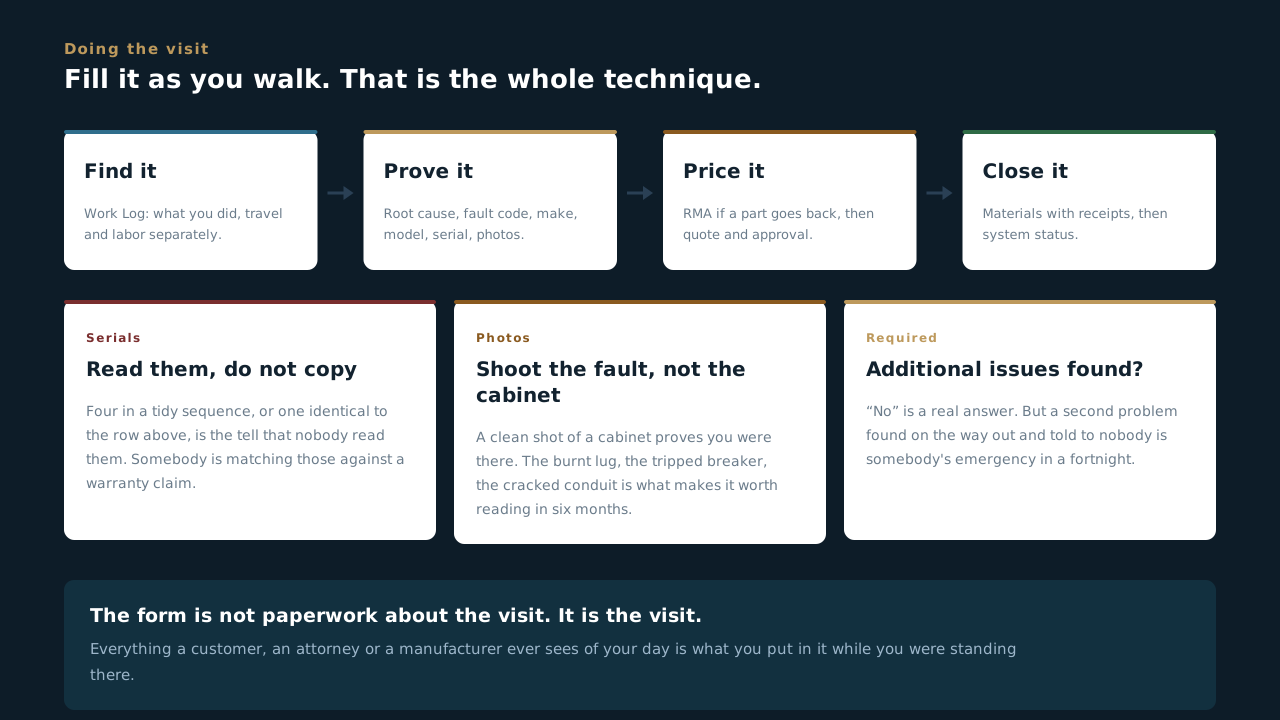
Can you answer this? Why does the unannounced visit exist?
Service & O&M
The two ways MBL looks after a system after it is built: on a schedule, and when it breaks. The SRVC ticket end to end, the one review everything passes through, and why a ticket is not closed until the money lands.
8.1 Two ways we look after a system
One runs on a calendar. The other runs on a phone call.
- O&M is care on a schedule. The customer signs a contract, we take the system on, and we come out on a plan whether anything is wrong or not. Asset Management is the delivery model, O&M is the work, and the contract is what makes it ours.
- Service is what happens when something breaks. It takes calls from customers with a maintenance contract and from customers without one, which is the whole reason it sits outside Asset Management. Service was stood up in 2026 and it is where the push is this year.
- The two get confused constantly, and the ticket asks you straight out. Section 2 of every Service ticket has Customer has an O&M contract? as a required field, because the answer changes who pays and it changes the clock.
- An O&M contract runs a fixed term and stops. Three years is the common one, not a rule. No auto-renewal, no quiet rollover. Somebody has to decide to sign again, which is what Renewal Review is for.
- The O&M board is the whole life of a contract in six phases. Onboarding, PM Year 1, PM Year 2, PM Year 3, Renewal Review, Contract Closeout. A card moves left to right once a year, which is the slowest board in the company and the one nobody thinks to look at.
- Out-of-scope work found on an O&M visit becomes a Service ticket. It does not get done quietly for free. That seam is built into the app, and the next lesson is about it.
Contracted care, and a phone call. If you can say which of the two you are looking at, and who is paying for it, most of the rest of this block is bookkeeping.
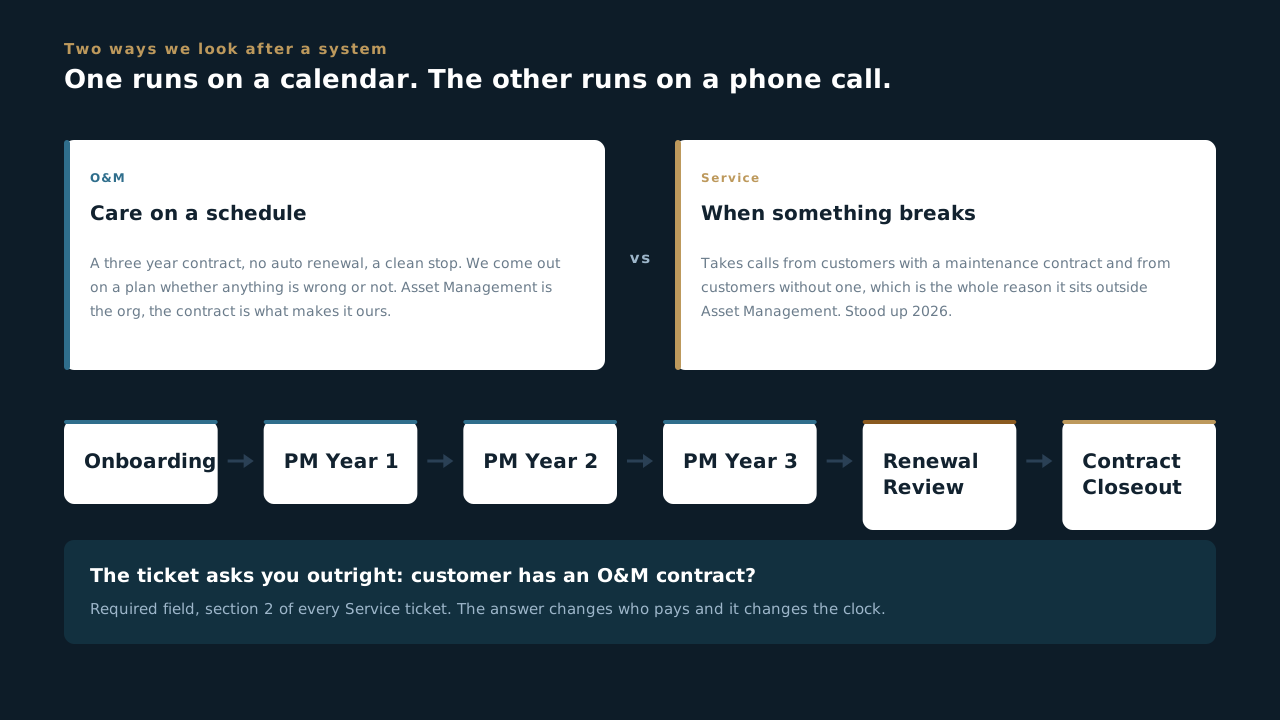
Can you answer this? A customer with no maintenance contract calls because their inverter is down. Who picks it up?
8.2 The O&M year
What a contracted site actually gets, and where it hands off
- The annual inspection is a twenty-six section form, and it is the biggest thing in Scoop. Array, optimizers, racking, inverters, DC combiners, DC disconnects, AC panels, AC disconnects, DAS, meters, then the checklists: inverter and combiner, IR inspection, AC equipment, raceways, modules and mounting, trackers, site grounds, roof, weather station, DAS and metering. Then DC string testing, performance testing, and a summary.
- It is long because it is the whole system, once a year, on the record. Nobody fills twenty-six sections from memory at the end of the day. It gets filled as you walk.
- Four stages, and three of them validate. Draft - Preparing, Ready for Work, Ready for Review, Complete & Closed. Everything after Draft checks the form before it will let you move, which is the app refusing to lose your work rather than the app being difficult.
- Preventative Maintenance Year 1 is the lighter visit, and it carries the stage that matters most in this whole block: Work Ticket Required. That is the button a tech presses when a maintenance visit finds real work.
- That button is the seam between O&M and Service, and it is in the software rather than in somebody's head. A tech who finds a failed optimizer on a PM visit does not fix it quietly and does not send an email. They submit a work ticket, and it becomes a Service ticket with its own number.
- Monitoring is its own three-stage app, and Contract Closeout is a ten-section final check: site walkthrough, equipment and access handback, documentation handover, open items and final billing, contract disposition and signoff. A contract ends on paper the way it started.
A contracted site gets a plan, and the plan has an exit. The annual proves the system, the PM visits keep it honest, and Work Ticket Required is how the plan admits it found something the plan does not cover.
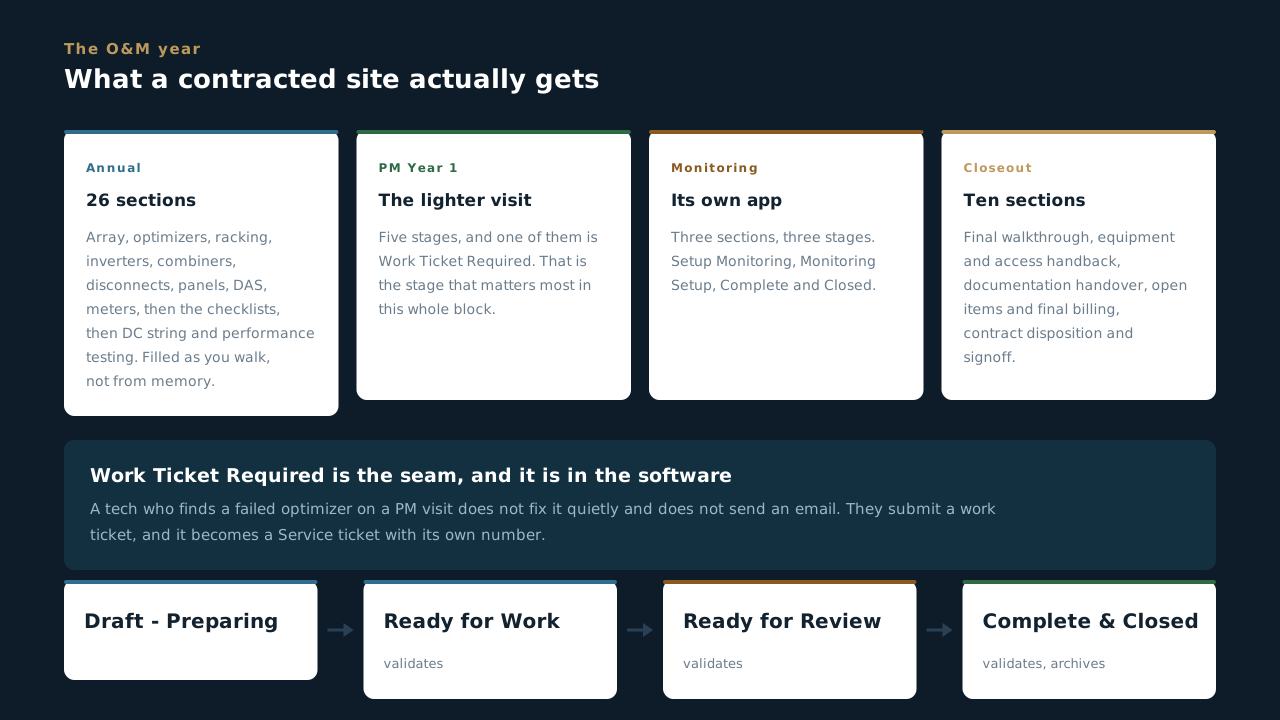
Can you answer this? On a PM Year 1 visit a tech finds a failed optimizer that is not part of the maintenance scope. What does the app expect?
8.3 A ticket starts before the phone call
The order is deliberate, and so is the clock
- Derek spots it in monitoring and creates the ticket first. Before he calls the owner. Every time. So the conversation happens against a record that already exists rather than a promise to write one up later.
- There is no integration doing this, and that is on purpose. A person looks at monitoring and a person decides it is a ticket. Nothing fires automatically into the Service app.
- The response clock is production, not panic. A site producing below ninety percent of expected gets a twenty-four hour response. Comms or internet down with production fine can wait up to two weeks.
- That difference is the single most useful thing on this page. A dead dashboard feels like an emergency and is not one. A site quietly making eighty-five percent looks fine on a phone and is costing somebody money every hour.
- Priority / Response SLA is a required field in Service Request Information, so the clock gets set on the record at the start rather than argued about at the end.
- Remote troubleshooting attempted is required too. Somebody is about to drive, and the question of whether this could have been fixed from a desk gets asked before the truck moves, not after.
Ticket first, then the call. It is a small habit and it is the reason Service tickets have a beginning that anybody can find, instead of starting halfway through a conversation nobody else heard.
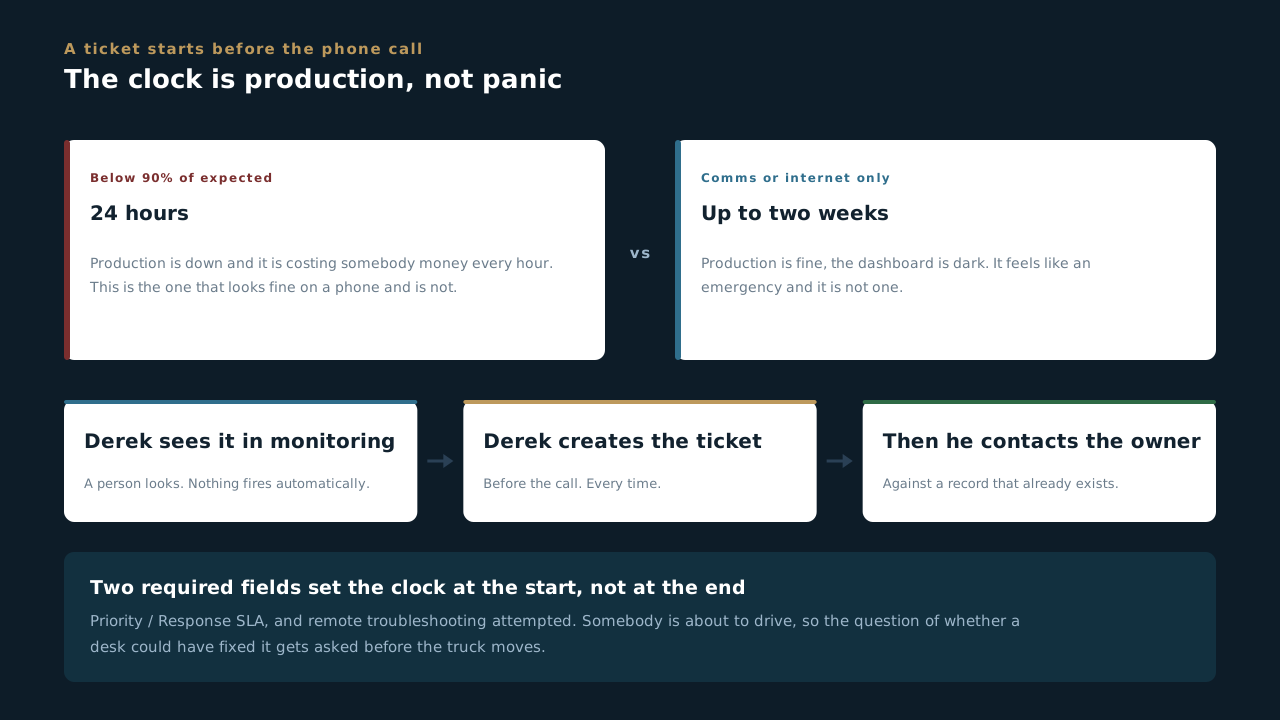
Can you answer this? A site's monitoring portal is offline but production data is coming through fine and is at expected levels. What is the response window?
8.4 Tech level is a gate, not a suggestion
Who can be sent, and what to do when it is over your head
- Every ticket carries a Required Tech Level, and only a tech at or above it can be dispatched. It is not a preference and it is not about seniority. It is the app refusing to send somebody into work they have not been signed off for.
- A Level 1 tech calls Derek before purchasing anything. Not after, and not with a receipt in hand hoping it is fine. That is written into the Materials section as well as the stage.
- RMA work is Level 2 minimum, because it means shutting the system down safely and opening inverters. There is no version of that which a Level 1 does alone.
- Found something beyond your level? There is a stage for it. Escalated - Senior Visit Required. Burnt inverter, major damage, anything where the honest answer is that this needs Derek or Jereme.
- Escalating is not walking away. You shut the system down safely, you lock it out, you photograph the lockout, and then you close your own ticket. The site is left safe by the person who found the problem.
- Escalations get tracked, and not to catch anybody out. The configuration says it plainly: tracking these shows where training is needed. A pattern of escalations on one kind of fault is a training gap, not a performance problem.
Nobody is expected to be beyond their level. Everybody is expected to say so. The stage exists because the alternative is a Level 1 opening an inverter to prove a point, and that is how somebody gets hurt.
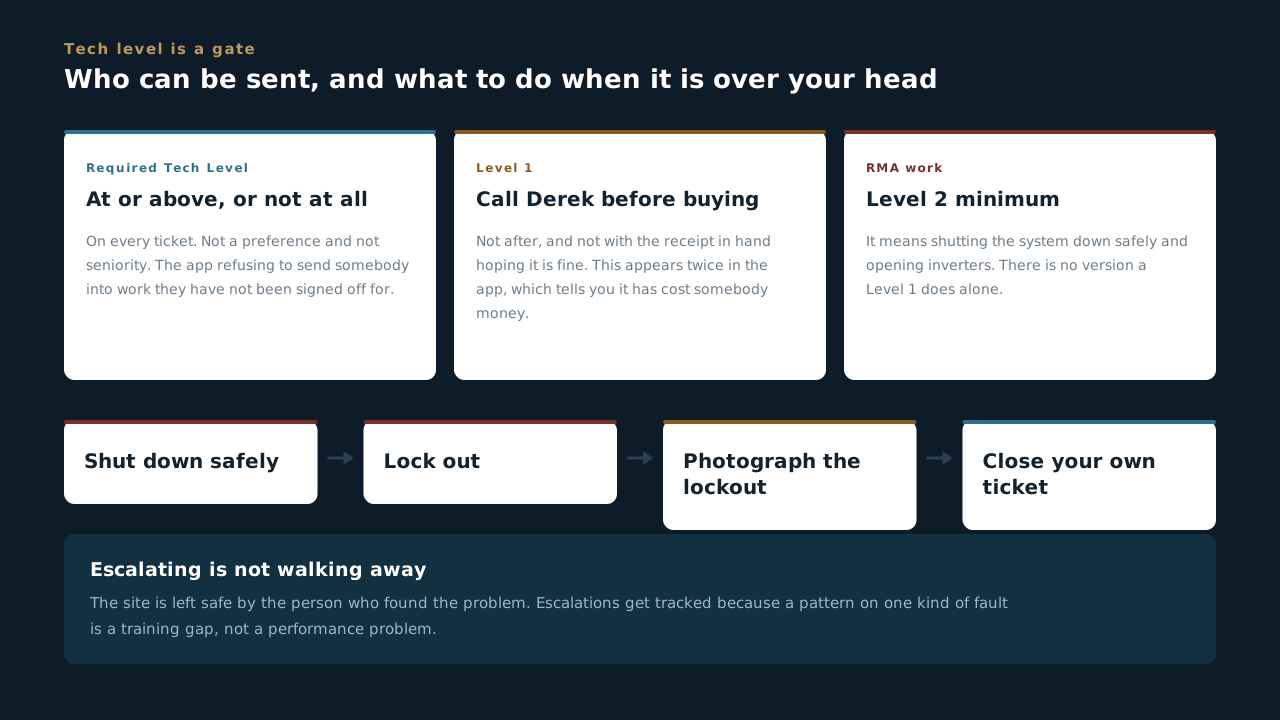
Can you answer this? A Level 1 tech arrives and finds a burnt inverter. What does the process expect?
8.5 Ten sections, and the ones that will stop you
The SRVC ticket, end to end
- Customer Information and Service Request Information are the head of the ticket. Who and where, then what: the description of the issue, the service type, the asset number, the tech assigned, and the three questions that steer everything after them. Required tech level, response SLA, and whether there is an O&M contract.
- Work Log is your visit. Date, what you did, travel time, labor time, who you are, and a signature. Travel and labor are separate on purpose, because they bill differently.
- Diagnosis & Findings is what you found and why. Root cause, fault code, photos, equipment make and model, serial number, and one required question that people skip: additional issues found on site?
- RMA and Quote and Quote & Approval only matter when there is money involved. RMA appears when there is a part to send back. The Quote tab holds Trent's PDF, and Quote & Approval holds the customer's yes or no and the signed document.
- Closeout & Billing is where a ticket becomes an invoice. Verified complete, ready to bill, a customer-facing summary, and two required fields: the billing classification, O&M or T&M, and whether Derek reviewed and approved.
- Materials and System Status are the last two, and they are the two that catch people. They get a lesson of their own next, because between them they are the most common reason a finished job is not a finished ticket.
The form is the job in order. Who, what, what you did, what you found, what it costs, and what state you left the system in. Filled as you go it takes minutes. Filled from memory in the truck it takes an hour and it is wrong.
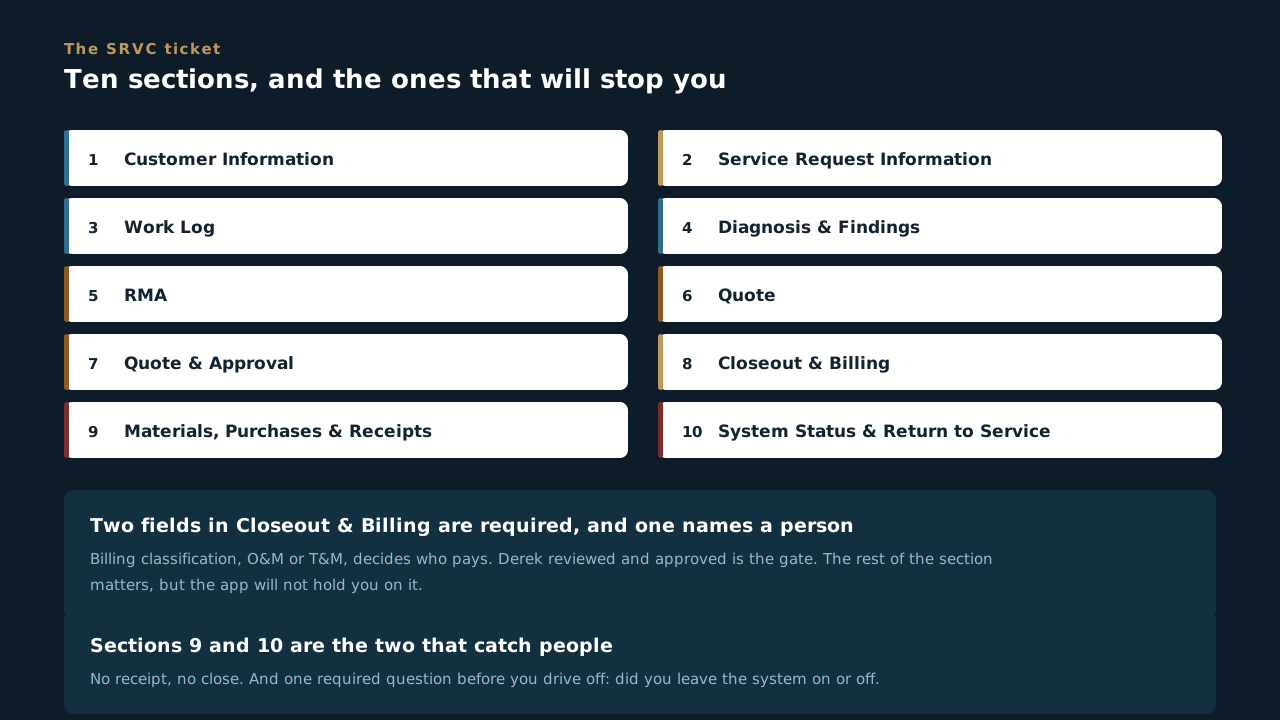
Can you answer this? Which pair of fields in Closeout & Billing are required before a ticket can go anywhere?
8.6 No receipt, no close
The two sections that decide whether a finished job is a finished ticket
- Anything bought for the job gets logged with a photo of the receipt. Part, quantity, cost, who approved it, and the total. The rule in the app is four words: no receipt, no close.
- A receipt in your truck is not a receipt. It is in a truck. Photograph it on site, on the ticket, while you are standing there, because the version of this that goes wrong is always somebody meaning to do it later.
- Level 1 techs call Derek for approval before purchasing. This appears twice, in the dispatch stage and in this section, which is how you know it has cost somebody money before.
- System Status & Return to Service is the last thing before you drive off, and it has exactly one required question: did you leave the system on or off.
- Left it off? Lock it out and photograph the lockout. A system that is off and not visibly locked out is a system somebody else might energise, and the photo is what proves the state you left it in.
- Left it on? Photograph the data logger showing every device communicating. Not most of them. An inverter that is dark on the logger when you leave is an inverter somebody finds next month, and the photo is the difference between it being your visit or theirs.
Two photographs and a receipt. That is the whole of it, and it is the difference between a ticket that closes and a ticket Derek sends back.
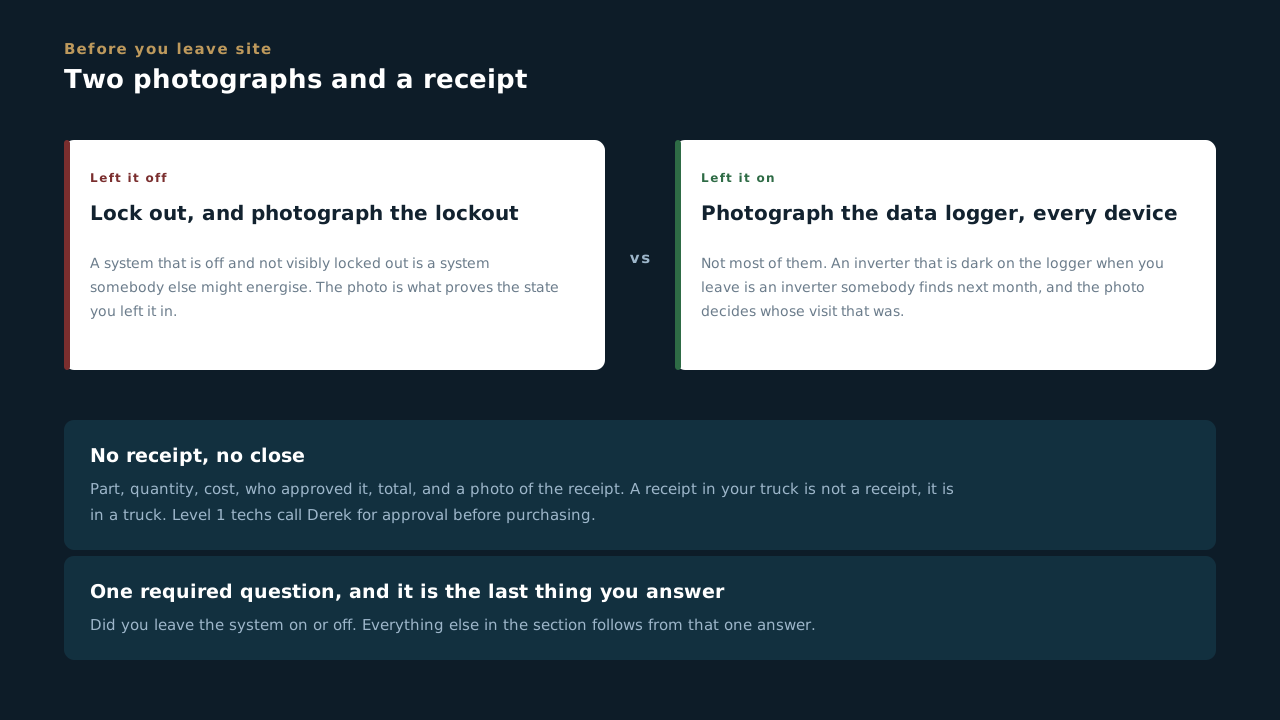
Can you answer this? You finish a repair, leave the system running, and head out. What has to be on the ticket?
8.7 Derek reads every one
One gate, and what it is protecting
- Derek reviews every ticket no matter how small. Not a sample, not the big ones, not the ones somebody flags. Every one. That is the single quality gate between field work and a customer.
- The review stage is the only one in the middle of the flow that validates the form. Incomplete work does not reach it and get waved through. It does not reach it.
- Not approved goes straight back to the tech, to Dispatched - On Site. Not to a queue, not to a manager, back to the person who was there. The fastest fix is the one where the person who saw it is the one who writes it.
- Approved splits two ways. Covered by an O&M contract, it goes to Trent for billing and mostly passes through. Time and materials, it goes to Awaiting Owner Approval first, because somebody has to say yes to a number.
- The site maintenance guy is not the shot caller. The configuration says it in those words. Approval comes from somebody who can authorise spend, and a friendly yes from the person who let you in the gate is not that.
- Trent builds the quote while the owner is being asked. Those two run in parallel rather than in sequence, which is the difference between a same-week answer and a three-week one.
One person reads all of it, and that is the point. A gate that everything passes through catches the pattern. Ten reviewers with good judgement never see the same mistake twice and so never notice it is a mistake.
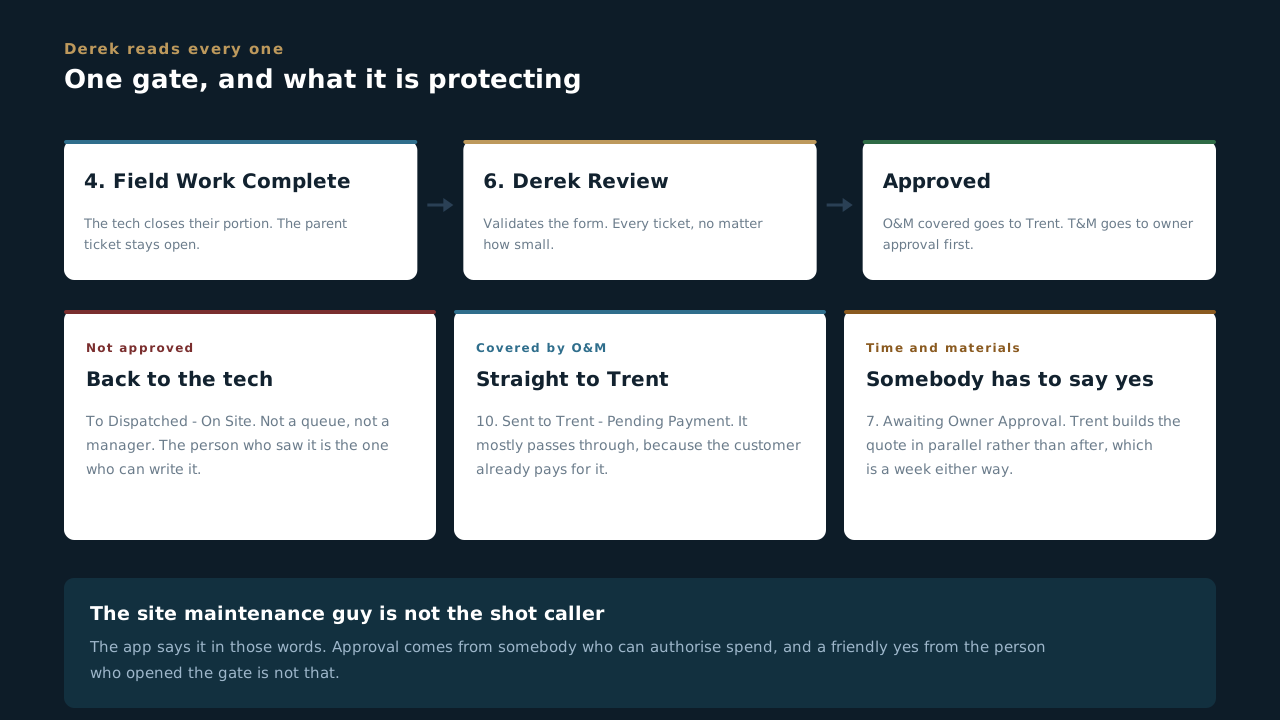
Can you answer this? Derek does not approve a ticket. Where does it go?
8.8 The ticket is not closed until it is paid
The billing tail, and why it is part of the job
- Closing your field work does not close the ticket. Field Work Complete closes your portion. The parent ticket stays open, and if you found something else you open another work log rather than stretching this one.
- Derek approves, and it goes to Trent to invoice and collect. Work covered by an O&M contract passes straight through without an invoice, because the customer already pays for it.
- Deanna generates and sends the invoice, and that step has its own clock: two business days, then it escalates back to Trent. Billing is a shared bucket, either of them can move it.
- The payment clock starts when the invoice is sent, not when the work is done. O&M is net thirty. Service is two weeks. Everything before that is our time, which is the argument for not sitting on a ticket.
- Paid & Closed is the only stage that archives, and Derek's rule is the reason: the ticket stays open until payment is received. Nothing lands in closed because the work finished. It lands there because the money did.
- The internal report goes out at close, not per ticket. So a ticket sitting unpaid is not invisible, it is sitting in the open list where everybody can see it, which is exactly what it is for.
A job is not done when the work is done. That is not an accounting opinion, it is how the app is built: there is no route to closed that skips the money, and the one stage that archives is the one named after payment.
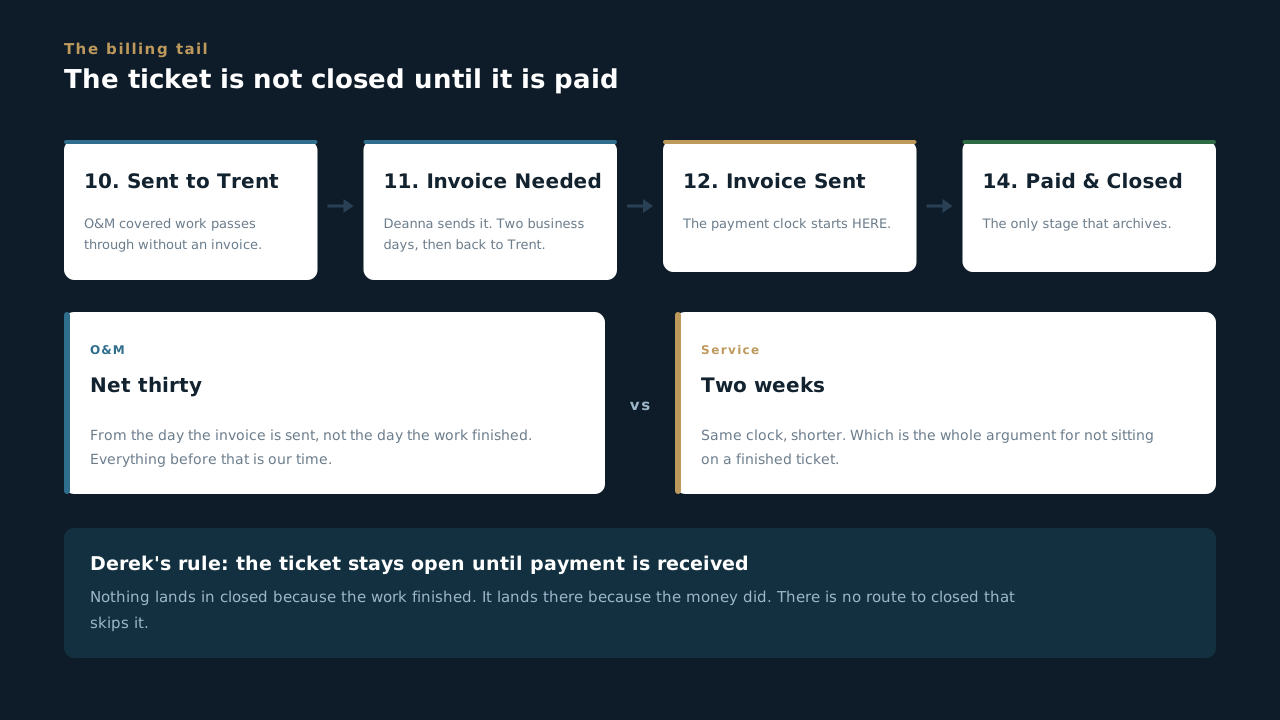
Can you answer this? A tech finishes the repair on Monday, Derek approves Tuesday, and the invoice goes out Friday. When does the payment clock start?
8.9 Opening a ticket
What you need in hand, and the order the form wants it
- Have four things before you open anything. Which site, what the symptom is, whether there is an O&M contract, and what level of tech this needs. Three of those four are required fields and the fourth decides who you can send.
- The work order number is not yours to type. Scoop generates it. What you do fill in is the asset number, and that is the one that has bitten this company before: a wrong asset number puts the right work on the wrong invoice.
- Write the symptom, not the diagnosis. “Inverter 3 offline since Tuesday, site at sixty percent” is a description. “Inverter failure” is a guess you are handing to somebody who has not been there yet, and they will go looking for what you told them instead of what is wrong.
- Service Type, Priority / Response SLA and Customer has an O&M contract are required and the form will hold you on them. That is the app making sure the two questions everybody argues about later get answered at the start.
- Remote troubleshooting attempted is also required, and it is asked before anybody drives. A truck roll that a login could have solved costs half a day and a tank of fuel, and the field is there to make somebody stop and think about it.
- Then the stage does the talking. Log Alert, Schedule Site Visit, Dispatch Tech. The buttons are named after the thing that just happened in the real world, so moving the stage is a description rather than an administrative step.
Two minutes of typing at the start buys a week at the end. A ticket that opens with a site, a symptom, an SLA and a contract answer is a ticket anybody can pick up. One that opens with “inverter issue” is a phone call waiting to happen.
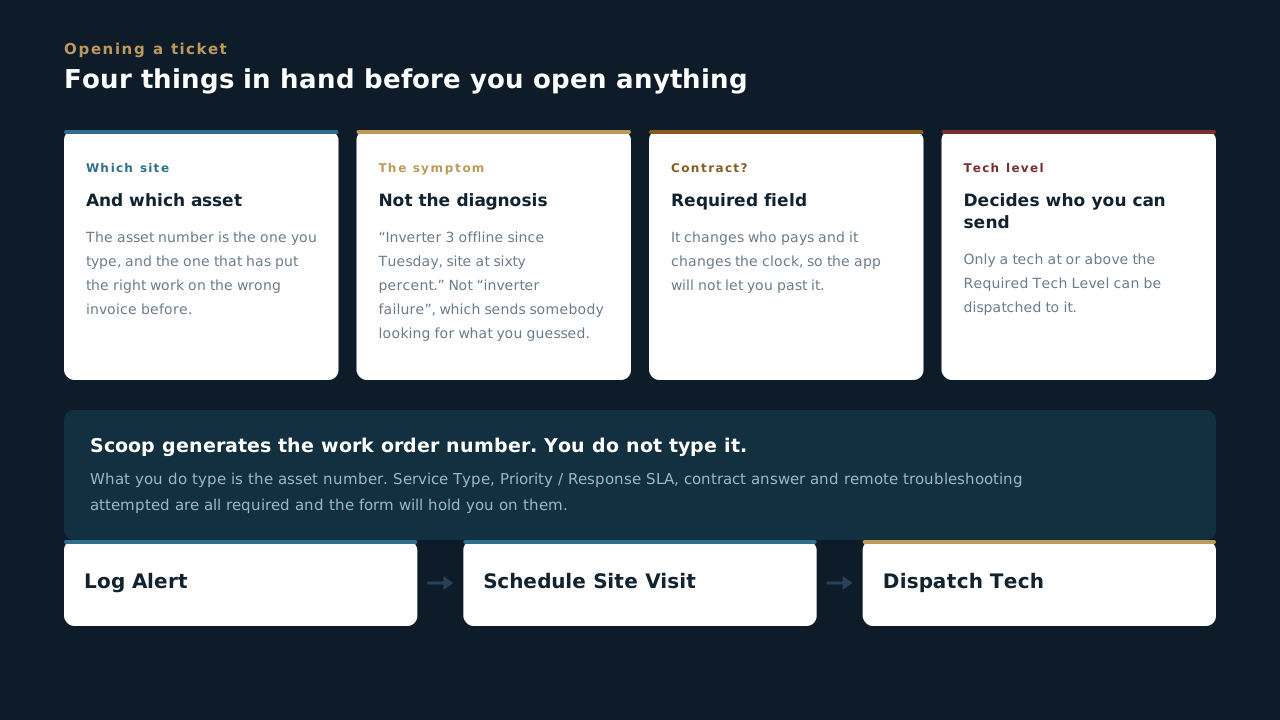
Can you answer this? You are opening a ticket for a site making sixty percent. Which of these do you NOT fill in?
8.10 Doing the visit
How the maintenance actually gets done, in the order the form asks
- Fill it as you walk. That is the whole technique. The annual is twenty-six sections and the service ticket is ten, and neither one can be reconstructed at five o'clock in the truck. The people who find this easy are filling it standing in front of the equipment.
- The section order is the walk order, and that is not an accident. On the annual: array, optimizers, racking, inverters, combiners, disconnects, panels, DAS, meters, then the checklists, then testing. Work top to bottom and you cross the site once instead of three times.
- On a service call the order is find it, prove it, price it, close it. Work Log is what you did. Diagnosis & Findings is what was wrong and why, with the fault code, the make and model and the serial number. Then RMA if a part is going back, then the money sections, then closeout.
- Read the serial, do not copy it. Four serials that run in a tidy sequence, or one identical to the row above, are the tell that nobody read them. Somebody downstream is going to match those against a warranty claim.
- Photograph the fault, not the equipment. A clean shot of a cabinet proves you were there. A shot of the burnt lug, the tripped breaker, the cracked conduit is what makes the ticket worth reading in six months, and it is what a manufacturer wants before they take a part back.
- Additional issues found on site is required, and “no” is a real answer. But if it is a yes, that is the moment to say so. A second problem found on the way out and mentioned to nobody becomes somebody else's emergency call in a fortnight.
- Then the last two sections, every time. Anything bought gets a receipt photo, and the system status question gets its proof: locked out and photographed if you left it off, every device communicating on the data logger if you left it on.
The form is not paperwork about the visit. It is the visit. Everything a customer, an attorney or a manufacturer ever sees of your day is what you put in it while you were standing there.
Can you answer this? You are two hours into an annual inspection and running behind. What is the shortcut that is not a shortcut?
Handover & Closeout
The last thing that happens on a job and the one most likely to sit unfinished. Twenty-one photographs, a document pack, an inspection, and PTO. Nothing closes and nobody gets paid until this is right.
9.1 The job is not over when the work is
Seven stages, and what the last one is called
- Handover is the app that turns a finished install into a closed job. Everything the customer, the utility, the inspector and the lender ever see of the work we did is in it, and none of it can be gathered later.
- Seven stages, and the last one is Final Payment Received from Customer. Not “work complete”, not “inspected”, not “approved”. The only stage that archives a handover is the one named after the money, the same as on a Service ticket.
- In order: Scheduling Inspection, Inspection Scheduled, Failed Inspection, PTO Submitted, PTO Approved, Monitoring Turned On, Final Payment Received. Failed Inspection is a stage, not an accident. It exists because it happens and because it needs to be visible while it is being fixed.
- Fourteen sections, and thirteen of them are evidence. Customer information, design documents, permit and inspection paperwork, commissioning, performance test acceptance, contracts, warranties, incentives, photographs, the owner punchlist, final inspection, job completion and PTO.
- Nothing in here can be reconstructed after demobilisation. Once the crew is gone and the gear is closed up, a missing photograph of an open inverter is a return trip. That is the single reason this lesson exists before the others.
- Monitoring Turned On sits between PTO and payment on purpose. A system with permission to operate and no monitoring is a system nobody is watching, and it is the state O&M inherits if this stage gets skipped.
Every other app in Scoop records work. This one records proof. Which is why it is the last one and the one that decides whether the invoice goes out.
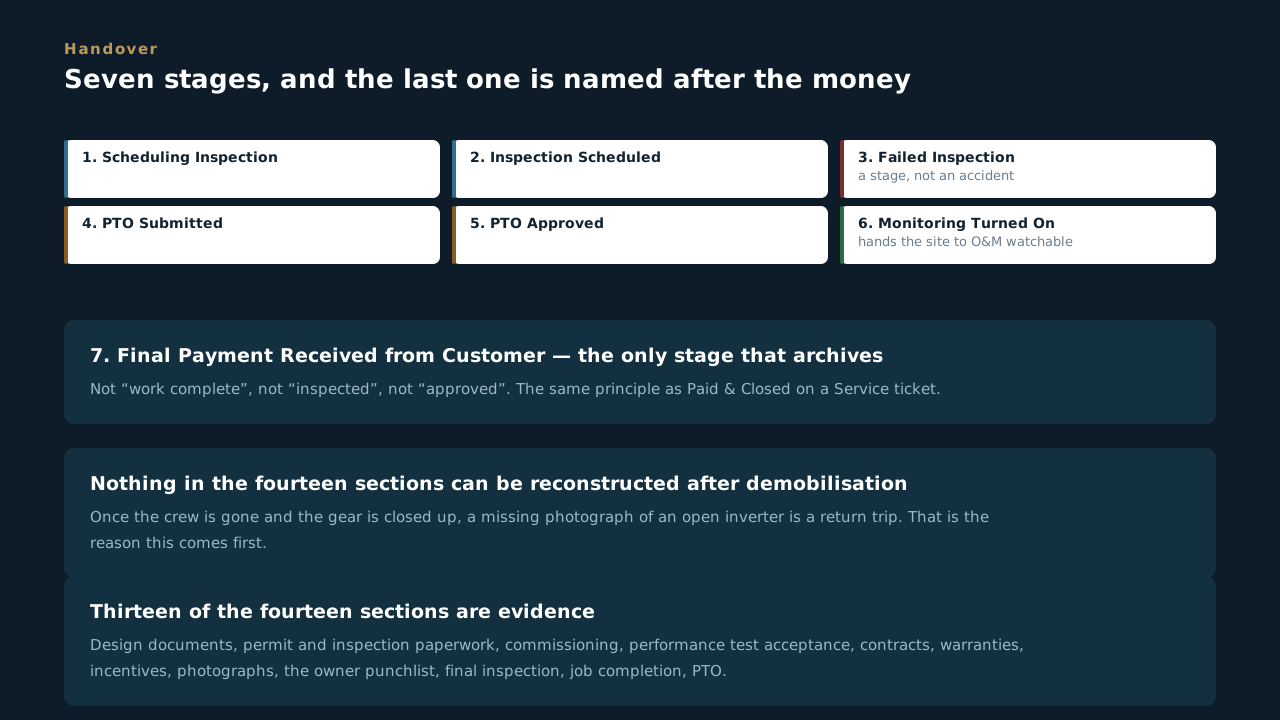
Can you answer this? Which stage archives a handover?
9.2 The twenty-one photographs
Every one required, most with a minimum count
- Section 8 is twenty-one photo fields and every one of them is required. Not recommended, not if applicable to the shooter's judgement. Required, with a minimum number written into most of them.
- The overview set proves where you were. Building address verification, at least one. Pull-back images of the array, at least two per array. Somebody outside MBL has to be able to tell which building this is.
- The staging area is shot twice: before and after. Minimum two of each. That pair is what settles an argument about the condition we found the site in and the condition we left it in, and it is the cheapest insurance on the whole job.
- The structural set proves how it is attached. Racking and roof mounting documentation, at least two per array. Roof attachment and slip-sheet photos, at least two per array. On a roof somebody else owns, the attachment photos are the ones that get looked at hardest.
- The wiring set proves it was done properly where nobody can see it. Wire management under the array, at least two per array. Wire management connectors, at least two. Once the modules are down, this is the only view of it that will ever exist.
- The switchgear set is five separate fields, and it is the fussiest part. External with the cover on, minimum four from all angles. The nameplate, readable, with manufacturer, amperage and voltage. The tie-in location in the electrical room, minimum two. A close-up of each breaker or fused switch including its load label. And the overall switchgear, minimum two.
- Then inverters inside and out, balance of system on the wall, both meters, exterior conduit, and the vertical run up to the roof. Plus marketing photographs, which have their own instructions and are the one set somebody outside this company will actually enjoy looking at.
Twenty-one fields is not bureaucracy, it is the job seen from every angle somebody will ask about later. An incentive claim, a warranty claim, a roof dispute and a lender's file all get answered out of this section.
Can you answer this? How many photographs of the existing switchgear exterior does the form ask for, with the cover on?
9.3 Shooting them so they count
The difference between a photo that was taken and a photo that proves something
- A photo that proves nothing still fills the field. The app checks that you uploaded something, not that it is readable. The person who checks readability is the one reading it six months from now, and by then the crew is on another job.
- Nameplates have to be legible, not present. A nameplate photo where the amperage is a grey smudge is a return trip for somebody. Get square to it, get close, and take the second one with the flash on.
- Labels belong in the frame. The breaker close-ups are specifically asked for “including the label of load they serve”. A breaker with no label in shot is a photograph of a breaker, and there are hundreds of those.
- Pull back and then come in. Every set that says “pull back” is asking where the thing is. Every set that says close-up is asking what it says. Shooting only one of the two is the most common failure in this section.
- Per array means per array. Six of one array and none of the other three is not six photos, it is a hole with six photos next to it. Shoot each array as you finish it rather than trying to remember at the end.
- Before and after have to be from the same place. A before shot from the gate and an after shot from the roof do not compare, and a comparison is the entire point of the pair.
- Shoot as you go, upload as you go. Photos sitting in a phone gallery are not on the job, and a phone that goes in a puddle takes a whole handover with it.
Ask one question before you move on: could somebody who was never here work out what this shows? If not, take it again. It costs twenty seconds now and a half-day drive later.
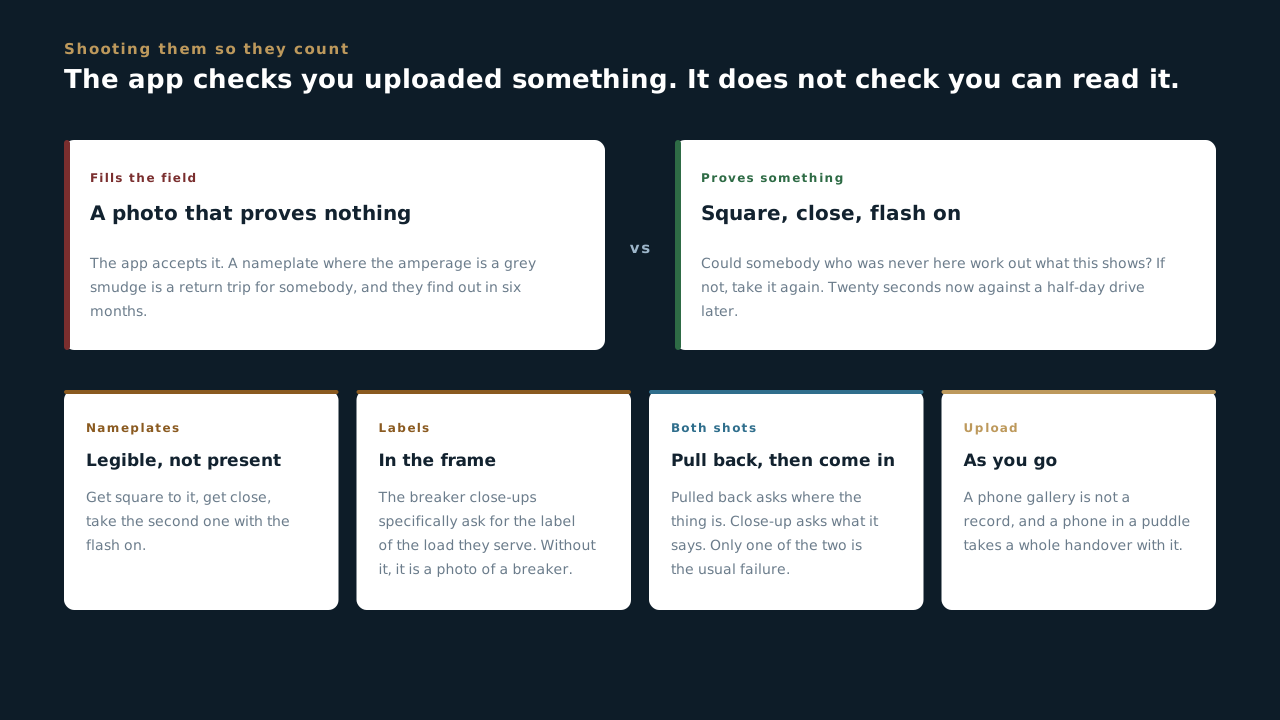
Can you answer this? You photograph a switchgear nameplate and the amperage is slightly blurred but you can just about make it out. What now?
9.4 The document pack
Nine sections of paper, and the one instruction that saves an afternoon
- Design documents, then permit and inspection paperwork, then commissioning. Handover carries the whole record: the design set, the interconnection and permit and inspection documentation, the commissioning documents and the performance test acceptance.
- Performance test acceptance is eleven fields on its own. Cold commissioning proves it was built right and hot commissioning proves it produces. Those results land here because this is the pack somebody outside MBL reads.
- Contracts and equipment warranties sit together, and the warranty section carries an explicit instruction from whoever built this form: combine the warranty and the spec document into one PDF per equipment type.
- That instruction is worth following literally. Nine separate uploads for one inverter model is how a pack becomes unsearchable, and the person who has to find the module warranty in four years will not know what any of the filenames mean.
- Incentives has its own section, because incentive money has its own deadlines. An incentive claim that misses a window because a document was in somebody's email is a real number off the job.
- The owner punchlist is one field and it is the one that stays open longest. It is the customer's list rather than ours, which is exactly why it needs to be written down somewhere neither side can quietly forget it.
File it the way somebody else will look for it. Nobody assembling this pack is the person who will need it, and that is the whole design problem.
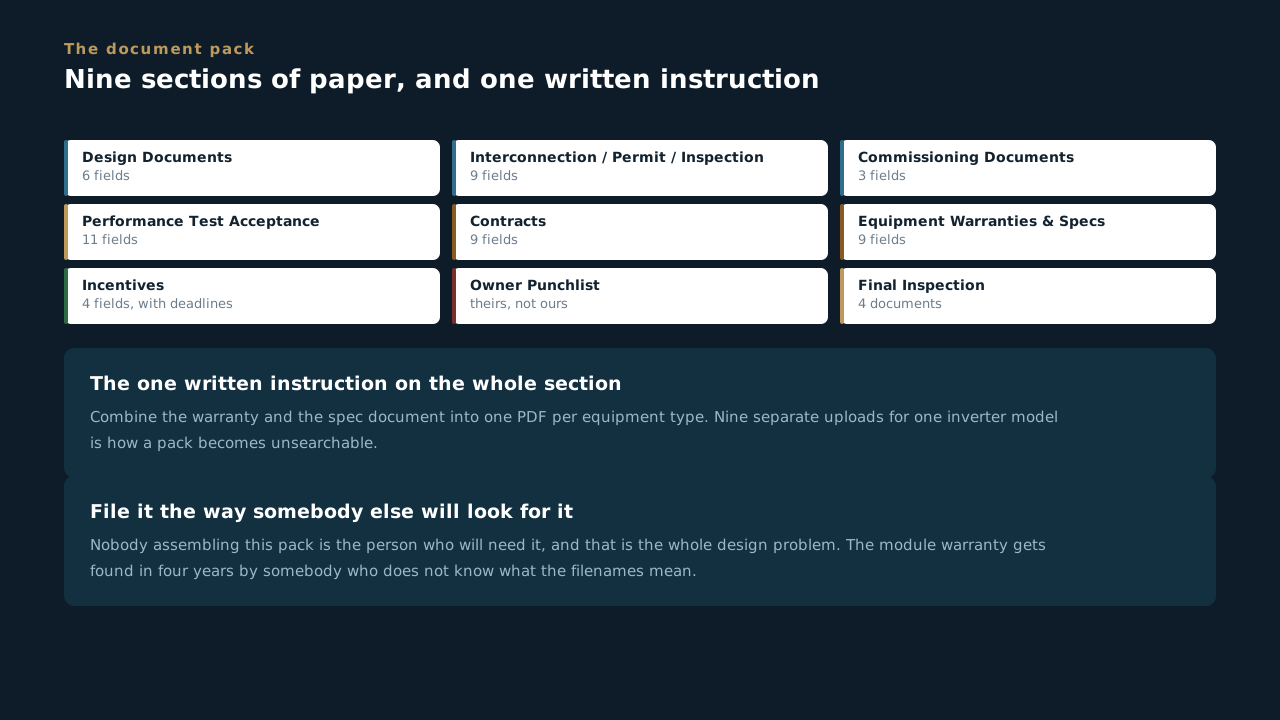
Can you answer this? You have a warranty PDF and a spec sheet for the same inverter model. What does the form ask you to do?
9.5 Inspection, and the stage called Failed
Why the bad outcome has a name
- Failed Inspection is one of the seven stages. Somebody built this app expecting it to happen, which is more honest than most processes manage.
- A failure that sits in a stage is visible. A failure that sits in somebody's head is not. That is the whole argument for naming it: a job parked at Failed Inspection shows up on every list until it moves, and a job parked in an inbox does not.
- Final inspection carries four documents, and they are the ones people go looking for years later: the scheduled inspection date, the signed final permit, the signed HIC contract and the CPUC form signed by the customer and by sales.
- The CPUC form needs two signatures and one of them is not ours to chase alone. Customer and sales, both. A form with one signature is a form that will come back.
- An inspection is booked against a site, not a calendar. Access, a contact who can open the gate, and somebody on our side who can answer a question are the three things that turn a booked inspection into a passed one.
A named failure stage is a company admitting how the work actually goes. The cost of a failed inspection is a week. The cost of a failed inspection nobody logged is a month and a phone call from the customer.
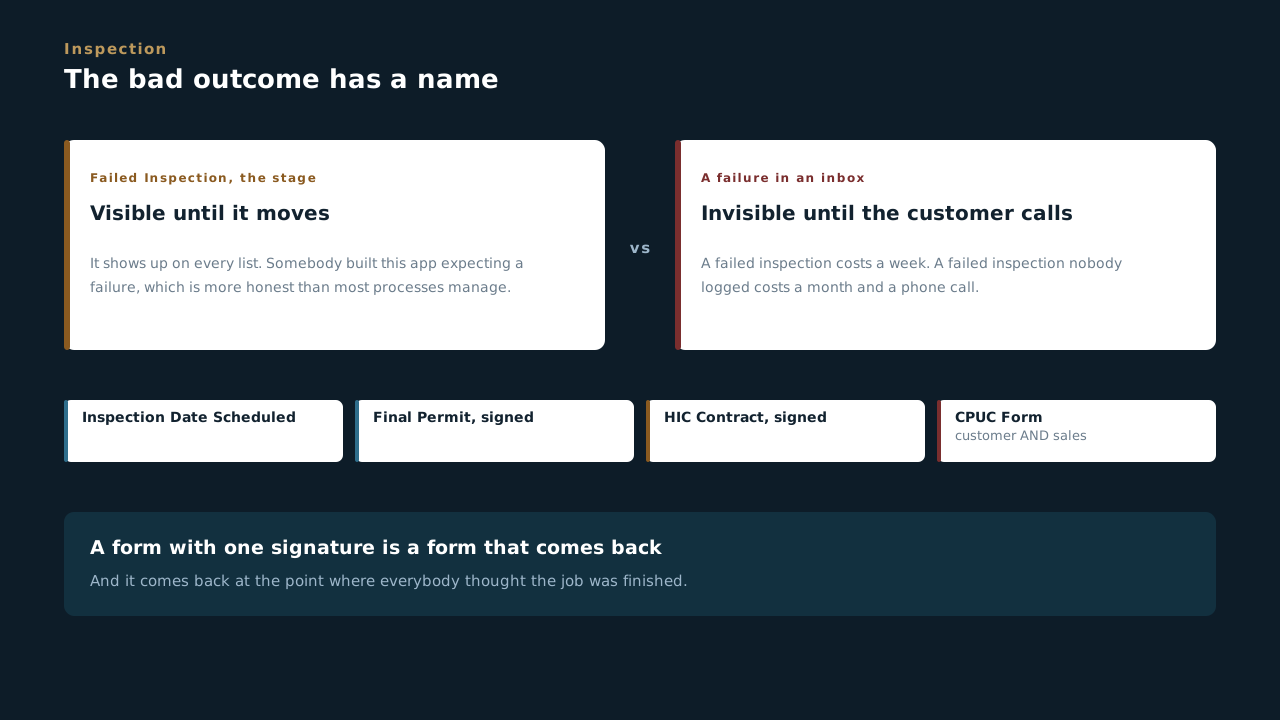
Can you answer this? The CPUC form in Final Inspection needs signatures from whom?
9.6 PTO, and the last two stages
Permission to operate is the terminal event
- PTO is permission to operate, and it comes from the utility. Until it lands, a finished, inspected, commissioned system is not allowed to run, and MBL cannot do anything to speed it up beyond submitting cleanly.
- Two stages cover it: PTO Submitted, then PTO Approved. Separate on purpose, because the gap between them is the part nobody controls and the part customers ask about weekly.
- The PTO section holds the letter, the date, the application number and the NEM submission. The application number is the thing you will be asked for on the phone, so it goes in the record rather than in a thread.
- PTO is what leaves jobs parked between cold and hot commissioning. Cold proves it was built right and can be done any time. Hot proves it produces, and it cannot happen until the system is legally allowed to run.
- Then Monitoring Turned On, then Final Payment Received. Turning monitoring on is what hands the site to O&M in a state somebody can actually watch, and it is one stage away from the end for a reason.
- A job that reaches PTO Approved and stops has nothing left in it but our own admin. Which is the most frustrating way to leave money on a table, and the reason the last two stages are worth chasing on a Friday afternoon.
PTO is the moment the system stops being ours and starts being theirs. Everything after it is us proving we finished, which is the shortest and most neglected part of a job.
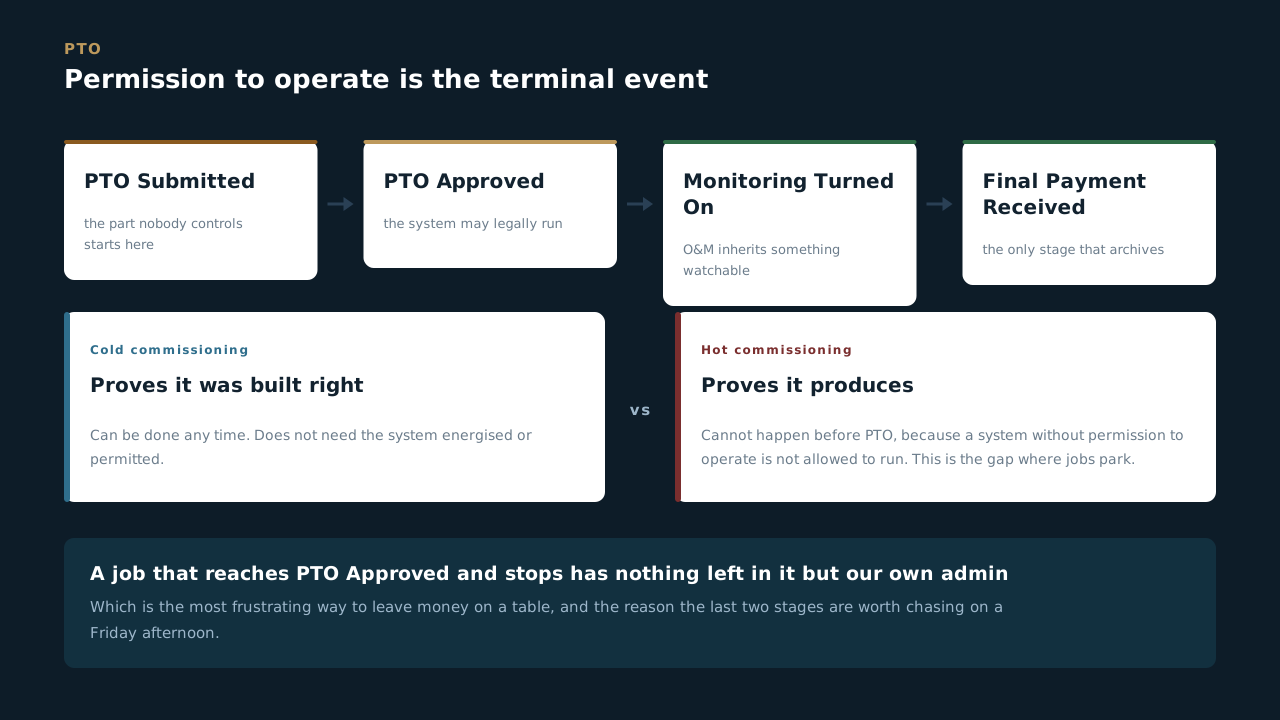
Can you answer this? Why can hot commissioning not happen before PTO?
Permits, Interconnection and PTO
The part of a job MBL does not control and cannot rush. Which drawing set gets submitted, who the AHJ actually is, what a utility approval does and does not mean, and why shutdown dates get logged rather than overwritten.
10.1 IFP, not IFC
Which drawing set gets submitted, and why it matters more than it sounds
- Permitting starts when the customer approves the IFP set. Not the IFC set. That one sentence is the most expensive thing in this block, and it is written into the form.
- The IFC set keeps changing. Issued for construction moves with every change order, which is exactly what it is for. Submitting a moving target to a city is how you end up permitting something we are no longer building.
- The IFP set is frozen at approval. Issued for permit is a snapshot, and a snapshot is the only thing a jurisdiction can review. The freeze is the feature.
- Four stages, and one of them is Permits Rejected. Ready for Permits, Permits Submitted, Permits Rejected, Complete - Permits Received. Rejection has a name here for the same reason a failed inspection does on Handover: it happens, and it has to be visible while it is being fixed.
- Two of those stages validate the form, so an incomplete package does not get submitted and an unproven approval does not get closed out.
- Design Change During Permitting is its own section, flagged low frequency and high impact. A point-of-interconnection change after the permit is issued is usually workable on a small job and a genuine problem with a city on a large one. It gets logged there so it is not discovered at inspection.
Submit the frozen set. Everything downstream of permitting assumes the city reviewed a drawing that stopped moving, and the day that assumption breaks is always the day of the inspection.
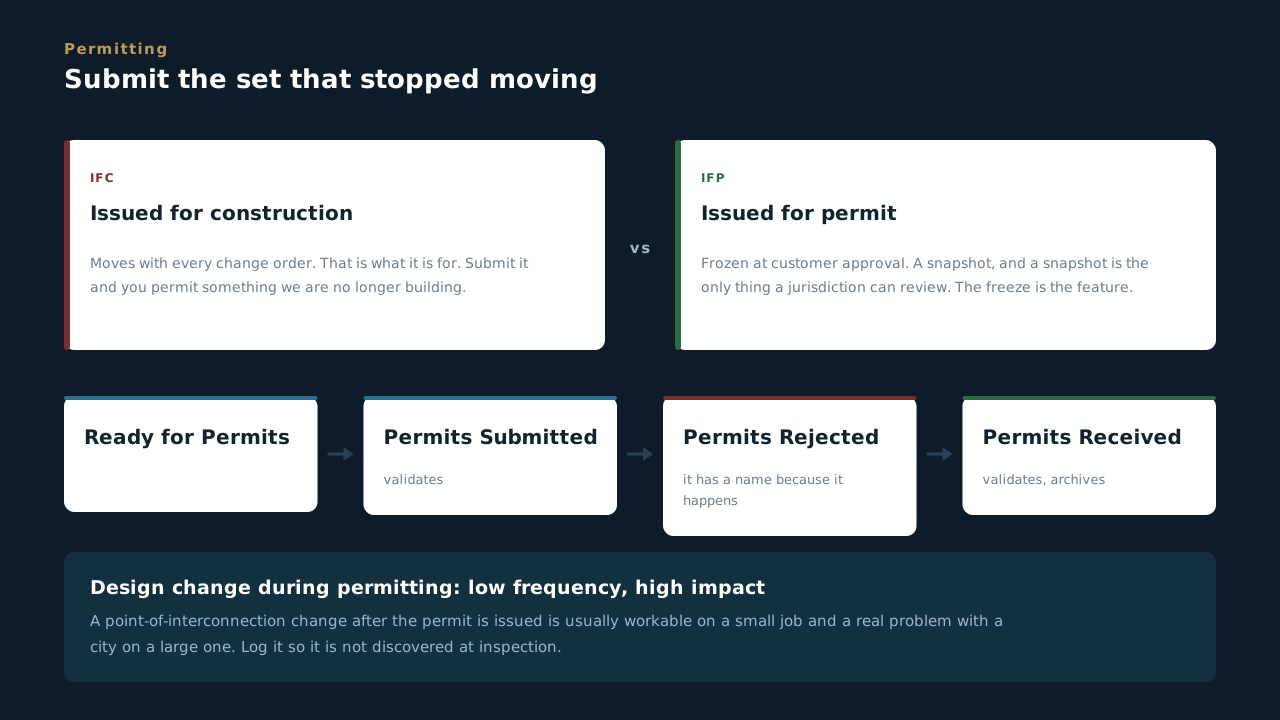
Can you answer this? Which drawing set gets submitted for permit?
10.2 The AHJ, and one permit or several
A field you have to check by hand, and a decision that protects the schedule
- The authority having jurisdiction is a manual entry, on purpose. Somebody types it after checking. There is no lookup and there should not be one.
- Because the obvious answer is sometimes wrong. The form names the case: SFO 26 and SFO 24 are both City of Brisbane, and a search will tell you otherwise. Verify before you rely on it.
- Getting the AHJ wrong is not a typo, it is a wasted submission. Weeks, on a thing nobody notices until the wrong office says they have never heard of the job.
- Then one question drives the whole structure: does this AHJ allow a combined permit? Most of the time it does, and it is one permit per legal parcel, so one permit block covers everything. When the AHJ says no, it is a block per structure.
- A block per structure is not extra admin, it is insulation. Roof mount, carport and BESS on separate permits means one getting stuck does not hold up the other two, and on a job with a carport that is usually the difference between a delay and a disaster.
- Use + Add Permit Block each time rather than reusing one. The history of what was submitted when is what tells you which permit is actually the hold, and overwriting destroys exactly that.
Two minutes verifying the jurisdiction, and one honest answer about combined permits. Those two decisions set the permitting schedule for the whole job before a single document goes out.
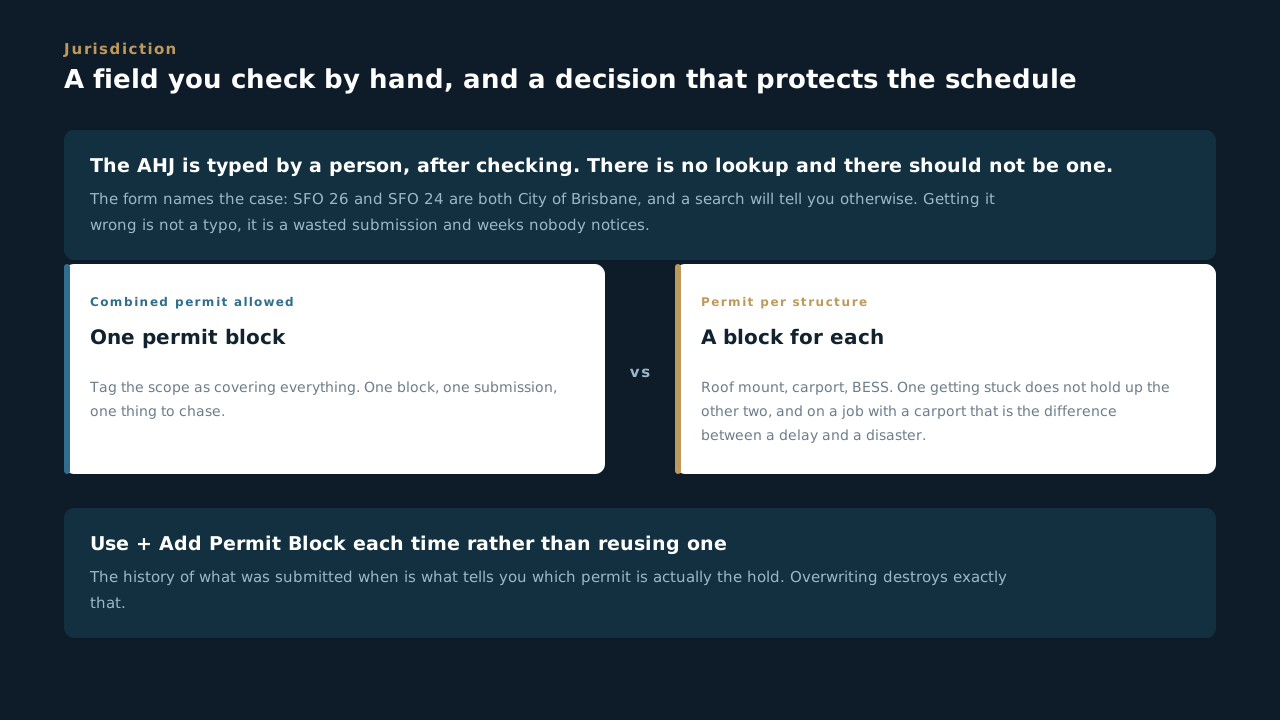
Can you answer this? The AHJ requires a separate permit for the roof mount, the carport and the BESS. What does the form want?
10.3 The responsibility gate
The first question on interconnection, and what survives a No
- Section one of the Interconnection app is a gate, and the form calls it that. Is MBL responsible for interconnection on this job? If the answer is no, everything below it collapses and you are done in that app.
- But one thing still gets captured on the No path, and it is the important one. The approved AC size.
- Because the application was approved at a specific AC size, and changing it means losing the application. Not amending it. Losing it, and starting the utility clock again.
- That is the rule worth carrying out of this lesson even if you never touch an interconnection: the number on the approved application constrains the design, not the other way round.
- When MBL is responsible, there is usually a subcontractor. Utility Link does the submittal. There is no portal: we email a request for quote, they quote, we agree, and both documents go on the record.
- Five stages: Application Prep, Submitted to Utility, Utility Approved, Shutdown Scheduled, PTO Received. Four of the five validate the form. This is not an app you can push a job through on optimism.
Even when interconnection is somebody else's job, the approved AC size is ours to know. It is the one number that can quietly invalidate months of utility queue time.
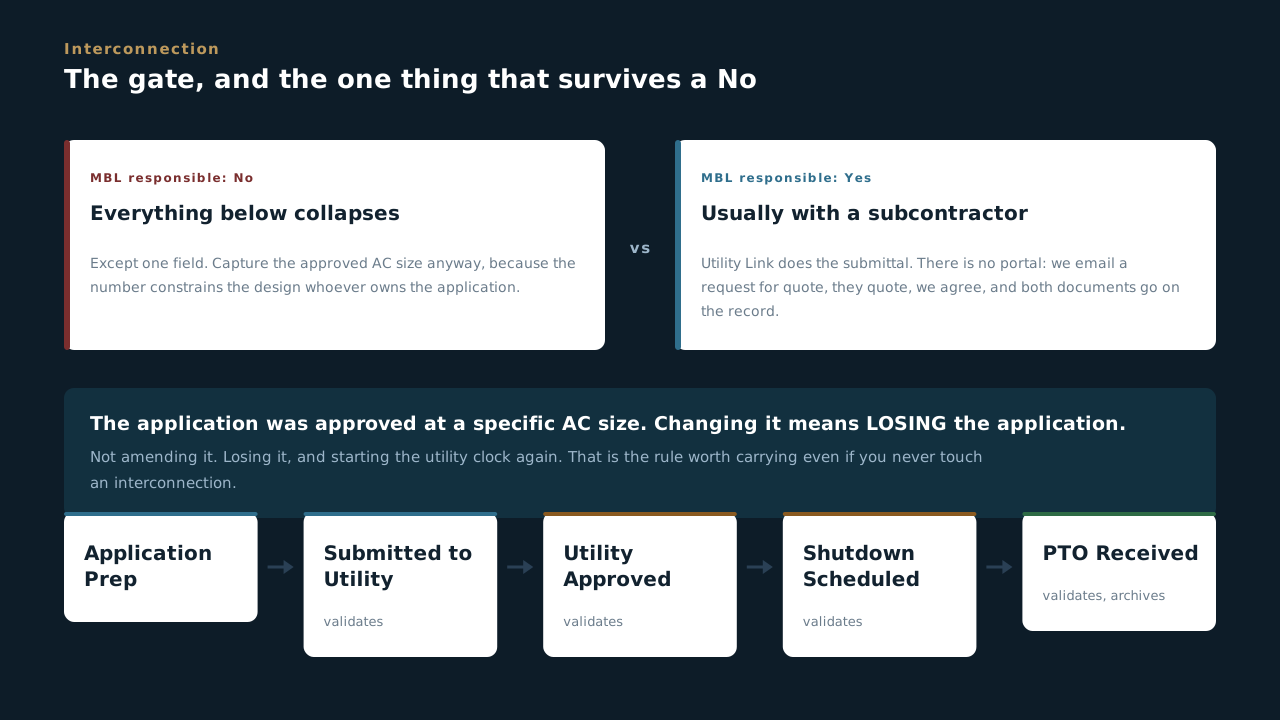
Can you answer this? MBL is not responsible for interconnection on a job. What still gets recorded?
10.4 The application package, and the bill
The bare minimum, and the one document people get wrong
- Most of the application already exists. It is in Site Analysis and Design, and the form says to pull it in as global fields rather than retyping it. Retyped data is data that disagrees with itself by the third document.
- The bare minimum for a PG&E application is a short list, and it is named. A simple single line, module count, mount type, inverter model and plate rating, the current utility bill, the SAID number, the meter number, the service address, and photographs of the POI meter, the main service panel and the point of interconnection.
- One bill, and it must be the current one. Not last year's, not whichever one was to hand. The current bill is what carries the up-to-date meter number and SAID, and those two are the keys the utility matches on.
- Upload the image of the bill, not just the numbers off it. The form requires the picture. A typed meter number cannot be checked by anybody downstream, and a wrong one gets discovered six weeks in.
- Service address, site address and mailing address are three different fields because they are routinely three different addresses. On VNEM and multi-meter sites this is normal rather than exceptional. Keep all three.
- And then know what an approval actually means. The utility looked at the basic single line and the interconnection point and confirmed nothing downstream needs upgrading. It is not a green light on the final POI.
A clean application is the only part of this MBL controls. The queue time is theirs. The number of times we go round again is ours.
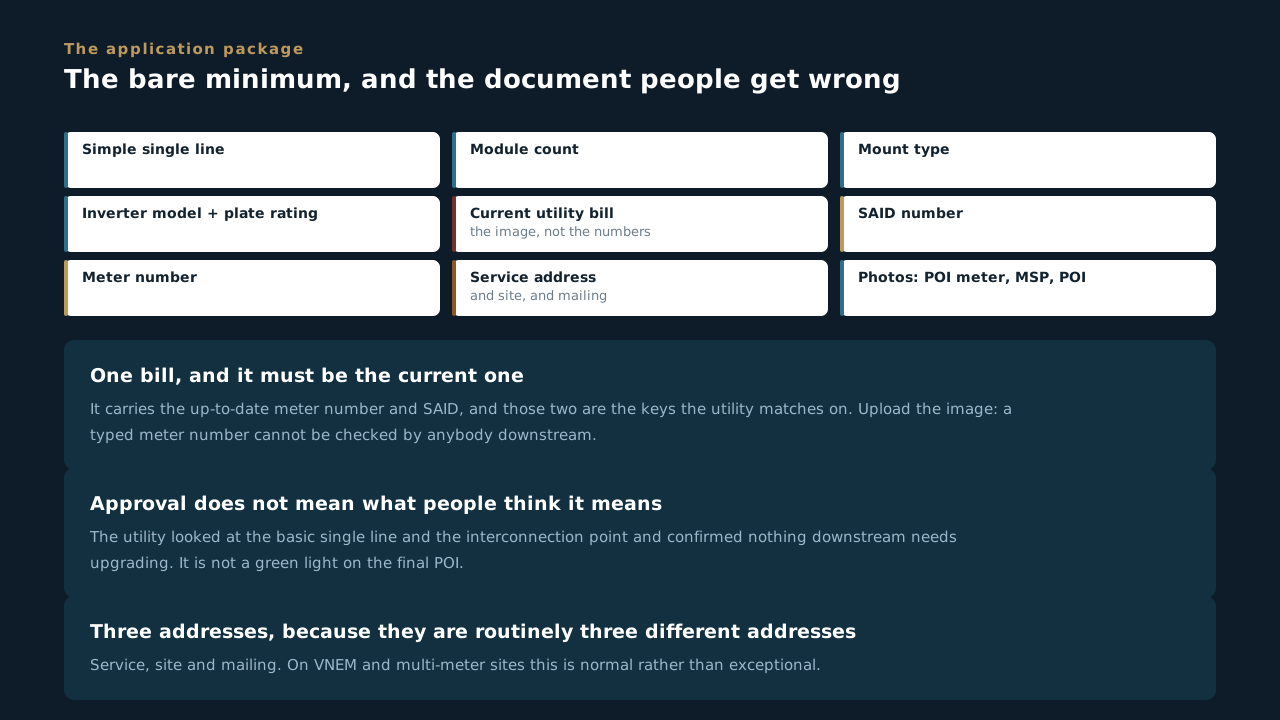
Can you answer this? Why does the form insist on the current utility bill, and on the image rather than typed values?
10.5 Variances, upgrades and the shutdown
Three things that move a date, and one that moves a number
- If you are tapping, you need a variance. Every VNEM job is a variance. Load side on an existing breaker usually is not. That is the whole rule and it is worth knowing before somebody promises a date.
- A variance needs a diagram, or at the very least a photograph of the proposed interconnection. The form is explicit about why: so we know somebody actually went out and looked at the service instead of designing it on paper.
- Prologis tracks the variance approved date, which means on those jobs it is not an internal milestone, it is a customer-visible one.
- The utility can approve the system and still come back demanding upgrades. Once we propose an interconnection method, a seven handle arrangement or extending busing can appear out of nowhere. Capture the scope, the cost and who is responsible before somebody eats it.
- Third-party inspection is not on every job, and when it is, it is the long pole. UL needs three weeks minimum and realistically four. The binding lead time is whichever is longer, UL or the utility, and assuming it is the utility is how a date gets missed.
- Requested date and confirmed date are separate fields, and confirmations slip constantly. Log each request in its own shutdown block rather than overwriting the last one. The history is what tells you how many times the utility moved a job, and that number is the argument.
- The utility wants four to six weeks of notice for a shutdown. UL wants three to four. Then the sequence is shutdown complete, green tag, green tag back to the utility, and PTO.
Overwriting a slipped date makes a job look punctual and makes the company look unreasonable when it complains. Add a block. The record of every request is the only evidence that the delay was not ours.
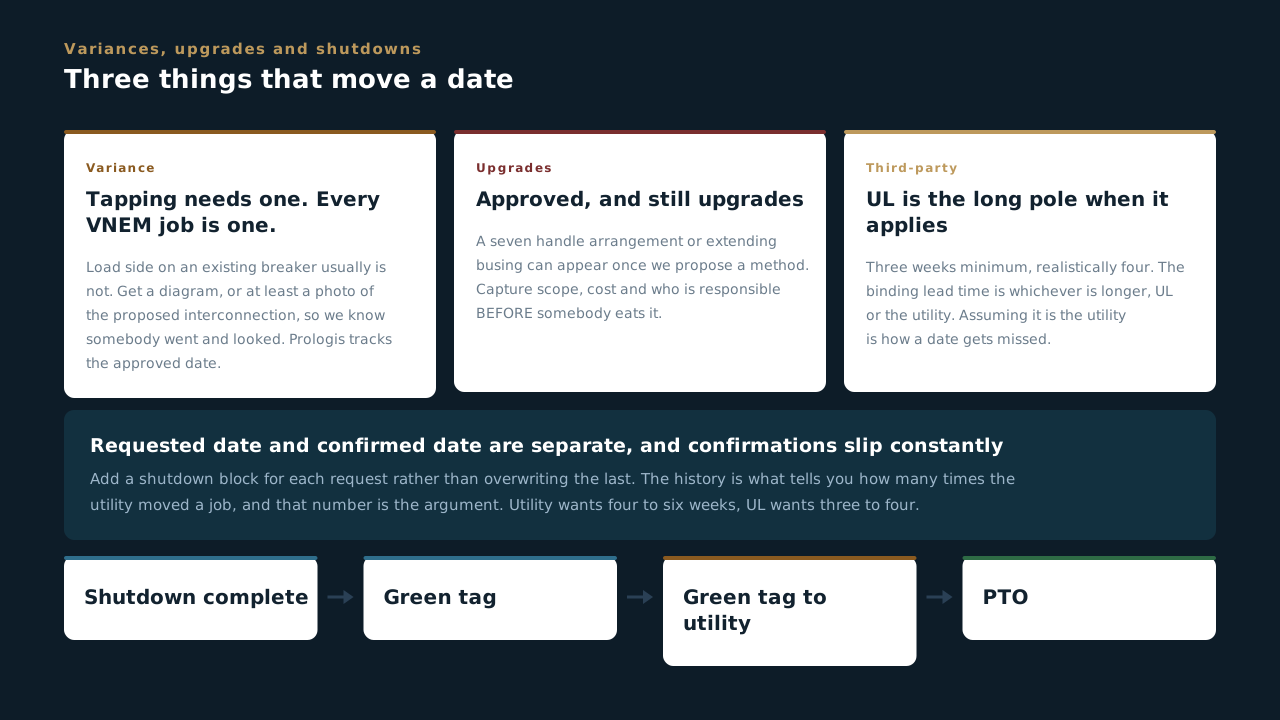
Can you answer this? A shutdown date gets moved by the utility for the third time. What does the form want you to do?
Building the Job
From the site being ready to the punchlist being signed. Pre-mobilisation, the twelve construction stages, the hazard assessment, closeout pictures, change orders, and where the material actually is.
11.1 Nothing moves until the site is ready
Pre-mobilisation, and the two stages people skip
- Pre Mobilization is eight stages to answer one question: can a crew actually start here. Ready for Preconstruction, the pre-con meeting, the schedule, USA 811, private locating, subcontractors scheduled, bill for BOS, and site ready for install.
- Two of those eight are about what is under the ground, and they are separate for a reason. USA 811 is the public locate: the utilities mark their own lines and it is free and it is the law. Private locating is everything 811 does not cover, which on a commercial site is most of it.
- 811 does not mark the customer's own lines. Private site distribution, irrigation, fibre between buildings, the conduit somebody added in 2009 and told nobody about. That is what private locating is for, and skipping it is how a bore hits something expensive.
- Site Ready for Install is the archive stage, which means pre-mobilisation is finished when the site is ready, not when the paperwork is done. The stage name is the definition.
- Subcontractors Scheduled sits before Site Ready on purpose. A site that is ready with nobody booked is a site that is not ready, and the order of the stages is the argument.
- Bill for BOS validates the form. Balance of system gets billed out of this app, and the gate is there so nobody bills a mobilisation that has not happened.
Every day of pre-mobilisation is cheap and every day of a crew standing on a site is not. The eight stages exist so the expensive day is not the one where somebody finds out about the irrigation line.
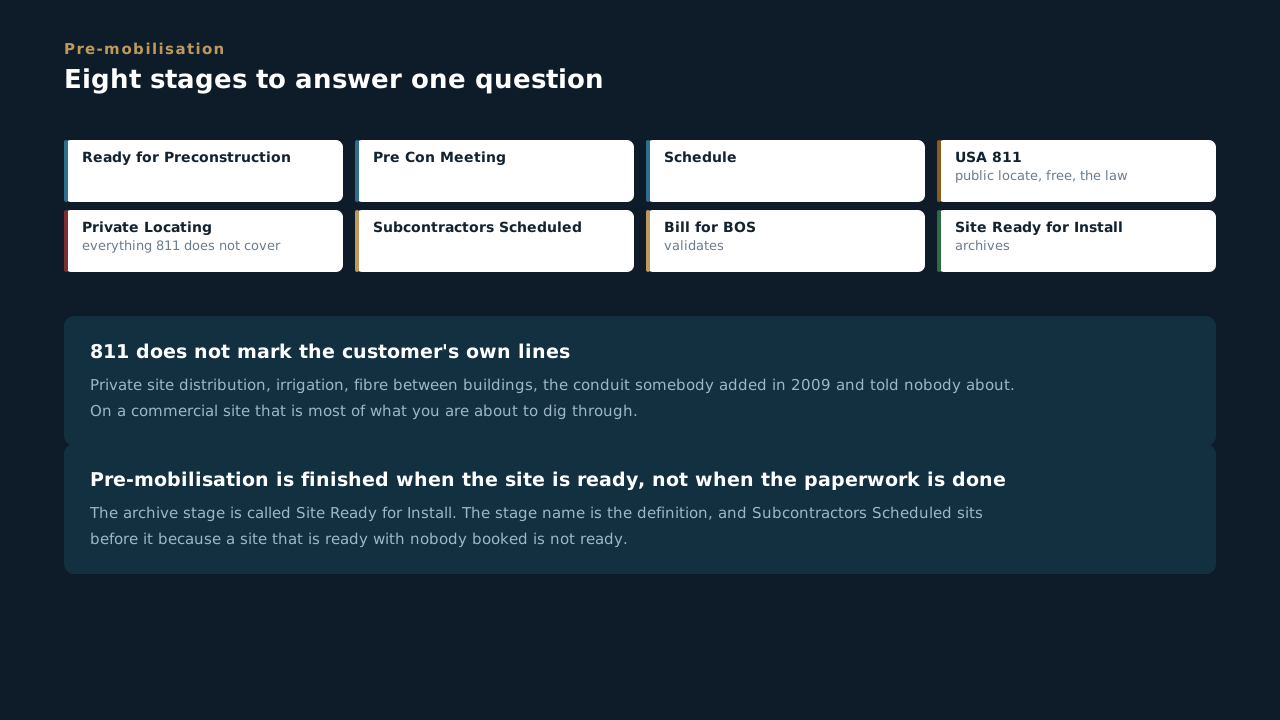
Can you answer this? Why does the process have both USA 811 and private locating as separate stages?
11.2 Twelve stages, and the shape of an install
MOB, install, punchlist, DEMOB
- A construction scoop has twelve stages, and they read like a week on site. Ready for Scheduling, install MOB scheduled, MOB scheduled, bill for labor, installing, punchlist, punchlist approved, DEMOB scheduled, final inspection, ready for review, change order required, complete and closed.
- Mobilisation and demobilisation are both stages, because both cost money and both get forgotten in a schedule. A DEMOB nobody scheduled is a crew and a set of equipment sitting on a site they have finished.
- Punchlist and Punchlist Approved are two different things. Having a list is not the same as somebody signing it off, and the gap between those two stages is where jobs sit for weeks looking finished.
- Bill for Labor validates the form and it sits early, right after mobilisation. Labor gets billed as it happens rather than at the end, which is the difference between a cash-flow problem and a normal month.
- Change Order Required is a stage, not a note. A job that needs one stops being a job that is progressing and becomes a job that is waiting on a decision, and the stage makes that visible to everybody at once.
- Only Complete & Closed archives, and it sits behind Ready for Review. Somebody other than the person who did the work looks at it first.
The stages are named after things that happen in the world, not after states of a record. If you can say what the crew did today, you can say what stage the job is in.
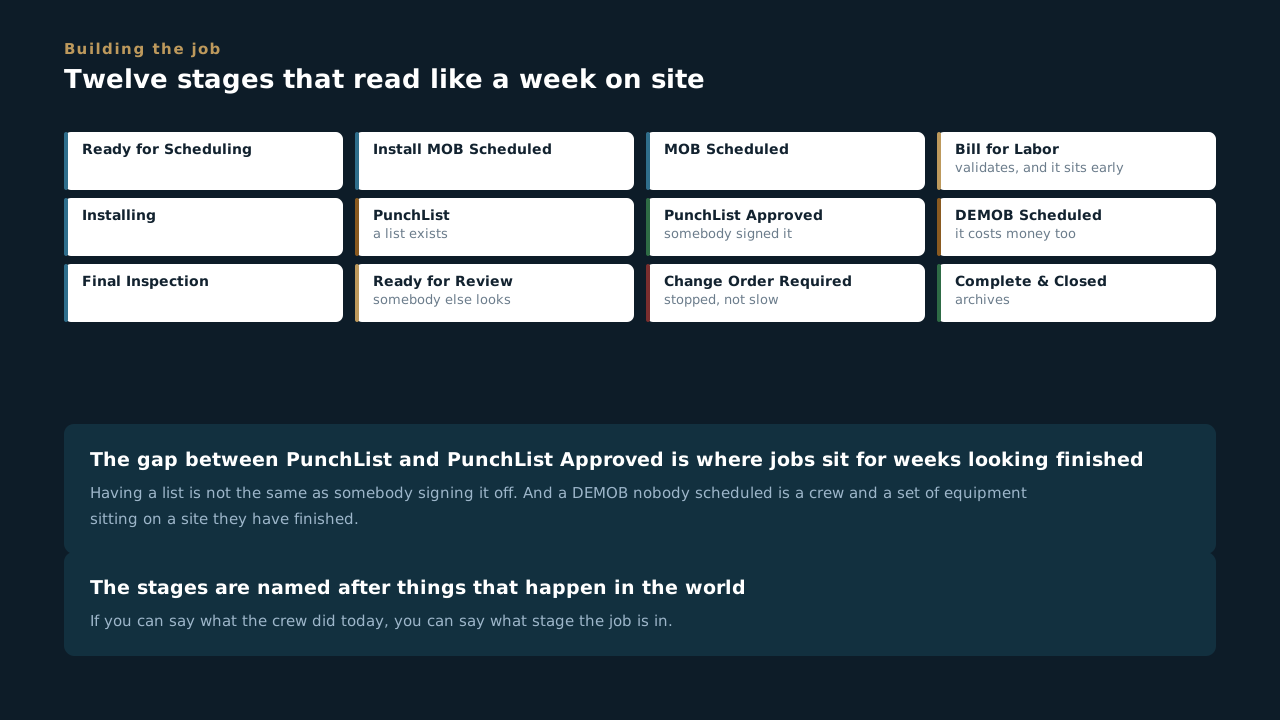
Can you answer this? A crew has finished and a punchlist exists. What stage is the job in?
11.3 The hazard assessment is not a formality
Fourteen fields on construction, twelve on electrical, every job
- Every install app carries a Jobsite Hazard Assessment, and it is one of the biggest sections on each of them. Fourteen fields on a construction scoop, twelve on an electrical installation, twelve on a mechanical one.
- It sits before the installation sections, not after. The order of the form is the order of the day, and a hazard assessment filled in after the work is a report rather than an assessment.
- This is the same thing the toolbox talk is, at the level of one scoop. The talk covers the day. The assessment covers this piece of work, on this site, with these conditions, and it is attached to the record that gets read later.
- It is per install, not per job. A mechanical install and an electrical install on the same site get their own, because the hazards are not the same and neither are the crews.
- The reason this section is large is that somebody read incident reports and worked backwards. Every field on it is a thing that has gone wrong somewhere, for somebody, on a site that looked fine that morning.
- And it is the first thing anybody asks for. Customer, insurer, attorney, in that order. A job with no assessment on the record is a job where the honest answer to what we assessed is nothing.
Ten minutes at the start of an install against the alternative. There is no version of that trade that comes out the other way, which is why it is on every install app rather than one.
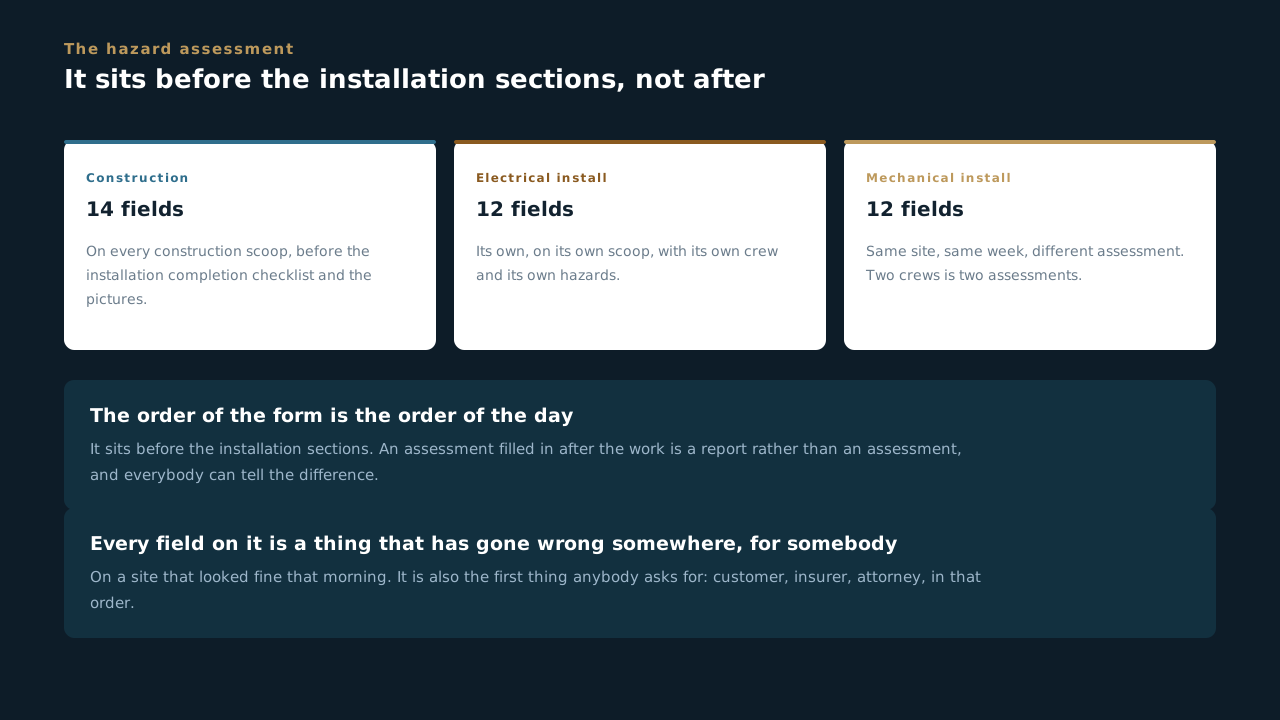
Can you answer this? An electrical crew and a mechanical crew are working the same site the same week. How many hazard assessments?
11.4 Closeout pictures happen during, not after
Fifteen fields on electrical, nine on battery, nine on construction
- Every install app has a closeout picture section and they are all large. Fifteen fields of job closeout pictures on an electrical installation, nine more if there is battery storage, and a construction scoop carries its own set on top of that. The construction list is still being built out and it is only going to get longer, so read the form in front of you rather than working from a number somebody told you.
- On construction they are not one set at the end, they are four. The Installation Pictures section wants photos at twenty five, fifty, seventy five and one hundred percent, and each one has its own date field beside it. That is a progress record, not a closeout task, and it cannot be reconstructed from a finished roof.
- They are called closeout pictures and they are taken during the work. That is the contradiction worth naming out loud, because it is the single most common reason a job cannot close.
- Anything that gets covered has exactly one window. A termination before the cover goes on, a penetration before the flashing, a conduit run before the ceiling. Miss it and the only way back is to take something apart.
- Battery storage gets its own nine fields because it is inspected differently, warranted differently and feared differently. A BESS with thin photographs is a BESS somebody will come back and look at.
- These photos feed the handover pack. The twenty-one photographs on the Handover app are the customer-facing set; these are the trade-level ones that prove how the work was actually done.
- Upload from the phone, on site, as the work happens. A phone gallery is not a record, and the man with the photos is the man who is on holiday when the pack is due.
If it will be behind a cover tomorrow, photograph it today. That single sentence is most of what this section is asking, and it is the whole difference between closing a job and revisiting one.
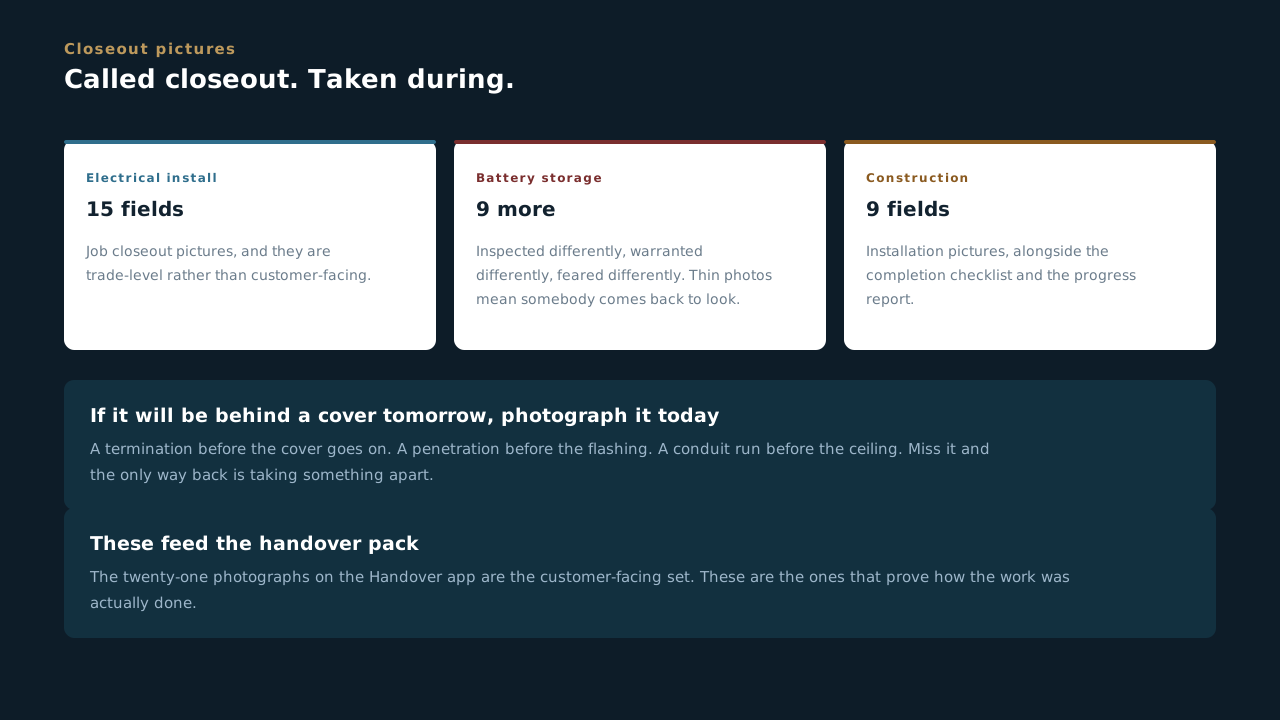
Can you answer this? Why does a section called closeout pictures get filled in during the install?
11.5 The change order siren
A section with emergency lights in its own name
- The Electrical Installation app has a section literally titled with siren emoji: THIS PROJECT HAS A CHANGE ORDER. Somebody built that on purpose, and it is the loudest thing in the whole of Scoop.
- It is loud because a crew working to the wrong scope is the most expensive mistake available. Not a dangerous one, not usually. Just the one that costs the most money for the least reason.
- Change Order Required is also a stage, on construction, on electrical and on mechanical installs. A job that needs one is not a job that is progressing slowly, it is a job that is stopped and waiting on a decision.
- Stopping is correct, and then it goes to the PM. Work done outside an approved change order is work somebody has to argue about later, and the person arguing is not the one who did it. Flag it in the daily and it lands with the PM. Managing the change order from there is the PM's job, not the crew's.
- This is the same rule Field Operations teaches about out-of-scope work, one level up. On a service call it becomes a Service ticket. On an install it becomes a change order. Neither one gets done quietly.
- The siren is there because the alternative is a note. And a note on a form somebody skims at six in the morning is not a signal, it is decoration.
Nobody at MBL has ever been in trouble for stopping to confirm a scope. Plenty of margin has been lost to people carrying on because it seemed obvious.
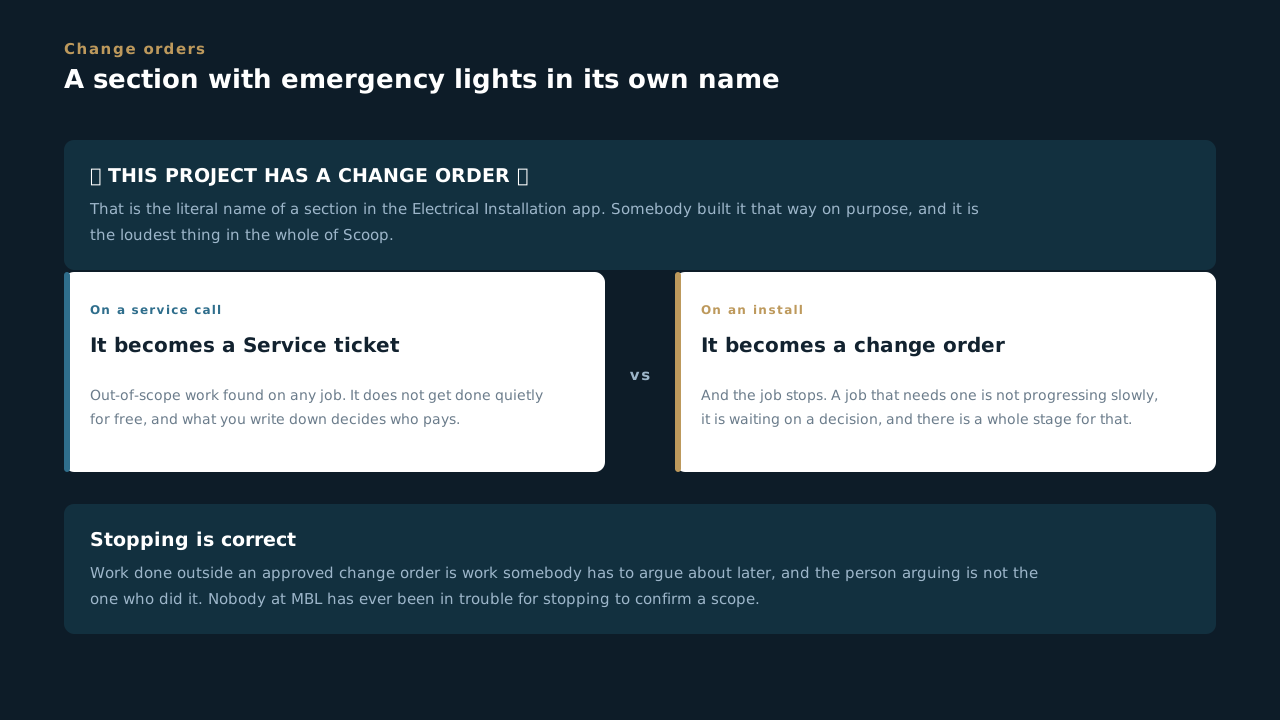
Can you answer this? A crew finds work that is clearly needed but is not in the scope. What does the process expect on an install?
11.6 Where the material actually is
Eight stages, and the block you fill at the truck
- Electrical Procurement is eight stages and it tracks one thing: where is it. Quote or submittal requested, approved and ready to order, ordered and awaiting delivery, in transit, received on site, returned or RMA, cancelled, closed out.
- Nothing gets ordered until the quote and submittal are settled or marked not required. That is the front end of the process and it is the gate that stops a crew waiting on something nobody bought.
- In Transit means it has left the vendor and is on a truck, and the form says the tracking number should be filled in by then. A stage that says in transit with no tracking number is a guess.
- The receiving block gets filled out at the truck, on your phone. One block per delivery, and the form is blunt about what matters: a photo of the packing slip is the whole ballgame.
- Cancelled is a real stage with a required reason. Scope changed, found it in stock, vendor could not deliver. Killed-before-it-landed is information, and a line that just disappears is not.
- Money lives on the PO block, not on the line items. One block per PO, one block per invoice, because a PO can carry several invoices and overwriting the last one loses the trail.
- Returns run through to the credit landing, not to the parcel leaving. A return that is shipped and not credited is money we have paid for something we do not have.
The whole app answers one question a foreman asks at six in the morning. Is it here, and if not, where is it and when. Every stage name is a different answer to that.
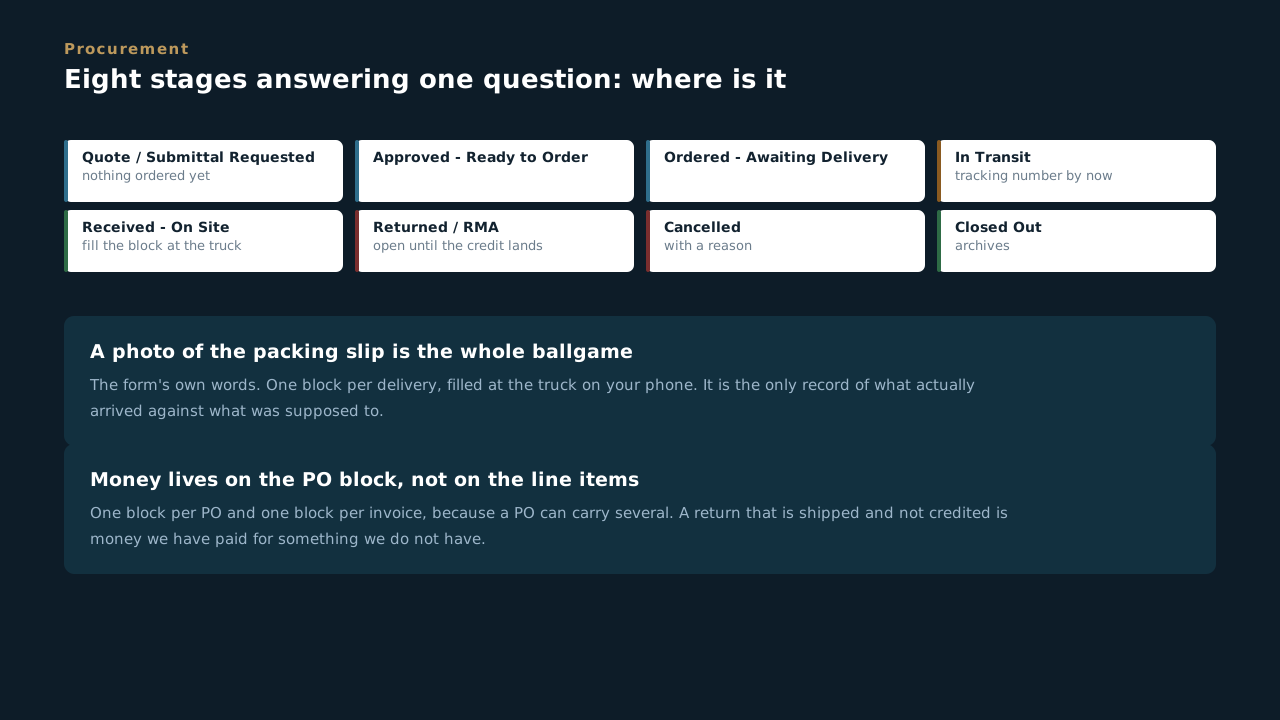
Can you answer this? What does the form say matters most when you fill in the receiving block?
Leading at MBL
What changes the first morning somebody reports to you. Setting the day, holding a standard that costs you something, owning the crew's record, and the first hour when it goes wrong.
12.1 The day the job stops being your hands
What changes the first morning somebody reports to you
- Your own output stops being the thing that gets measured. Before, a good day was your work. Now a good day is six people's work, and most of it happens somewhere you cannot see it.
- The pull back toward the tools is the most common way this goes wrong. Grabbing the hard connection yourself feels like leadership. While you are heads down on one termination, five people are guessing.
- You are now either the fastest thing on the job or the slowest. A crew waiting on a decision is a crew being paid to stand still, and they are usually too polite to tell you that is what is happening.
- Nobody gave you the title because you were the best hand. They gave it to you because they think you can make other people better hands. That is a different skill, and unlike most things in this trade, it is one you can be taught.
The measure changed the day you took the title. It is no longer what you built. It is what the crew built, and whether they could have built it without you standing over it.
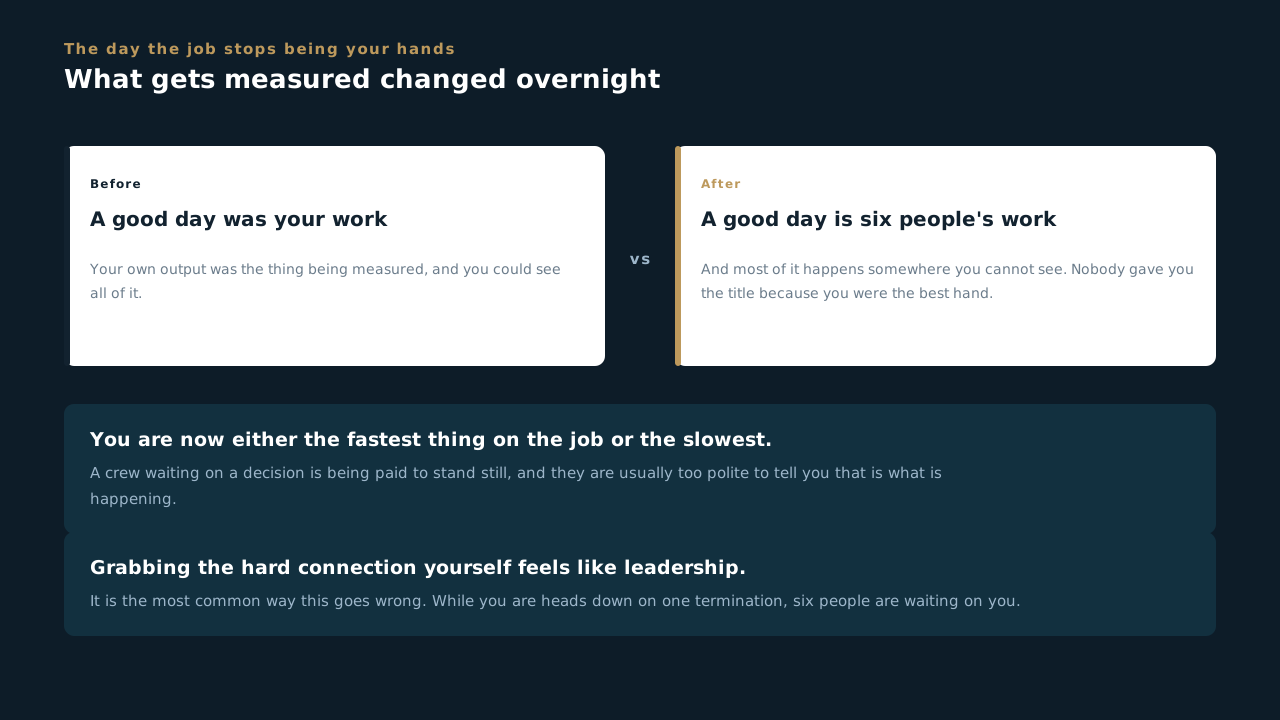
Can you answer this? There is a hard connection to make and you are the best hand on the crew. What is the risk in doing it yourself?
12.2 Setting the week
Ambiguity is the most expensive thing you can hand somebody
- A team that does not know the priority order will pick one. It will be the easiest work rather than the work that unblocks the job, and everybody will look busy the whole time.
- Give the work to a name. Work assigned to the team is assigned to nobody, and nobody is never wrong when it does not get done.
- Say what done looks like and when. "Get the submittal moving" and "submittal package to the customer by close of business Thursday" are not the same instruction, and only one of them can be missed.
- Surface the constraint you already know about. A long lead item, an inspector on vacation, a customer who goes quiet in August. Handing that over early is not pessimism, it is the job.
- Then get out of the way and check in on the date you said you would. Checking in daily on a week-long task tells the person you do not trust them, and they are right.
Most missed dates in this business are not capacity problems. They are somebody working very hard on the third most important thing, because nobody told them what the first one was.
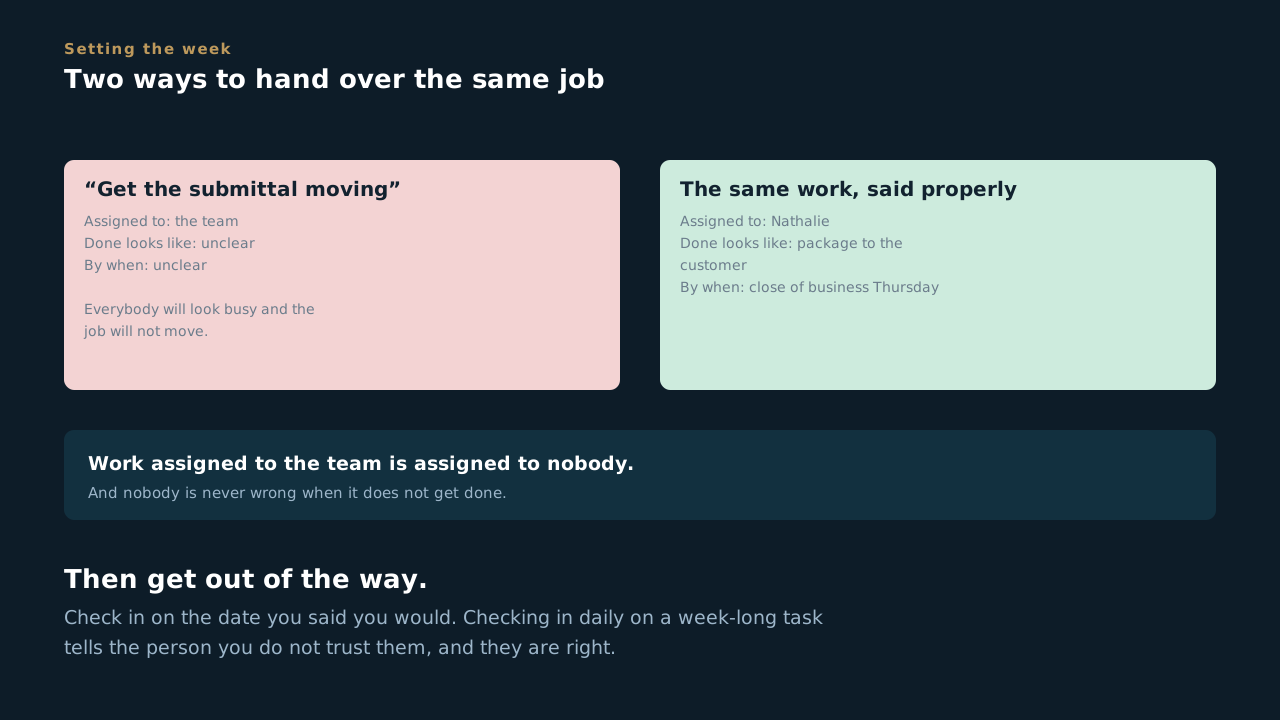
Can you answer this? You tell the team to "get the submittal moving". What is wrong with that?
12.3 Holding the standard when it costs you
The part of the job nobody volunteers for
- Correct the work in the moment. Correct the person in private. Doing it the other way around is the fastest way to lose a crew, and you only get to do it once.
- Correct it the first time you see it. The second time you walk past the same defect without saying anything, you have approved it. Everybody watching knows you approved it, including the person who did it.
- Quietly fixing it yourself is not kindness. It is the same lesson never getting taught, at your expense, forever, on every job that person works for the rest of their career.
- Being liked and being respected are not opposites, but when they pull apart, pick respected. A crew that respects you will follow you through a bad week. A crew that only likes you will not.
- Integrity is what you do when nobody is looking, and as a lead you are the one nobody is looking at. There is no inspector for the foreman. What the standard actually is on your site is whatever you enforced this morning.
A standard you hold on Tuesday and let slide on Friday is not a standard, it is a mood. A crew will learn to read the mood, and then you have taught them the wrong thing very effectively.
Can you answer this? You walk past the same defect a second time without saying anything. What have you just done?
12.4 You own the record now, not just yours
The paperwork the crew turns in is your paperwork
- Every form your people submit has your name on it in practice. When it is wrong, you are the one standing in the room being asked about it, and "the tech filled that in" has never once been a good answer.
- Check it before the crew leaves the site. A missing photo is thirty seconds while you are standing there and a return trip a week later. That is the whole trade you are making.
- Look for the specific failures, because they are always the same three. Photos that never uploaded, serial numbers written from memory instead of read off the nameplate, and a required field filled with something plausible rather than flagged blank.
- Teach it once properly instead of correcting it fifty times. Three people on your crew making the same documentation mistake is one training problem, not three discipline problems, and treating it as the second one is a management failure.
- If it is not in Scoop it did not happen lands hardest on you. The crew can miss it. You are the one who could have caught it.
You will be asked to defend a job you barely remember. The only thing standing next to you will be the record your crew made that day, and you were the last person who could have made it right.
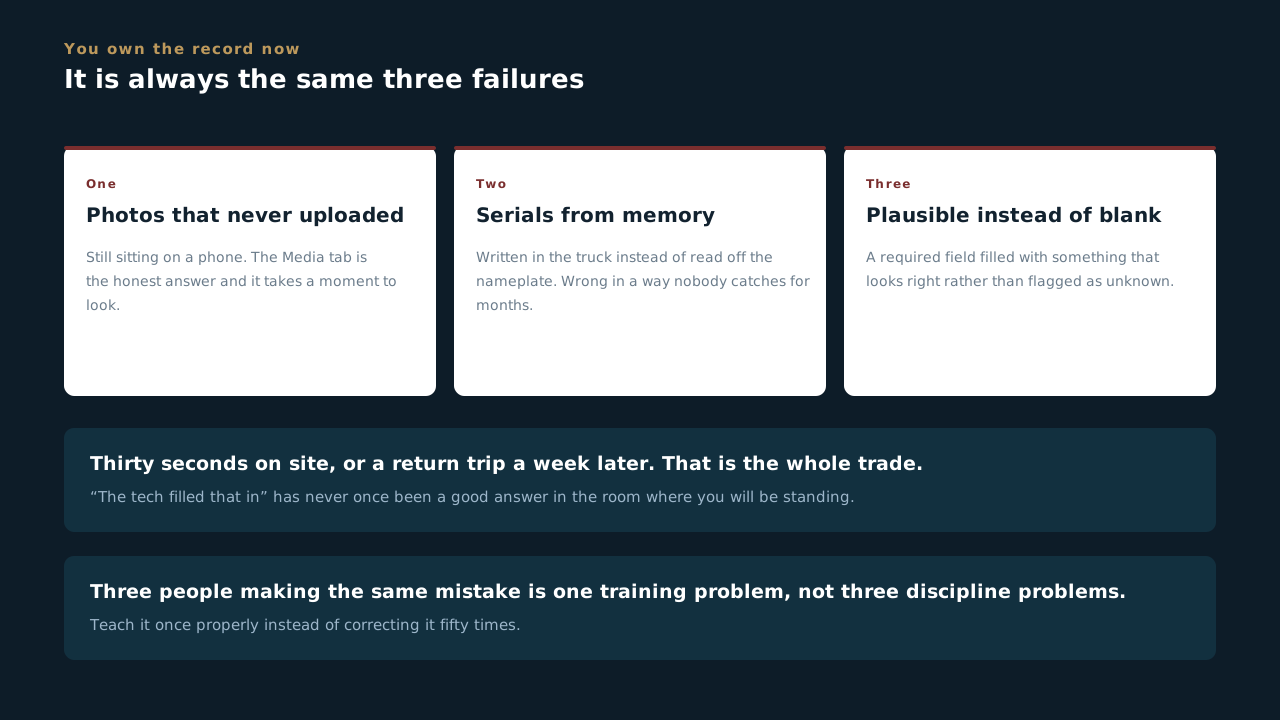
Can you answer this? A tech on your crew turns in a form with a photo missing. Whose problem is it?
12.5 Most days nothing happens
Which is exactly how the standard slips
- Almost every day goes fine, and that is the problem. Nothing going wrong is not evidence that nothing is wrong. It is the normal state, it is what you will experience for months at a time, and it quietly teaches everybody that the careful version was never necessary.
- Standards do not collapse, they erode. Nobody decides to stop tying off. One hot afternoon somebody skips it for the last two panels, nothing happens, and now that is a thing that works. Do it for a month and it is how the crew works. You will not get a moment where somebody asks your permission.
- Four things change the risk, and they are the same four every time. New equipment or a new process. A hazard somebody spots that was not there before. Anything after an injury. Somebody moved onto a task nobody assessed them for. Those are not paperwork triggers, they are the moments the job quietly became a different job.
- The near miss is the same lesson at a discount. Nothing was damaged and nobody was hurt, so there is nothing to report and every reason not to bother. That is the cheapest information you will ever get about your own site, and it only arrives if your crew believes telling you costs them nothing.
- Which is a thing you set, not a thing you hope for. How you react the first time somebody brings you a near miss decides whether you ever hear about the second one. Thank them in front of people. That is the whole mechanism.
- So the job most days is noticing. Not the first hour after something happens. The Tuesday six weeks earlier when the thing that would cause it started being normal.
The bad hour is rare and mostly out of your hands. The six months in front of it are neither. That is where the leadership actually is, and it looks like nothing at all, which is why it gets skipped.
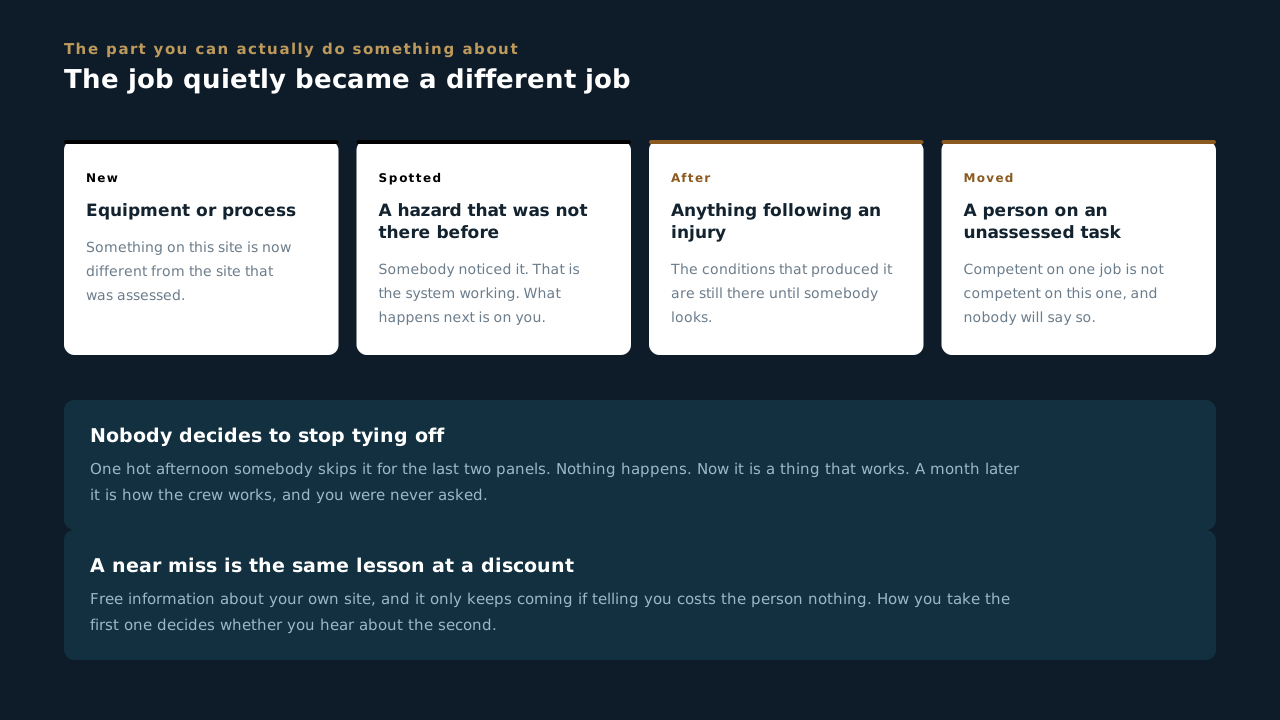
Can you answer this? A crew member tells you about something that nearly went badly. Nobody was hurt and nothing was damaged. What matters most?
12.6 When it goes wrong
The first hour, and what you do not do in it
- People first, in this order. Is anybody hurt, is anybody still in danger, is the area secured. Nothing else moves until all three are answered out loud.
- Then call it in. There is no version of this where you handle it quietly and mention it later. Late notification turns a bad event into a bad event plus a cover-up, and only one of those ends a career.
- Incident investigation reports are submitted within 24 hours of the supervisor first being notified. Know that number before the day you need it, not while you are looking for it.
- Preserve the scene before it gets tidied up. Photos of the area as it sits, the equipment as it sits, and who was present. This is not about assigning blame. It is about the next crew not repeating it.
- Write what happened, not why you think it happened. Your theory in the first hour is usually wrong, and it will follow that file for years after everyone has forgotten it was a guess.
- A near miss reported costs nothing. A near miss buried costs somebody a hand, eventually, on a day you will not be there for.
How you handle the worst hour of the year is most of your reputation with that crew. They will forgive you for a bad call. They will not forgive you for protecting yourself first.
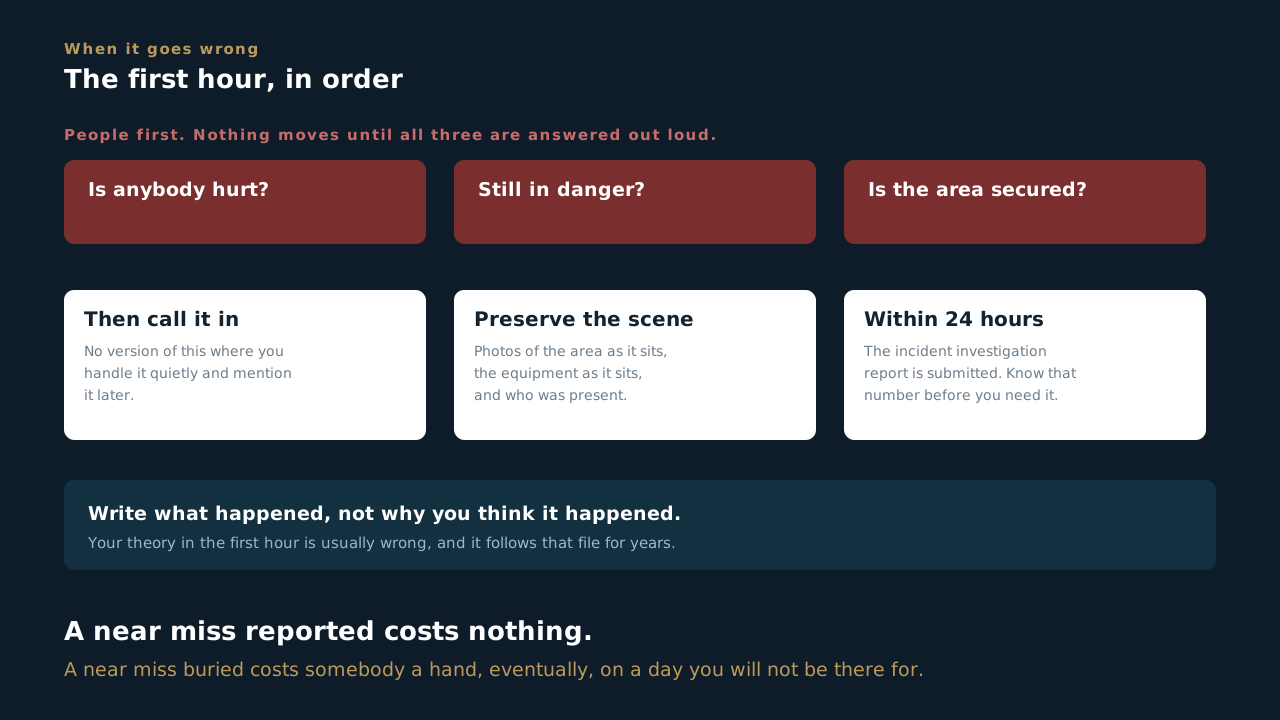
Can you answer this? Something has gone wrong on your site. What are the first three questions, before anything else moves?
12.7 Building the person behind you
The job is not finished until somebody can do it without you
- Hand off the work you are best at, not only the work you dislike. A lead who delegates nothing but the tedious jobs teaches nobody anything, and every single person notices.
- Let people be slower than you at first. Every hour you save by doing it yourself is an hour of training you decided not to buy, and that bill comes due on the next job.
- Say out loud what you are looking at when you look at a job. Most of what a good lead knows is invisible, and it stays invisible unless somebody narrates it.
- Name a second, and tell them they are it. Somebody on your crew should be able to run the day if you are out, and they should find that out well before the morning it happens.
- We spend more waking hours with these people than we do with our own families. That is a reason to take the person in front of you seriously, not a line for a poster.
The best thing you leave on a site is not the array. It is three people who could build the next one without you.
Can you answer this? Which work should you be handing off?